Freedom251 › Disk Space Analyzers
DiskBrain
What DiskBrain is
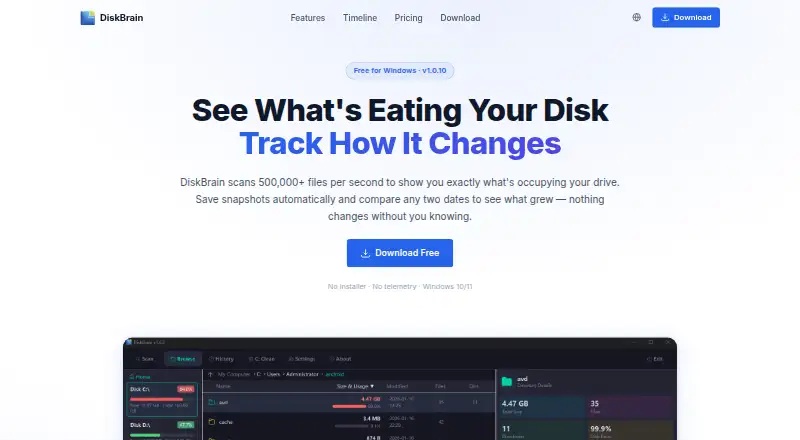
DiskBrain is a Windows application that scans files and folders to show what is using drive space and how that use changes. Its parallel Win32 engine, powered by Rust and rayon, is described as scanning more than 500,000 files per second. After each scan, it saves a snapshot; you can compare dates to find directories or individual files that grew or shrank. A tree view uses colored size bars, with red for items above 1 GB and yellow for items above 100 MB. Selecting a directory generates an AI explanation of its contents and whether deletion may be safe, including explanations of snapshot differences. DiskBrain can identify system junk, application leftovers, update caches, and build artifacts, and its C-drive cleanup handles temporary files, system caches, and app leftovers. The free plan includes copying, deleting, and renaming files. Reports are exportable on paid plans. It supports Windows 10/11 on x64, with a single executable and no installer.
Who it suits
DiskBrain suits Windows users who want to inspect drive usage, compare storage snapshots, and clean common leftovers. It is also aimed at users who want AI explanations of directories and optional report export.
What it does well
- Snapshots compare storage changes over time
- AI explains directories and snapshot differences
- Tree view highlights large items by color
- Free plan includes file operations
- Single executable requires no installer
What to know first
- Windows only
- Free plan limits AI calls and snapshots
- Free plan lacks trend charts and report export
- Paid plans are required for expanded limits
Plans
| Plan | Billed and limits | Price |
|---|---|---|
| Free | 3 AI analysis calls per day · ~3 snapshots per drive · C-Drive Cleanup 1 time / month · No timeline trend charts or report export | Free |
| Pro Monthly | Billed monthly; cancel anytime · 100 AI analysis calls per day · 50 disk snapshots · 2 devices per license | $3.99 a month |
| Pro Yearly | Save 50% vs monthly · 100 AI analysis calls per day · 50 disk snapshots · 2 devices per license | $23.99 |
| Yearly | Save 50% vs monthly · 100 AI analysis calls / day · 50 disk snapshots · Timeline trend charts · Report export · Unlimited C-Drive Cleanup · All future updates included | $23.99 |
| Monthly | Billed monthly · Cancel anytime · 100 AI analysis calls / day · 50 disk snapshots · Timeline trend charts · Report export · Unlimited C-Drive Cleanup · All future updates included | $3.99 a month |
| Lifetime | One-time · Pay once, own forever · 100 AI analysis calls / day · 50 disk snapshots · Timeline trend charts · Report export · Unlimited C-Drive Cleanup · All future updates included | $99, paid once |
As diskbrain.com lists them, read 11 Oct 2026. The maker's own page has the final word.
Verdict
DiskBrain combines drive visualization, historical snapshots, cleanup guidance, and optional AI analysis in a Windows-only tool. The free tier covers basic file operations, while paid plans add larger allowances, trend charts, exports, and broader cleanup use.
Facts from DiskBrain's own pages
- AI analysis
- Users can select a directory for an AI-generated explanation of what it is and whether it is safe to delete; the site also says analysis works on snapshot diffs. · diskbrain.com, 11 Oct 2026
- Cleanup and advisor
- DiskBrain can identify system junk, app leftovers, update caches, and build artifacts, and offers C-drive cleanup for temporary files, system caches, and app leftovers. · diskbrain.com, 11 Oct 2026
- Disk timeline
- DiskBrain saves snapshots after scans and lets users compare dates to see which directories grew or shrank, down to individual files. · diskbrain.com, 11 Oct 2026
- Exportable reports
- Yes · diskbrain.com, 23 Sept 2026
- File operations
- The Free plan includes file copy, delete, and rename operations. · diskbrain.com, 11 Oct 2026
- Free plan
- Yes · diskbrain.com, 23 Sept 2026
- Desktop platforms
- windows · diskbrain.com, 23 Sept 2026
- Privacy claim
- The site describes the Windows download as having no telemetry. · diskbrain.com, 11 Oct 2026
- Purpose
- DiskBrain scans a drive to show what is occupying its space and track how that changes over time. · diskbrain.com, 11 Oct 2026
- Refund terms
- First-time monthly and annual subscribers can request a full refund within 48 hours; the Lifetime plan has a 7-day no-questions-asked refund window. · diskbrain.com, 11 Oct 2026
- Scan scope
- files_folders · diskbrain.com, 23 Sept 2026
- Scan speed
- The site says DiskBrain scans 500,000+ files per second and uses a parallel Win32 engine powered by Rust and rayon. · diskbrain.com, 11 Oct 2026
- Space visualization
- The site describes tree-based navigation with color-coded size bars, with red for items over 1 GB and yellow for items over 100 MB. · diskbrain.com, 11 Oct 2026
- Supported system
- The site lists Windows 10/11 and x64, and describes the download as a single executable requiring no installer. · diskbrain.com, 11 Oct 2026
Where DiskBrain stands on Freedom251
- Disk Space Analyzers#53 of 105