Diarly
What Diarly is
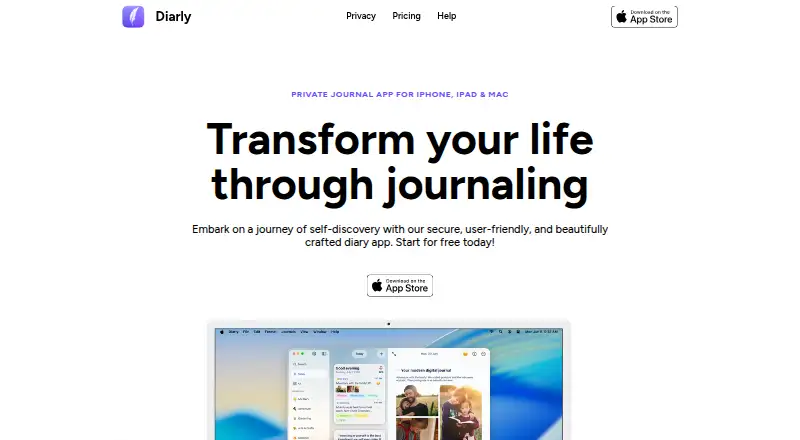
Diarly is a journaling app for daily reflection, with apps for Android, iOS, and macOS. Its editor combines Markdown with formatting tools, checklists, and links between journal entries and notes. Entries can hold images, files, audio recordings, locations, weather, links, and tags; iOS also supports sketches. Calendar, map, gallery, timeline, and notes views offer different ways to browse journal content. Diarly can import activity, sleep, workout, and mindfulness data from Apple Health, and Siri Shortcuts can add text and attachments to a daily note. Journals can be accessed and edited offline. The maker says they are stored on the user's device or in iCloud Drive, not on Diarly's own servers. The free plan allows unlimited entries and media in one journal. Premium adds unlimited journals, advanced export, themes, audio transcription, an AI Assistant, mood tracking, reminders, and more. AI+ adds image text extraction and audio transcription. Premium encryption covers journal text, but not images, photos, videos, or other attachments; encrypted entries cannot be recovered if the password is forgotten. Diarly is listed by PureForm Studio, an independent software company based in Poland.
Who it suits
Diarly suits people who want a private journal with varied entry types and several ways to browse past writing. It also fits Apple users who want journal entries to include Apple Health data or Siri Shortcut additions.
What it does well
- Free plan includes unlimited entries and media.
- Browse journals in calendar, map, gallery, timeline, and notes views.
- Works offline for journal access and editing.
- Can import activity, sleep, workout, and mindfulness data from Apple Health.
- Siri Shortcuts can add text and attachments to a daily note.
What to know first
- The free plan is limited to one journal.
- Premium encryption does not cover images, videos, or attachments.
- Encrypted entries cannot be recovered if the password is forgotten.
Limits
The free plan allows one journal. Premium encryption protects journal text but not images, photos, videos, or attachments, and encrypted entries cannot be recovered if the password is forgotten.
Plans
| Plan | Billed and limits | Price |
|---|---|---|
| Free | Unlimited entries and media · one journal · apps for Mac, iPhone, iPad, and Apple Watch | Free |
| Premium | Monthly subscription option; the page does not state a price. · Unlimited journals · advanced export, themes, audio transcription, AI Assistant, mood tracking, reminders, and more | On request |
| AI+ | Monthly subscription; the page does not state a price. · Convert images to text · transcribe audio recordings | On request |
As diarly.app lists them, read 4 Oct 2026. The maker's own page has the final word.
Getting started
- Visit https://diarly.app/.
- Choose the app for Android, iOS, or macOS.
- Start with the free plan, which includes one journal and unlimited entries and media.
- Try a paid plan with the 7-day trial.
Verdict
Choose Diarly if you want a journal with offline editing, multiple entry formats, and several browsing views. Its free plan includes unlimited entries and media in one journal. Consider the encryption limits if protecting images or attachments is important to you.
Questions
Is Diarly free?
Yes. The Free plan costs nothing and includes unlimited entries and media in one journal. A 7-day trial is also listed.
Which platforms does Diarly support?
Diarly is available on Android, iOS, and macOS. The Free plan lists apps for Mac, iPhone, iPad, and Apple Watch.
Where are Diarly journals stored?
The maker says journals are stored on the user's device or in iCloud Drive, and are never stored on Diarly's own servers.
What does Premium add?
Premium includes unlimited journals, advanced export, themes, audio transcription, an AI Assistant, mood tracking, reminders, and more.
What does AI+ add?
AI+ includes image text extraction and audio transcription. The AI Assistant is powered by OpenAI.
Who makes Diarly?
Diarly is listed by PureForm Studio, which describes itself as an independent software development company in Poland that builds Mac and iOS apps.
Facts from Diarly's own pages
- AI
- The AI Assistant is powered by OpenAI; Premium includes affirmations, advice, and an assistant, while AI+ adds image text extraction and audio transcription. · diarly.app, 4 Oct 2026
- Apple Health
- Diarly can import activity, sleep, workout, and mindfulness data from Apple Health into journal entries. · diarly.app, 4 Oct 2026
- Data storage
- The maker says journals are stored on the user's device or in iCloud Drive and are never stored on Diarly's own servers. · diarly.app, 4 Oct 2026
- Encryption limit
- Encryption is a Premium feature and encrypts journal text, but not images, photos, videos, or attachments; encrypted entries cannot be recovered if the password is forgotten. · diarly.app, 4 Oct 2026
- Maker
- Diarly is listed by PureForm Studio, which describes itself as an independent software development company located in Poland that builds Mac and iOS apps. · pureformstudio.com, 4 Oct 2026
- Media
- Entries can include images, files, audio recordings, location, weather, links, tags, and sketches on iOS. · diarly.app, 4 Oct 2026
- Offline access
- Users can access and edit journals without an internet connection. · diarly.app, 4 Oct 2026
- Product
- Diarly is a private journaling app for Mac, iPhone, and iPad, designed for daily reflection. · diarly.app, 4 Oct 2026
- Siri Shortcuts
- Siri Shortcuts can add text to a daily note and can include attachments. · diarly.app, 4 Oct 2026
- Support
- Support is available through the app, by email at [email protected], or through social media. · diarly.app, 4 Oct 2026
- Views
- Diarly offers calendar, map, gallery, timeline, and notes views for browsing journals. · diarly.app, 4 Oct 2026
- Writing
- Its editor supports Markdown, formatting tools, checklists, and links between entries and notes. · diarly.app, 4 Oct 2026
Where Diarly stands on Freedom251
- Journal Apps#9 of 35