Freedom251 › Cloud Development Environments

Devsy
What Devsy is
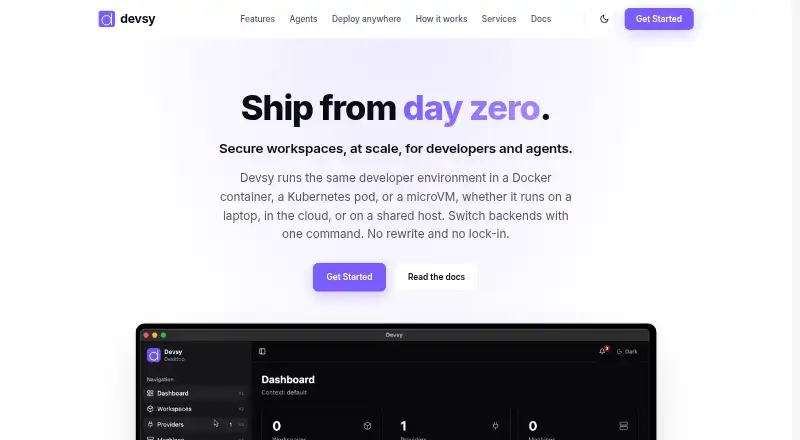
Devsy provides standardized developer workspaces for developers and AI coding agents. Each workspace is defined with a devcontainer.json file using the open DevContainer standard, then runs as a Docker container, Kubernetes pod, or microVM. Workspaces can run locally, on remote SSH hosts, or in public and private clouds, and teams can switch providers without changing the environment definition. Documented options include Docker, Podman, Kubernetes, Apple, Microsandbox, Lima, OrbStack, SSH, AWS, Google Cloud, Azure, and DigitalOcean.
Create a workspace from a Git repository, local path, or Docker image using Devsy’s desktop app or CLI. VS Code and its variants and the JetBrains suite are supported out of the box; other editors can connect over SSH. Each coding agent can run in a separate container with filesystem, network, and process isolation. Git and Docker credentials sync into the workspace, and access can be revoked or rotated. Devsy also includes prebuilds, persistent storage, and inactivity-based shutdown. Its CLI can build an ephemeral workspace, run a command inside it, and delete it afterward unless the keep option is passed. Devsy is free and open source; its site identifies the company as Devsy, Inc.
Who it suits
Devsy suits software teams that want repeatable workspaces across local machines, SSH hosts, and cloud providers. It also fits developers working with AI coding agents who want isolated containers and workspace-based credential handling.
What it does well
- Workspace definitions can move across documented local, SSH, and cloud providers.
- AI agents can have separate filesystem, network, and process isolation.
- Git and Docker credentials sync into workspaces, with access revocation or rotation.
- Desktop app and CLI are available for macOS, Windows, and Linux.
- Open source users can add custom providers using a provider.yaml manifest.
- Prebuilds and inactivity-based shutdown help manage unused infrastructure.
What to know first
- Desktop and CLI installation options are listed for macOS, Windows, and Linux only.
- Other editors connect over SSH rather than being listed as built-in integrations.
Getting started
- Visit https://devsy.sh/.
- Install the desktop app or CLI for macOS, Windows, or Linux.
- Create a workspace from a Git repository, local path, or Docker image.
- Define the environment in a devcontainer.json file.
- Choose a local, SSH, or cloud provider for the workspace.
- Connect with VS Code, a JetBrains IDE, or another editor over SSH.
Verdict
Choose Devsy if you need portable, standardized development environments or isolated workspaces for AI coding agents. Its open-source model and provider support allow teams to extend and move environments. Look elsewhere if you need a desktop or CLI for a platform beyond macOS, Windows, or Linux.
Questions
Is Devsy free?
Yes. Devsy is listed as free and open source.
Which platforms does Devsy support?
Its listed platforms include API, Linux, macOS, self-hosted, web, and Windows. Desktop and CLI downloads are listed for Linux, macOS, and Windows.
Which editors work with Devsy?
VS Code and its variants and the JetBrains suite are supported out of the box. Other editors can connect over SSH.
Can Devsy work with cloud providers?
Yes. Documented providers include AWS, Google Cloud, Azure, and DigitalOcean, as well as local, SSH, and other options.
Can teams add a provider?
Yes. Users can build and add custom providers using a provider.yaml manifest.
Does Devsy support self-hosting and persistent storage?
Yes. Self-hosted use and persistent storage are listed.
Facts from Devsy's own pages
- Agent isolation
- Each coding agent can run in its own container with filesystem, network, and process isolation. · devsy.sh, 8 Oct 2026
- AI agent isolation
- The site says each AI agent gets its own container with filesystem, network, and process isolation. · devsy.sh, 8 Oct 2026
- Backends
- Workspaces can run locally, on remote SSH hosts, or in public and private clouds, and teams can switch providers without rewriting the environment definition. · devsy.sh, 8 Oct 2026
- CI use
- The devsy ci command builds an ephemeral devcontainer, runs a command inside it, and deletes the workspace afterward unless --keep is passed. · devsy.sh, 8 Oct 2026
- CLI platforms
- The CLI install page provides installation options for macOS, Linux, and Windows. · devsy.sh, 8 Oct 2026
- Company
- The site footer identifies the company as Devsy, Inc. · devsy.sh, 8 Oct 2026
- Contact response
- The maker says it will respond to contact inquiries within a couple of business days. · devsy.sh, 8 Oct 2026
- Cost controls
- The site describes prebuilds and inactivity-based auto-shutdown to reduce unused infrastructure costs. · devsy.sh, 8 Oct 2026
- Credential handling
- Git and Docker credentials sync into the workspace, and workspace access can be revoked or rotated without changing the developer's machine. · devsy.sh, 8 Oct 2026
- Credentials
- Git and Docker credentials sync into the workspace rather than the agent’s host, and workspace access can be revoked or rotated. · devsy.sh, 8 Oct 2026
- Custom providers
- Users can build and add their own providers using a provider.yaml manifest. · devsy.sh, 8 Oct 2026
- Desktop and CLI
- Devsy is available as a desktop app for managing workspaces and a CLI for automation and scripting. · devsy.sh, 8 Oct 2026
- Desktop platforms
- Desktop downloads are listed for macOS, Windows, and Linux. · devsy.sh, 8 Oct 2026
- Editors
- Devsy supports VS Code and variants and the JetBrains suite, while other editors can connect over SSH. · devsy.sh, 8 Oct 2026
- Environment definition
- Workspaces use the open DevContainer standard and are defined with a devcontainer.json file. · devsy.sh, 8 Oct 2026
- Environment management
- Devsy includes prebuilds, inactivity-based shutdown, and Git and Docker credential sync. · devsy.sh, 8 Oct 2026
- Extensibility
- Devsy is open source and users can build custom providers for platforms without an existing provider. · devsy.sh, 8 Oct 2026
- IDE support
- The documentation says VS Code and its variants and the JetBrains suite are supported out of the box, and other editors can connect over SSH. · devsy.sh, 8 Oct 2026
- Provider backends
- Documented providers include Docker, Podman, Kubernetes, Apple, Microsandbox, Lima, OrbStack, SSH, AWS, Google Cloud, Azure, and DigitalOcean. · devsy.sh, 8 Oct 2026
- Purpose
- Devsy runs standardized developer workspaces for developers and AI coding agents. · devsy.sh, 8 Oct 2026
- Support
- The maker offers environment audits, implementation and rollout, ongoing support, upgrades, and migration help. · devsy.sh, 8 Oct 2026
- Workspace management
- Workspaces can be created from the CLI or desktop app using a Git repository, local path, or Docker image as the source. · devsy.sh, 8 Oct 2026
- Workspace standard
- Workspaces are defined with devcontainer.json and can run as Docker containers, Kubernetes pods, or microVMs. · devsy.sh, 8 Oct 2026
Where Devsy stands on Freedom251
- Cloud Development Environments#13 of 27