Freedom251 › AI Voice Isolators
Demixr
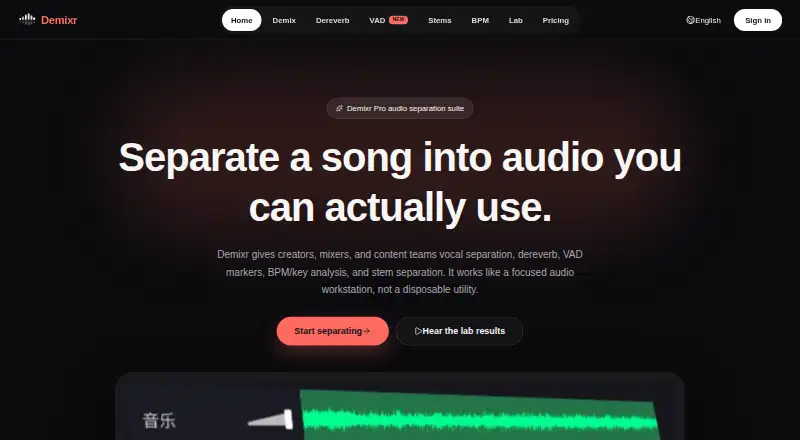
What Demixr is
Demixr is a web-based audio service for separating and processing audio. It provides vocal and instrumental separation, stem separation, dereverb, speech-segment markers, and analysis of BPM and musical key. Its stem tool divides music into vocals, drums, bass, and other parts. Demixr Pro 1.5 has a Voice mode for complex mixes, live recordings, or speech over music, and a Music mode for songs, covers, and separating vocals from accompaniment. For dereverb, the service recommends isolating the vocal before applying the effect, since treating a full mix may create artifacts or distortion. VAD detects speech, with editable markers and batch export, but can be inaccurate when vocals are quiet or recordings are noisy. The BPM tool also reports Camelot values and offers optional tap-to-sync. The free plan allows 10 minutes of audio monthly, uploads up to 10 MB, two VAD uses, queued processing, and no WAV downloads. Paid plans start at $4 /mo; purchases do not renew automatically. Uploads and outputs are deleted within 24 hours by default.
Who it suits
Demixr suits creators, mixers, and content teams working with audio who need separation, speech markers, dereverb, or tempo and key analysis. Its free plan may suit people processing limited audio who do not need WAV downloads.
What it does well
- Separates vocals, drums, bass, and other stems
- Offers editable VAD markers and batch export
- BPM analysis includes key and Camelot values
- Uploads and outputs deleted within 24 hours by default
- Paid purchases do not automatically renew
What to know first
- Free plan limits audio to 10 minutes monthly
- Free uploads capped at 10 MB
- Free plan has no WAV downloads
- VAD may be inaccurate with quiet vocals or noise
Limits
The free plan allows 10 minutes of uploaded audio per month, limits each upload to 10 MB, includes two VAD uses, queues processing, and does not include WAV downloads. Paid plans allow 10 to 100 hours per month and per-upload limits of 50 to 500 MB; VAD and BPM remain subject to fair use.
Plans
| Plan | Billed and limits | Price |
|---|---|---|
| Free | 10 minutes of uploaded audio/month · max 10MB per upload · 2 free VAD uses · BPM subject to fair use · queued processing · no WAV downloads | Free |
| Pro | $15 / 1 month; one-time payment, no auto-renewal · 100h audio/month · 500MB per upload · VAD and BPM subject to fair use · priority queue · WAV downloads | $15 a month |
| Go | $4 / 1 month; one-time payment, no auto-renewal · 10h audio/month · 50MB per upload · VAD and BPM subject to fair use · priority queue · WAV downloads | $4 a month |
| Plus | $9 / 1 month; one-time payment, no auto-renewal · 50h audio/month · 150MB per upload · VAD and BPM subject to fair use · priority queue · WAV downloads | $9 a month |
As demixr.com lists them, read 3 Oct 2026. The maker's own page has the final word.
Getting started
- Open the Demixr website in a browser.
- Choose the free plan or a paid plan: Go, Plus, or Pro.
- Upload an audio file that meets the applicable size and duration limits.
- Choose an audio tool, such as separation, dereverb, VAD, or BPM analysis.
- Download WAV output on a paid plan.
Demixr is a browser-based audio workspace for separating voices and stems, reducing reverb, finding speech segments, and analyzing tempo and key. It is aimed at creators, mixers, and content teams that prefer one upload service over a collection of specialist tools. The trade-off is a tightly capped free tier and quotas that still apply on paid one-time plans.
Overview
Demixr covers several common post-production jobs in one web interface: vocal isolation, instrument-stem separation, dereverb, voice-activity detection (VAD), and BPM/key analysis. That breadth is useful when a project moves between dialogue cleanup, remix preparation, and music metadata. It is less compelling if you need a desktop or mobile app, since processing is upload-based and the only listed platform is the web.
Uploads must be at least 15 seconds. Processing pages allow files up to 200 MB for non-subscribers and 500 MB for subscribers, although each plan imposes its own lower upload ceiling. Audio and generated outputs are deleted within 24 hours by default. Demixr says uploads are not used for training or analysis unless you authorize that, and describes access controls, signed links, and server-side permission boundaries; it also says it does not sell personal data.
Key features
Demixr Pro 1.5 provides two vocal-separation modes. Voice mode is intended for complex mixes, live recordings, and speech over music, while Music mode targets songs, covers, and vocal-versus-accompaniment work. A separate stem tool, powered by Demucs, splits music into vocals, drums, bass, and other. Together these modes make the service more versatile than a single-purpose vocal remover, though choosing the right mode matters for the source material.
Dereverb is best used after vocal isolation. Demixr advises applying it to the separated vocal; running it on a complete mix can introduce artifacts or distortion. That workflow is a practical strength for targeted dialogue or vocal cleanup, but it adds a step for anyone expecting one-click treatment of a finished track.
VAD detects speech segments, lets you edit its markers, and supports batch export. Quiet vocals and noisy recordings can produce inaccurate detection, so it should not be your sole timing reference in difficult material. The BPM tool reports tempo, key, and Camelot values and offers optional tap-to-sync, useful for DJ preparation and remix planning.
Pricing
| Plan | Price and allowance | What you get |
|---|---|---|
| Free | free; 10 minutes of uploaded audio/month; 10 MB per upload | Two free VAD uses, BPM subject to fair use, queued processing, and no WAV downloads |
| Go | $4 a month, billed $4 / 1 month; 10 hours/month; 50 MB per upload | Priority queue, WAV downloads; VAD and BPM subject to fair use |
| Plus | $9 a month, billed $9 / 1 month; 50 hours/month; 150 MB per upload | Priority queue and WAV downloads; VAD and BPM subject to fair use |
| Pro | $15 a month, billed $15 / 1 month; 100 hours/month; 500 MB per upload | Priority queue and WAV downloads; VAD and BPM subject to fair use |
Go is the sensible entry point for regular short-form work: it removes the free queue and download restriction while providing 10 hours. Plus suits heavier monthly production, and Pro is the only plan matching the 500 MB subscriber maximum and the largest quota. Every paid option is a one-time purchase for the stated one-month period with no automatic renewal, rather than an ongoing subscription. Refund requests are accepted within seven days when paid processing quota has not been materially used. Checkout is handled by Creem and may offer cards, PayPal, Apple Pay, Google Pay, Alipay, and other local methods where available.
Platforms
Demixr runs on the web and accepts audio uploads, exporting WAV on paid plans. There is no separately listed desktop, mobile, or self-hosted version.
Who it's for
Choose Demixr if you are a creator, mixer, or content team that needs separation, cleanup, speech marking, and music analysis in the same browser workflow. The combination is particularly useful for projects that alternate between vocals and full musical stems. It is a poorer fit for large uncompressed files on the Free, Go, or Plus tiers, for noisy recordings where VAD precision is critical, or for users who require continuing subscription billing rather than one-time monthly purchases.
Pros and cons
Pros
- Multiple audio jobs in one service, including Demucs-based four-way stem separation.
- Dedicated Voice and Music separation modes cover complex speech-over-music and conventional song work.
- Editable VAD markers and batch export can accelerate segment preparation.
- Paid plans provide priority processing and WAV downloads.
- 24-hour default deletion and stated non-training use unless authorized address common upload-privacy concerns.
Cons
- The Free plan allows only 10 minutes monthly, 10 MB files, two VAD uses, queued processing, and no WAV downloads.
- VAD can be unreliable with quiet vocals or noisy recordings.
- Dereverb on a full mix may create artifacts or distortion, so vocal isolation is usually required first.
- Paid quotas and fair-use treatment for VAD/BPM still limit sustained heavy use.
- It is web-only and requires uploads of at least 15 seconds.
Alternatives
AI Voice Isolators is the broader category guide for comparing similar tools. Pick AudioShake instead if you want Android, iOS, desktop, API, or self-hosted access, a free trial, and 200 starter credits with MP3 export and 10-minute files. LALAL.AI is preferable when you need broader device coverage and a free relaxed queue with 10 minutes and 200 MB files, though full downloads are unavailable on its free starter offer. Choose Altered Real-Time Pro for desktop speech enhancement, daily processing minutes, and voice skins. VocalDrop fits users wanting a free desktop tool with no track limits, watermark, account, or feature paywall. AIVoiceSeparator is worth considering for web/API access, three free songs monthly, and MP3 320, WAV, or FLAC output plus lyrics, BPM, and key detection. Denoise is the focused mobile choice for Android and iOS denoising. Vocly offers an Android separation workflow with ads and no sign-up. clir Focus is an iOS alternative built around three free sessions and paid monthly access.
Verdict
Demixr is a strong choice for creators and audio teams that want separation, dereverb, VAD, and musical analysis together in a browser. Its main reason to choose it is workflow breadth with paid WAV export and priority queues; its main reason to look elsewhere is the restrictive free tier, plan-specific file caps, and VAD uncertainty on difficult recordings.
Verdict
Demixr combines several audio processing and analysis tools in a browser-based service, with a free tier and one-time paid plans from $4 /mo. Check its upload limits and VAD caveat against the recordings you plan to process.
Questions
Is Demixr free?
Yes. Its free plan costs nothing and includes 10 minutes of uploaded audio per month, a 10 MB per-upload limit, two VAD uses, queued processing, and no WAV downloads.
What do paid plans cost?
Go is $4 a month, Plus is $9 a month, and Pro is $15 a month. Each is a one-time purchase with no automatic renewal.
What platforms does Demixr support?
Demixr is available on the web.
What audio tools does it include?
It offers vocal and instrumental separation, stem separation, dereverb, VAD markers, and BPM and key analysis.
What happens to uploaded audio?
Uploaded audio and outputs are deleted within 24 hours by default. Uploaded audio is not used for training or analysis unless explicitly authorized.
What payment methods can I use?
Checkout is processed by Creem and may support Alipay, cards, PayPal, Apple Pay, Google Pay, and other local methods where available.
Facts from Demixr's own pages
- Audience
- The homepage describes Demixr as serving creators, mixers, and content teams. · demixr.com, 3 Oct 2026
- Audio retention
- Uploaded audio and outputs are deleted within 24 hours by default, and uploaded audio is not used for training or analysis unless explicitly authorized. · demixr.com, 3 Oct 2026
- BPM and key
- The BPM tool analyzes tempo, key, and Camelot values and includes optional tap-to-sync. · demixr.com, 3 Oct 2026
- Dereverb workflow
- Demixr recommends separating vocals first and applying dereverb to the isolated vocal, because applying it directly to a mixed track may cause artifacts or distortion. · demixr.com, 3 Oct 2026
- Integration
- The billing page says checkout is processed by Creem and may support Alipay, cards, PayPal, Apple Pay, Google Pay, and other local methods where available. · demixr.com, 3 Oct 2026
- Payments and refunds
- Paid plans are one-time purchases with no automatic renewal; refund requests may be made within 7 days if paid processing quota has not been materially used. · demixr.com, 3 Oct 2026
- Product
- Demixr is an online audio processing service for vocal and instrumental separation, dereverb, VAD markers, BPM/key analysis, and stem separation. · demixr.com, 3 Oct 2026
- Security and privacy
- The privacy policy says Demixr uses access controls, signed links, and server-side permission boundaries, and does not sell personal data. · demixr.com, 3 Oct 2026
- Stem separation
- The stem tool separates music into vocals, drums, bass, and other using Demucs. · demixr.com, 3 Oct 2026
- Support
- Demixr lists [email protected] for support, refunds, and compliance matters. · demixr.com, 3 Oct 2026
- Upload limits
- The processing pages state a 15-second minimum audio duration and maximum file sizes of 200 MB for non-subscribers and 500 MB for subscribers. · demixr.com, 3 Oct 2026
- VAD
- VAD detects speech segments and provides editable markers and batch export; detection may be inaccurate with low vocal volume or noisy recordings. · demixr.com, 3 Oct 2026
- Vocal separation modes
- Demixr Pro 1.5 offers Voice mode for complex mixes, live recordings, or speech over music, and Music mode for songs, covers, and vocal/accompaniment separation. · demixr.com, 3 Oct 2026
Where Demixr stands on Freedom251
- AI Voice Isolators#8 of 23