Freedom251 › AI Art Generators

Deep Art Effects
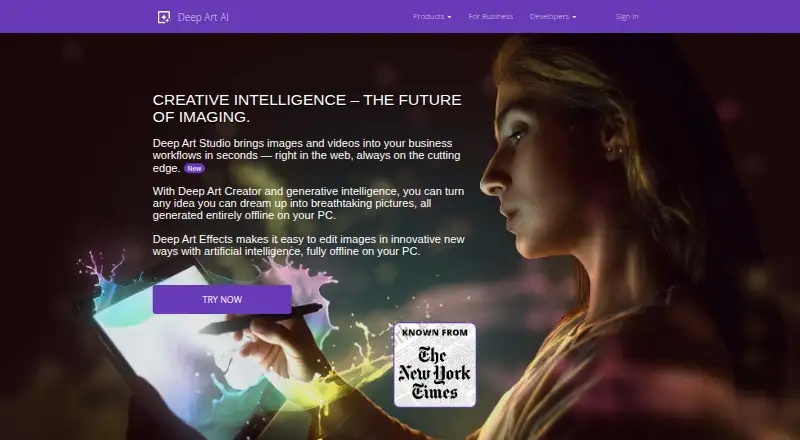
What Deep Art Effects is
Deep Art Effects uses artificial intelligence to analyze art styles and apply them to photos. Its desktop software can also transform videos, edit backgrounds or foregrounds and render images at any resolution. More than 120 styles are included, and users can supply an image to create a custom style. A GAN feature generates artwork without an input image. After downloading, the PC software runs offline and does not collect or process personal data during use. The mobile app turns photos into fine-art paintings and includes cloud artwork management, higher-resolution output, premium styles and watermark removal. Deep Art Effects also offers an API for adding image filters and image technology to applications, with SDKs for Android, iOS Objective-C, iOS Swift, Java, .NET, JavaScript and PHP. A free plan is listed. Paid options are $25 a month billed for 3 months, $80 a year billed for 12 months, $129, paid once billed as a one-time payment, and $990 a month billed for 1 month. Desktop versions require Windows 7 or later, macOS 10.12 or later, or Ubuntu 18.04 or later, plus 4GB RAM and 2GB disk space.
Who it suits
It suits people who want to apply art styles to photos or videos, or create styles from their own images. Developers can consider its API and SDKs for adding image tools to applications.
What it does well
- Includes more than 120 pre-installed art styles.
- Can create a style from an input image.
- GAN feature generates artwork without an input image.
- PC software runs offline after download.
- Offers an API and SDKs for application integration.
What to know first
- Desktop software requires at least 4GB RAM.
- Desktop software requires 2GB of disk space.
- Some mobile features require the mobile app.
- One listed subscription is $990 a month billed for 1 month.
Plans
| Plan | Billed and limits | Price |
|---|---|---|
| Free Version | free desktop version; try before purchase | Free |
| One-time purchase | one payment · all features · free minor-version updates · free support · new art filters | $129, paid once |
| 3 Month Subscription | 3 months; automatically renewed unless canceled · all features · free software updates · free support · new art filters | $25 a month |
| Monthly Premium Subscription | mobile premium features | $2.99 a month |
| Yearly Premium Subscription | mobile premium features | $34.99 a year |
| Premium Version | one payment · mobile premium features | $41.99, paid once |
| 1 Year Subscription | 12 months; automatically renewed unless canceled · all features · free software updates · free support · new art filters | $80 a year |
| 1 Month Subscription | automatically renewed unless canceled · all features · free software updates · free support · new art filters | $990 a month |
As deeparteffects.com lists them, read 15 Oct 2026. The maker's own page has the final word.
Getting started
- Visit https://www.deeparteffects.com/.
- Choose the desktop, mobile, web, or API route that fits your use.
- For desktop use, confirm your system meets the listed operating-system and hardware requirements.
- Download the PC software to use it offline after installation.
- For mobile use, find the app in the Apple App Store, Google Play Store, or Amazon App Store.
- Select the free plan or a paid option.
Deep Art Effects is an AI art-styling tool for people who want to transform photos or videos, with mobile apps and developer integration options alongside desktop software. It is strongest for users who value custom styles and offline desktop processing; developers can also use its API and SDKs to add image technology to their own applications.
Overview
The software applies the visual style of artwork to photos, while its desktop edition also turns video into artwork. Separate background and foreground editing, custom style creation, and a GAN mode that generates artwork without an input image give it a broader role than a simple photo filter. It supports image-to-image generation and ultra output resolution.
The desktop app runs offline after download and does not collect or process personal data during use. That is a meaningful advantage for people who prefer local processing, though it is specific to the PC software. The mobile app instead includes cloud artwork management, higher-resolution output, premium styles and watermark removal.
Key features
- 120-plus pre-installed styles: A substantial built-in selection makes it possible to explore different artistic treatments without first finding a reference image.
- Custom styles: Uploading an image as a style input lets users shape a look around their own reference, rather than being limited to presets.
- Video and selective editing: Desktop video stylization and separate background or foreground editing suit more involved creative work, although they make the desktop edition the clearest fit for these tasks.
- GAN artwork generation: The option to generate without an input image supports creation as well as transformation.
- Developer integration: An API supports adding image filters and image technology to desktop, web or mobile applications. SDKs are provided for Android, iOS Objective-C, iOS Swift, Java, .NET, JavaScript and PHP.
- Mobile painting app: The mobile app focuses on turning photos into fine-art paintings and is distributed through Apple App Store, Google Play Store and Amazon App Store.
Pricing
Deep Art Effects has a free plan, but its cap or included features are not defined. The paid desktop plans all include all features, free support and new art filters; the difference is mainly billing cadence and the scope of updates.
- 3 Month Subscription — $25 a month, billed 3 months: Includes all features, free software updates, free support and new art filters. It suits a short project or a limited commitment, but the stated monthly price makes it the costliest clearly priced subscription over time.
- 1 Year Subscription — $80 a year, billed 12 months: Includes the same features and support, plus free software updates and new art filters. It is the lower-cost subscription for someone expecting to use the software through the year.
- One-time purchase — $129, paid once, billed one time payment: Includes all features, free updates for minor versions, support and new art filters. It avoids recurring subscription billing, but updates are expressly limited to minor versions.
- 1 Month Subscription — $990 a month, billed 1 month: Includes all features, free software updates, support and new art filters. At this stated price it is difficult to justify for ordinary short-term use beside the other subscription options.
Commercial use is supported. No seat count or renewal terms are stated, so these plans are best compared on their stated price, billing period and update coverage.
Platforms
Deep Art Effects is available for Android, iOS, Linux, macOS, web and Windows, with an API also offered. Desktop versions require Windows 7 or later, macOS 10.12 or later, or Ubuntu 18.04 or later, plus 4GB RAM and 2GB disk space. Check those requirements before choosing a desktop version, particularly on older machines.
Who it's for
It is a strong fit for photographers and other creators who want to stylize images with presets or their own style references, and for desktop users who need video effects, selective foreground/background editing or offline processing. The API and broad SDK selection make it relevant to developers building image-filtering into applications. It is less compelling for someone seeking only a clearly capped free plan or a straightforward subscription: the free-plan limits are unclear, and one paid plan is priced far above the others.
Pros and cons
- Pro: More than 120 built-in styles plus custom style inputs give creators both breadth and room to develop a distinctive treatment.
- Pro: Offline desktop processing without personal-data collection during use suits users who want local work rather than cloud-dependent processing.
- Pro: Photo, video, GAN generation and developer integration cover several distinct workflows in one product family.
- Con: The free plan's limits are unclear, making it hard to judge whether it will cover regular use.
- Con: The 1 Month Subscription is $990 a month, a steep contrast with the other stated paid options.
- Con: The one-time purchase only promises free updates for minor versions, while subscriptions include free software updates.
Alternatives
Browse AI Art Generators for a wider set of options. Choose FLUX instead if its API, self-hosted availability or stated 4 MP maximum output suits your workflow better. starryai is another freemium option, with a stated free allowance of 25 images daily and web, macOS, iOS and Android platforms. Consider Vizcom for its free Starter plan, which includes 800 credits and basic AI creation tools, on macOS, web or Windows. Deep Dream Generator offers a web-based freemium alternative with a free image-generation plan. Scenario may suit web or API workflows that benefit from 50 free daily credits and a free trial. Craiyon is another freemium web option. Leonardo.Ai is an alternative with a free allowance of 150 fast tokens per day. Mage offers a free plan with a one-time allotment of 300 Gems.
Verdict
Choose Deep Art Effects if your priority is art-style transformation with custom references, offline desktop processing or video support, or if you need its developer tools. Its range is persuasive, but unclear free-plan limits and sharply uneven subscription pricing are good reasons to compare alternatives before committing.
Verdict
Deep Art Effects combines photo and video transformations with custom-style creation, offline desktop processing and developer integration options. Check the stated desktop requirements and plan terms before choosing a version.
Questions
Is Deep Art Effects free?
A free plan is listed. Paid options include subscriptions and a one-time purchase.
What platforms does it support?
Listed platforms are Android, API, iOS, Linux, macOS, web, and Windows.
What does the desktop software do?
It transforms photos or videos into artworks, supports background or foreground editing, and renders images at any resolution.
Can it create a style from an image?
Yes. Users can upload an image as an input style and create their own art styles.
What are the paid prices?
Options are $25 a month billed 3 months, $80 a year billed 12 months, $129, paid once billed one time, and $990 a month billed 1 month.
What are the desktop requirements?
Desktop versions require Windows 7 or later, macOS 10.12 or later, or Ubuntu 18.04 or later, with 4GB RAM and 2GB disk space.
Facts from Deep Art Effects's own pages
- API access
- The public API requires an account with an API key, access key, secret key, and usage plan. · developer.deeparteffects.com, 15 Oct 2026
- API endpoints
- The API documentation describes style listing, base64 image upload, and result retrieval endpoints, with result URLs deleted after one hour. · developer.deeparteffects.com, 15 Oct 2026
- API integration
- The company offers an API for incorporating image filters and image technology into desktop, web or mobile applications. · deeparteffects.com, 1 Oct 2026
- Art styles
- The desktop software includes over 120 pre-installed art styles. · deeparteffects.com, 1 Oct 2026
- Built-in styles
- The desktop product includes more than 120 preinstalled art styles. · deeparteffects.com, 15 Oct 2026
- Colorization
- Deep Art Effects can automatically colorize black-and-white photos and videos. · deeparteffects.com, 15 Oct 2026
- Command-line tool
- The maker distributes beta Windows and Linux GPU clients plus a beta command-line tool for batch processing. · deeparteffects.com, 15 Oct 2026
- Company facts
- LinkedIn lists Deep Art AI GmbH as a Karlsruhe software company founded in 2016 with 2–10 employees. · de.linkedin.com, 15 Oct 2026
- Creator requirements
- Deep Art Creator requires Windows 7+, macOS 10.12+, or Ubuntu 18.04+, 8 GB RAM, and 15 GB disk space. · deeparteffects.com, 15 Oct 2026
- Custom styles
- Users can upload an image as a style reference and generate their own art styles. · deeparteffects.com, 15 Oct 2026
- Desktop features
- The desktop software turns photos or videos into artworks, supports background or foreground editing, and renders images at any resolution. · deeparteffects.com, 1 Oct 2026
- Desktop requirements
- Deep Art Effects Desktop requires 64-bit Windows 7 or later, macOS 10.11 or later, or Ubuntu 14.04 or later, with 4 GB RAM and 2 GB disk space. · deeparteffects.com, 15 Oct 2026
- Documentation
- The help center is organized into desktop, mobile, licensing and account, and Deep Art API sections. · support.deepart.ai, 15 Oct 2026
- GAN generation
- Its GAN feature creates unique artwork without requiring an input image. · deeparteffects.com, 15 Oct 2026
- Headquarters
- Karlsruhe, Germany · deeparteffects.com, 28 Sept 2026
- Image generation
- The GAN feature can generate unique artwork without an input image. · deeparteffects.com, 1 Oct 2026
- Integrations
- The download page links Deep Art Studio integrations for ChatGPT and Claude. · deeparteffects.com, 15 Oct 2026
- Legal identity
- The developer imprint identifies Deep Art AI GmbH in Karlsruhe, Germany, with commercial-register number HRB Mannheim 726015. · developer.deeparteffects.com, 15 Oct 2026
- License
- Business terms grant a revocable, non-transferable object-code license and provide no source-code or source-escrow rights. · developer.deeparteffects.com, 15 Oct 2026
- Limit: Apple App Store interface
- A reviewer reported slow navigation, no filter reordering, an unhelpful artwork screen, and buried color controls. · apps.apple.com, 15 Oct 2026
- Limit: Capterra reliability
- The sole Capterra reviewer said the app failed on tablet and desktop and continued billing without effective support. · capterra.com, 15 Oct 2026
- Limit: Google Play photo navigation
- Reviewers complain that newer versions make it difficult and slow to find older photos or folders. · play.google.com, 15 Oct 2026
- Limit: MSpoweruser review
- The review reported watermarks in the free trial, no undo/redo, demanding hardware, and separate desktop and mobile subscriptions. · mspoweruser.com, 15 Oct 2026
- Limit: Trustpilot API support
- A reviewer reported authentication errors when testing the API and slow, unhelpful support responses. · trustpilot.com, 15 Oct 2026
Where Deep Art Effects stands on Freedom251
- AI Art Generators#3 of 28