Freedom251 › Data Modeling Software

DbSchema
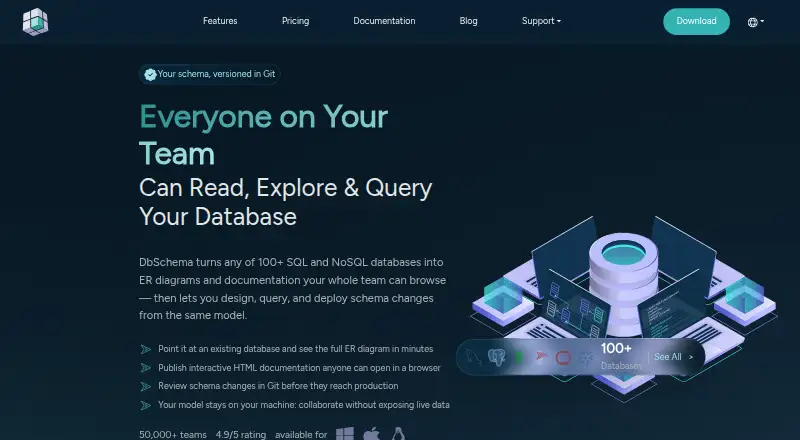
What DbSchema is
DbSchema is a desktop tool for visualizing, designing, documenting, and working with SQL and NoSQL databases. It supports more than 70 databases through JDBC and can download the needed driver. Users can create interactive schema diagrams, separate subsystem diagrams, and generate schemas for supported engines. Design can begin without a database connection: the physical schema is saved locally as a .dbs file. For connected databases, synchronization compares the model with the database and generates migration SQL for review before changes are applied. Its SQL editor offers schema-aware autocomplete, and a visual query builder lets users arrange tables, joins, and filters and inspect SQL before it runs. DbSchema can publish interactive HTML5 schema documentation that opens in a browser without an installation or license. Connections run from the user’s computer directly to the database, with optional SSL and SSH tunnels. Community Edition is free forever for any use. Pro Monthly costs $29.40 a month plus taxes; Architect Monthly costs $47.04 a month plus taxes.
Who it suits
DbSchema suits people who design or manage SQL and NoSQL databases on Linux, macOS, or Windows. Community Edition is available for free use, while Pro and Architect plans cover additional design and management capabilities.
What it does well
- Supports more than 70 SQL and NoSQL databases.
- Design schemas offline and save them locally.
- Review generated migration SQL before applying changes.
- Publish browser-based interactive HTML5 documentation.
What to know first
- Community Edition excludes documentation, sync, and data tools.
- Pro Monthly costs $29.40 a month plus taxes.
- Architect Monthly costs $47.04 a month plus taxes.
Limits
Community Edition is free forever and includes database connections, reverse engineering, interactive diagrams, table and column creation, and an SQL editor. Documentation, synchronization and data tools are excluded. The Architect trial lasts 15 days and can be extended by 15 days.
Plans
| Plan | Billed and limits | Price |
|---|---|---|
| Pro | Everything in Community · Save and load design files · Schema synchronization | On request |
| Architect | Everything in Pro · Logical and conceptual design | On request |
| Community Edition | Free forever, for any use · Database connections and reverse engineering · interactive diagrams · create tables and columns · SQL editor · documentation, sync and data tools not included | Free |
| Pro Monthly Subscription | Monthly $29.40 + Taxes; cancel anytime · All databases · documentation · visual query builder and data browsing · schema synchronization and migration · data generator and importer | $29.40 a month |
| Pro Perpetual | One Time $294.00 + Taxes; first year of maintenance and upgrades free, then $75.00/Year · All databases · documentation · visual query builder and data browsing · schema synchronization and migration · data generator and importer | $294, paid once |
| Architect Monthly | $47.04 per month + taxes; latest updates always included; cancel anytime · Logical and conceptual modeling before choosing a database engine · generate physical schema for a supported database | $47.04 a month |
| Architect Perpetual | $470.40 one time + taxes; includes 1 year of updates, then $120.00/yr to renew, optional · Logical and conceptual modeling before choosing a database engine · generate physical schema for a supported database | $470.40, paid once |
| AI Assistant add-on | $9.00 per month + taxes · Credits for ChatGPT, Claude and DeepSeek · works with Community, Pro and Architect | $9 a month |
As dbschema.com lists them, read 20 Sept 2026. The maker's own page has the final word.
Getting started
- Open the DbSchema website.
- Download the shared installer for Linux, macOS or Windows.
- Choose Community Edition, Pro or Architect in the installer.
- Start without registration, or use the included 15-day Architect trial.
- Connect to a database through JDBC, or begin an offline physical design saved as a .dbs file.
Overview
DbSchema suits developers and database teams who need a desktop workspace for shaping schemas and working with connected databases across different SQL and NoSQL engines. Its strongest case is the combination of offline modeling and controlled synchronization; the catch is that the free edition leaves out several practical day-to-day tools.
It supports more than 70 databases through JDBC, with automatic driver downloads, and keeps design models in local .dbs files. Direct database connections run from the user's computer rather than through a DbSchema server, a useful distinction for teams mindful of connection paths.
Key features
Modeling and schema changes
Interactive diagrams support schema design and separate views for subsystems. DbSchema can generate a physical schema for supported engines, and its offline design mode lets users create a model before connecting to a database. That flexibility is valuable early in a project, though generating a physical schema still depends on a supported engine.
For existing databases, reverse engineering brings structure into the modeling workflow. Synchronization compares a model with a database and can generate migration SQL for review before application. That review step gives teams a chance to inspect proposed changes, but synchronization is not part of Community Edition.
Queries and documentation
The SQL editor provides schema-aware autocomplete, while the visual query builder assembles tables, joins and filters and exposes the SQL before execution. This makes the builder useful for constructing and checking queries without hiding what will run. Interactive HTML5 documentation can be opened in a browser without an installation or license, but documentation is also excluded from Community Edition.
Collaboration and data handling
Git workflows work with GitHub, GitLab, Bitbucket and self-hosted Git servers, supporting versioned team work. Connections can use configured SSL and SSH tunnels. DbSchema stores remembered credentials locally; when the optional AI assistant is used, questions and attached tables or files go to the selected AI provider, so that data flow deserves consideration before using it with sensitive material.
Technical support is available through the in-app function, GitHub, email, support tickets or booked calls. Wise Coders describes DbSchema as a Java desktop application built with OpenJDK and JavaFX, and states that the company is ISO 27001 certified.
Pricing
The Community Edition costs nothing, billed Free forever, for any use. It includes database connections and reverse engineering, interactive diagrams, table and column creation, and an SQL editor. It excludes documentation, synchronization and data tools, so it is a starting point for modeling and inspection rather than a complete schema-management workflow.
Pro and Architect editions are offered, but their prices are custom pricing. Pro adds saving and loading design files and schema synchronization to Community; Architect adds logical and conceptual design to Pro. The shared installer requires no registration and includes a 15-day Architect trial, extendable by 15 days, giving prospective buyers a way to assess the higher tier before committing.
The separately priced AI Assistant add-on is $9 a month, billed $9.00 per month + taxes. It provides credits for ChatGPT, Claude and DeepSeek and works with Community, Pro and Architect.
The monthly subscriptions make ongoing costs clear and are cancellable anytime: Pro Monthly Subscription is $29.40 a month, billed Monthly $29.40 + Taxes, and includes all databases, documentation, visual query building and data browsing, synchronization and migration, plus a data generator and importer. It fits users who need the full operational toolkit without an upfront perpetual license. Architect Monthly is $47.04 a month, billed $47.04 per month + taxes, with latest updates always included and logical and conceptual modeling before choosing an engine, plus physical schema generation for supported databases.
For longer-term use, Pro Perpetual costs $294, paid once, billed One Time $294.00 + Taxes; the first year of maintenance and upgrades is free, then maintenance costs $75.00/Year. Architect Perpetual costs $470.40, paid once, billed $470.40 one time + taxes, includes one year of updates, and can renew optionally for $120.00/yr. The perpetual options reduce recurring payments but bring ongoing update costs after the included period; Architect is the relevant step up when conceptual modeling is needed.
Platforms
DbSchema is a desktop application for Linux, macOS and Windows. The common installer offers Community, Pro and Architect editions.
Who it's for
DbSchema is a strong fit for database professionals and development teams that move between schema planning, connected database work, query construction and migration review. Offline local models suit design before a live connection is available, while broad JDBC support helps when a project spans different database engines. It is less suitable for someone who only needs a free tool for documentation or synchronization, since those capabilities are reserved for paid editions.
Pros and cons
- Broad database reach: JDBC support for 70+ SQL and NoSQL databases reduces the need to switch modeling tools across engines.
- Reviewable changes: Synchronization can produce migration SQL for inspection before applying schema changes.
- Offline work: Local .dbs models allow physical schema design without a database connection.
- Meaningful free-tier gaps: Community omits documentation, synchronization and data tools, limiting its usefulness for a complete database workflow.
- AI data leaves the local workflow: Questions and attached materials are sent to the selected AI provider when the assistant is used.
Alternatives
Hackolade Studio is worth considering for readers whose modeling needs fit its Community Edition cap of 50 model objects per model or who prefer its 14-day Workgroup trial.
MySQL is an alternative for readers focused on a database platform with a free GPL-licensed Community Edition and replication and high-availability components.
pgModeler is another database modeling option for readers comparing single-user or team licensing.
Schemity may suit readers who want browser-based schema design and sharing by link, with a free Lite plan.
ChartDB offers a web or self-hosted option for solo users who can work within its free plan's one user, one database, 10 tables per diagram and two private diagrams.
Database Workbench is another freemium option for readers comparing database workbench editions.
DB Designer is a web-based alternative whose free Starter plan allows two database models and 10 tables per model.
DrawSQL is another freemium alternative for readers comparing diagramming tools.
For more options, see Database Design Tools and Database Documentation Tools.
Verdict
Choose DbSchema if you want one desktop tool for offline schema design, broad database connectivity and migration changes you can review before applying. Its free edition is useful for basic modeling and connections, but users who need synchronization or documentation should budget for Pro or Architect; those who need only a limited free modeling workspace may be better served elsewhere.
Verdict
DbSchema brings database modeling, queries, documentation, and schema synchronization into a desktop application. The free edition omits several tools, so check which edition includes the capabilities you need.
Questions
Is DbSchema free?
Yes. Community Edition is free forever for any use. It includes database connections and reverse engineering, interactive diagrams, table and column creation, and an SQL editor.
What does Community Edition leave out?
Documentation, synchronization and data tools are not included in Community Edition.
How much do the monthly plans cost?
Pro Monthly Subscription is $29.40 per month plus taxes. Architect Monthly is $47.04 per month plus taxes.
Which operating systems does DbSchema support?
DbSchema runs on Linux, macOS and Windows.
Does DbSchema support Git repositories?
Yes. Its Git workflow supports GitHub, GitLab, Bitbucket and self-hosted Git servers.
Who makes DbSchema?
Wise Coders makes DbSchema and is headquartered in Fürstenfeldbruck, Germany.
Facts from DbSchema's own pages
- Company security
- The company page states that Wise Coders is ISO 27001 certified and describes DbSchema as a Java desktop application built with OpenJDK and JavaFX. · dbschema.com, 30 Sept 2026
- Connection security
- Connections run directly from DbSchema on the user's computer to the database, can use configured SSL and SSH tunnels, and do not pass through a DbSchema server. · dbschema.com, 30 Sept 2026
- Database support
- DbSchema supports 70+ SQL and NoSQL databases through JDBC and can automatically download the required JDBC driver. · dbschema.com, 30 Sept 2026
- Data handling
- DbSchema stores design models in a local .dbs file, saves remembered credentials locally, and sends AI questions and attached tables or files to the selected AI provider when the optional assistant is used. · dbschema.com, 30 Sept 2026
- Documentation
- DbSchema can publish interactive HTML5 schema documentation that opens in a browser without an installation or license. · dbschema.com, 30 Sept 2026
- Headquarters
- Fürstenfeldbruck, Germany · dbschema.com, 23 Sept 2026
- Integrations
- DbSchema's Git workflow supports repositories hosted on GitHub, GitLab, Bitbucket or a self-hosted Git server. · dbschema.com, 30 Sept 2026
- Modeling
- Users can design schemas in interactive diagrams, create separate diagrams for subsystems, and generate schemas for supported database engines. · dbschema.com, 30 Sept 2026
- Offline design
- DbSchema can generate a physical schema without database connectivity, and its model is saved as a local .dbs file. · dbschema.com, 30 Sept 2026
- Platforms
- The download page lists installers for Windows, macOS and Linux, including ARM-64 packages for Windows and Linux. · dbschema.com, 30 Sept 2026
- Purpose
- DbSchema is a database design and management tool for visualizing, designing, documenting and interacting with SQL and NoSQL databases. · dbschema.com, 30 Sept 2026
- Querying
- The SQL editor provides schema-aware autocomplete, while the visual query builder lets users arrange tables, joins and filters and inspect the SQL before it runs. · dbschema.com, 30 Sept 2026
- Schema changes
- Schema synchronization compares a model with a database and can generate migration SQL for review before applying changes. · dbschema.com, 30 Sept 2026
- Support
- Technical support is available through the in-app support function, GitHub, email, a support ticket, or a booked call. · dbschema.com, 30 Sept 2026
- Trial and download
- The shared installer includes Community, Pro and Architect editions, requires no registration, and offers a 15-day Architect trial that can be extended by 15 days. · dbschema.com, 30 Sept 2026
Where DbSchema stands on Freedom251
- Data Modeling Software#3 of 27
- Database Design Tools#4 of 35
- Database Documentation Tools#5 of 27