Freedom251 › Desktop as a Service Software
DaaS
What DaaS is
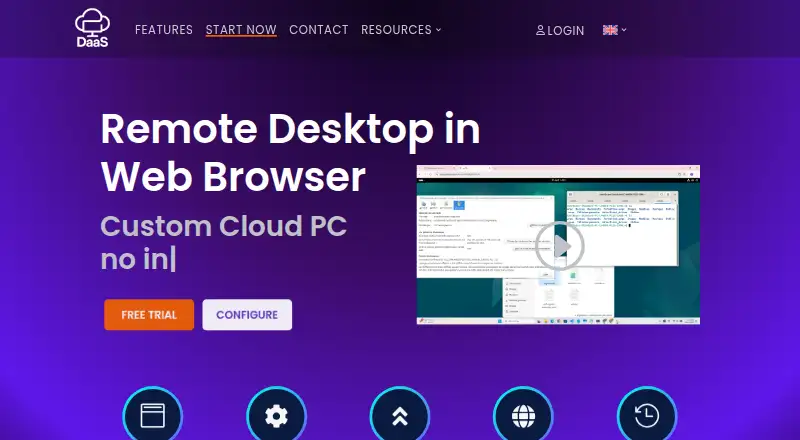
DaaS provides a cloud-hosted workstation that users access through a browser on an internet-connected device. Firefox, Chrome, and Microsoft Edge are listed as compatible. Users can configure CPU, GPU, RAM, operating system, and storage, while the provider manages infrastructure, maintenance, and software updates. The maker describes use in training organizations, enterprises, integration testing, and marketing workflows. It says rented machines can run tools such as Stable Diffusion, Mixtral, Whisper, and n8n, and describes scaling from zero to 100 machines. The free trial provides one machine in a private network for up to one hour per day, with Ubuntu Desktop 24.04, 4 GB RAM, 8 GB storage, and one CPU core. Paid machines can use Ubuntu Desktop LTS or Windows 11; custom operating systems are supported in Qcow2 or ISO format. Paid rentals are charged per day, with hourly cost depending on configuration. GPU options, multiple machines, and optional live backup are listed for paid configurations. The provider recommends a stable connection of at least 5 Mbps per user.
Who it suits
DaaS may suit training organizations, enterprises, and teams handling integration testing or marketing workflows. It also fits users who want configurable cloud workstations managed by the provider.
What it does well
- Configure CPU, GPU, RAM, OS, and storage.
- Provider manages maintenance and updates.
- Supports Ubuntu Desktop LTS or Windows 11 on paid machines.
- Multiple machines and GPU options are listed.
What to know first
- Free trial is limited to one hour daily.
- Free machine has 4 GB RAM and one CPU core.
- Paid rental price depends on configuration.
- Live backup is an optional paid feature.
Limits
The free plan costs nothing and is billed 1 hour per day. It includes Ubuntu Desktop 24.04, 4 GB RAM, 8 GB storage, one CPU core, and one machine in a private network.
Plans
| Plan | Billed and limits | Price |
|---|---|---|
| Free | 1 hour per day · Ubuntu Desktop 24.04 · 4 GB RAM · 8 GB storage · 1 CPU core · one machine in private network | Free |
| Paid | Pay per day; hourly rental varies by configuration · Ubuntu Desktop LTS or Windows 11 · customizable CPU, RAM, storage and GPU · Qcow2/ISO custom OS · optional live backup · multiple machines | On request |
As desktop-as-a-service.io lists them, read 15 Oct 2026. The maker's own page has the final word.
Getting started
- Open https://desktop-as-a-service.io/ in Firefox, Chrome, or Microsoft Edge.
- Start with the free option or choose a paid machine configuration.
- For the free option, use the Ubuntu Desktop 24.04 machine within its one-hour daily allowance.
- For a paid machine, choose Ubuntu Desktop LTS or Windows 11, or supply a custom OS in Qcow2 or ISO format.
- Configure the available CPU, GPU, RAM, and storage for the machine.
DaaS is a browser-based service for renting configurable workstations hosted in the public cloud. It suits organizations that need managed machines for variable workloads; the pay-per-day model is flexible, but the free option is limited to one hour a day and paid costs vary by configuration.
Overview
Users connect to a cloud workstation from an internet-connected device, while the provider handles infrastructure, maintenance and software updates. That division of work can appeal to teams that want virtual machines without taking on their upkeep. The service is aimed at training organizations, enterprises, integration testing and marketing workflows, and the maker describes scaling from zero to 100 machines.
Access is through Firefox, Chrome or Microsoft Edge. A stable connection of at least 5 Mbps per user is recommended, so unreliable or bandwidth-constrained connections may undermine the experience. The service is a poor fit for users who need their workstation to remain usable without internet access.
Key features
Configurable cloud workstations
Paid machines can be sized by CPU, GPU, RAM and storage. Ubuntu Desktop LTS and Windows 11 are supported, as are custom operating systems supplied in Qcow2 or ISO format. This range is useful for matching a machine to a testing or graphics workload; the trade-off is that rental cost depends on the configuration, making budgeting less straightforward than a fixed-price subscription.
Managed service and scaling
Infrastructure, maintenance and software updates are handled by the provider, reducing the operational work of managing workstation machines. The stated ability to scale from zero to 100 machines may suit variable team demand, though it does not establish how quickly capacity can be changed or what each configuration costs.
Workload options and backup
The maker says rented machines can run tools such as Stable Diffusion, Mixtral, Whisper and n8n. GPU options may matter for workloads that need graphics capacity, but the exact machine capability depends on the selected configuration. Live backup is an optional paid feature, so teams that require it should account for that additional cost rather than assume it comes with a rental.
Pricing
DaaS uses a freemium model, with one free plan and paid rentals billed by the day. The free option costs nothing and is billed at one hour per day. It includes one machine in a private network running Ubuntu Desktop 24.04, with 4 GB RAM, 8 GB storage and one CPU core. That makes it a constrained way to try the service or run a brief, light task, not a substitute for a full working day or a configurable production machine.
The paid plan has custom pricing: machines are rented by the day, with an hourly rental price determined by configuration. It includes Ubuntu Desktop LTS or Windows 11, customizable CPU, RAM and storage, GPU options, multiple machines and optional live backup. This structure can suit teams that need particular configurations or variable machine counts, but readers should confirm the exact rate and backup cost before committing. A free trial is offered; its stated daily limit and hardware match the free plan.
Platforms
The service is listed for web access, through Firefox, Chrome and Microsoft Edge. The desktop operating systems offered for paid machines are Ubuntu Desktop and Windows 11, with custom operating systems also supported in Qcow2 or ISO format. No native mobile or desktop client is included in the platform offering.
Who it's for
DaaS is a reasonable fit for organizations that need managed workstations for training, enterprise use, integration testing or marketing, especially when the number of machines or hardware requirements vary. Its browser access and provider-managed upkeep lower the burden of operating workstation infrastructure. It is less compelling for individuals seeking a generous free desktop, teams that need predictable fixed monthly pricing, or users whose connection cannot reliably meet the recommended speed.
Pros and cons
- Pro: CPU, GPU, memory, storage and operating system can be tailored on paid machines, including support for custom OS images, which helps accommodate specialized workloads.
- Pro: Provider-managed maintenance and software updates reduce the upkeep required from the customer.
- Pro: Pay-per-day rentals and scaling from zero to 100 machines can fit workloads that fluctuate.
- Con: The free machine is limited to one hour per day, one CPU core, 4 GB RAM and 8 GB storage, restricting sustained or demanding use.
- Con: Paid rates depend on configuration, so teams need a quote or rate confirmation before they can plan costs precisely.
- Con: Browser access depends on a stable internet connection, with at least 5 Mbps per user recommended.
Alternatives
Desktop as a Service Software is the directory list to consult when comparing more desktop-as-a-service options.
Choose DaDesktop if you want a private server plan with desktops sized to server capacity; its listed plan starts at ¥80 / day, while DaaS offers an explicitly capped free machine.
Amazon WorkSpaces is worth comparing if you want a paid service with a free plan and broader platform support; its Windows single-session user fee is $4.19 a month, plus provisioned instance-hour charges.
Consider Dizzion Cloud PC if a dedicated persistent desktop with Core or Complete tiers and CPU or GPU workload configurations is a better match.
IronOrbit INFINITY Workspaces is another paid option for customized workspace tiers.
Choose Evolve IP Managed DaaS if predictable monthly pricing and deployment-dependent options suit your budgeting better than configuration-based daily rental.
Tehama Secure Virtual Desktop offers a pay-as-you-go license with 4 vCPU, 16 GB RAM and 100 GB disk, which may suit readers who want a defined desktop specification without a long-term commitment.
Hyve Cloud Hosting is an alternative for teams looking for bespoke, dedicated single-tenant infrastructure with fixed monthly billing.
Ace Cloud Hosting Desktop as a Service is another paid DaaS option with a listed Enterprise team plan for 100 users at $352.19 a month.
Verdict
DaaS is best for organizations that want provider-managed cloud workstations with configurable hardware and day-based rentals for changing workloads. Its main advantage is the combination of browser access, managed upkeep and flexible machine sizing; its main drawback is that the free tier is too limited for sustained work and paid costs hinge on configuration. Choose it when those controls matter more than a predictable subscription price, and compare alternatives if you need a larger free allowance or fixed monthly costs.
Verdict
DaaS offers browser access to configurable cloud workstations, with a tightly limited daily free option and paid rentals whose costs depend on setup. Check the machine configuration and recommended connection speed against the intended workload.
Questions
How much does DaaS cost?
The free plan costs nothing and provides one hour per day. The Paid plan is billed Pay per day; hourly rental price depends on machine configuration.
What does the free plan include?
It includes one machine in a private network, billed 1 hour per day, with Ubuntu Desktop 24.04, 4 GB RAM, 8 GB storage, and one CPU core.
Which operating systems can DaaS machines use?
The free option uses Ubuntu Desktop 24.04. Paid machines can use Ubuntu Desktop LTS or Windows 11, and custom operating systems are supported in Qcow2 or ISO format.
Which browsers can I use to access DaaS?
The service is accessed through a browser, with Firefox, Chrome, and Microsoft Edge listed as compatible.
Can I configure machine resources?
Yes. The service lists configurable CPU, GPU, RAM, operating system, and storage. Paid options include GPU choices and multiple machines.
Where is DaaS based?
DaaS lists its headquarters in Pantin, France.
Facts from DaaS's own pages
- AI and automation
- The homepage names Stable Diffusion, Mixtral, Whisper and n8n as tools users can run on rented machines. · desktop-as-a-service.io, 15 Oct 2026
- AI tools
- The maker says rented computers can run tools including Stable Diffusion, Mixtral, Whisper and n8n. · desktop-as-a-service.io, 8 Oct 2026
- Backup
- Live backup is listed as optional for paid machines, while the homepage advertises a strong backup policy. · desktop-as-a-service.io, 15 Oct 2026
- Bandwidth requirement
- The FAQ recommends a stable connection of at least 5 Mbps per user. · desktop-as-a-service.io, 15 Oct 2026
- Browser access
- The service lists Firefox, Chrome and Microsoft Edge as compatible browsers. · desktop-as-a-service.io, 15 Oct 2026
- Company founding and size
- LinkedIn lists AMBIENT IT Academy as privately held, founded in 2015, headquartered in Pantin and employing 11–50 people. · linkedin.com, 15 Oct 2026
- Company identity
- The vendor legal notice identifies the publisher as AMBIENT IT, SIREN 812271013, with Jérémie Baldy as CEO. · desktop-as-a-service.io, 15 Oct 2026
- Configuration
- Users can configure CPU, GPU, RAM, operating system and storage for their virtual computer. · desktop-as-a-service.io, 8 Oct 2026
- Corporate registry
- Pappers records AMBIENT IT as an active French SARL created on 6 July 2015 with 10–19 employees in 2022 and €4,500 capital. · pappers.fr, 15 Oct 2026
- Enterprise use case
- The service is presented as a way for employees to use managed cloud computers while working remotely. · desktop-as-a-service.io, 15 Oct 2026
- Gartner market definition
- Gartner says DaaS products require a vendor-managed cloud control plane, endpoint connectivity and secure remote desktop protocols. · gartner.com, 15 Oct 2026
- Global access
- The vendor markets access to its cloud PCs from anywhere through an internet connection. · desktop-as-a-service.io, 15 Oct 2026
- GPU options
- Listed paid GPU choices include RTX 5090, RTX PRO 6000, L4, A100, H100, H200 and several HGX/GB-series systems. · desktop-as-a-service.io, 15 Oct 2026
- GPU surcharges
- The order form lists RTX 5090 at €99, RTX PRO 6000 at €199, L4 at €129 and A100 at €589. · desktop-as-a-service.io, 15 Oct 2026
- Headquarters
- Pantin, France · desktop-as-a-service.io, 28 Sept 2026
- Hosting
- The legal notice identifies French hosting provider IKOULA as the site host. · desktop-as-a-service.io, 15 Oct 2026
- Independent company financial snapshot
- La Vie Economique reports €2.6 million 2024 revenue, €69,000 net income and 10–19 employees for AMBIENT IT. · entreprises.vie-economique.com, 15 Oct 2026
- Integration testing
- The vendor says its configurable machines can provide test environments that match required configurations. · desktop-as-a-service.io, 15 Oct 2026
- Licence
- The legal notice states that site text, images, video and logos are copyrighted and owned by AMBIENT IT unless stated otherwise. · desktop-as-a-service.io, 15 Oct 2026
- Managed service
- The provider says it manages the infrastructure, maintenance and software updates. · desktop-as-a-service.io, 8 Oct 2026
- Network recommendation
- The FAQ recommends a stable internet connection of at least 5 Mbps per user. · desktop-as-a-service.io, 8 Oct 2026
- Notable news
- A January 25, 2026 BOAMP notice names AMBIENT IT as a winner of multiple OPCO ATLAS training contract lots, including lots valued at €7,080 and €9,858. · boamp.fr, 15 Oct 2026
- On-demand configuration
- Users select CPU, GPU, RAM, operating system and storage when creating a machine. · desktop-as-a-service.io, 15 Oct 2026
- Operating systems
- Free machines use Ubuntu Desktop 24.04; paid machines list Ubuntu Desktop LTS and Windows 11, with custom Qcow2 or ISO images. · desktop-as-a-service.io, 15 Oct 2026
Where DaaS stands on Freedom251
- Desktop as a Service Software#2 of 25