Freedom251 › Image Upscaling Software
Cupscale
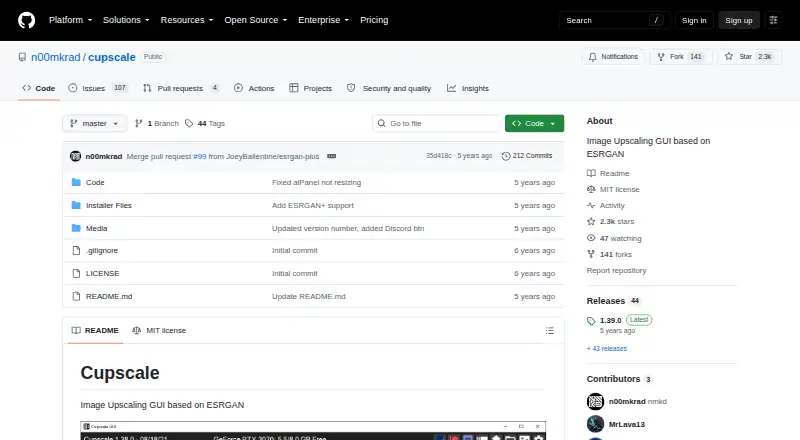
What Cupscale is
Cupscale is a free, open-source Windows desktop application for enlarging images with an ESRGAN-based graphical interface. It supports AI upscaling up to 4x and can process batches of PNG, JPEG, BMP, WEBP, TGA and DDS files. Images can also be loaded from the clipboard. Processing options include Nvidia CUDA, Vulkan/NCNN and CPU backends. The application provides model interpolation during use, model chaining and an NCNN model converter. Automatic tiling and merging helps manage video memory, while pre- and post-processing resize settings provide additional control. Cupscale can create side-by-side or 50/50 comparisons and before-and-after GIF or MP4 animations. The project describes the program as more or less portable: extract the release archive and run Cupscale.exe. Temporary files default to the installation folder, and the project advises avoiding protected locations such as Program Files. The repository uses the MIT license.
Who it suits
Cupscale suits Windows users who want free, local AI image enlargement with batch processing and several processing backends. It also fits users who need comparison images or animations.
What it does well
- Free and open source under the MIT license
- Supports up to 4x AI upscaling
- Processes batches of supported image formats
- Offers CUDA, Vulkan/NCNN and CPU backends
- Creates comparison images and animations
What to know first
- Windows platform only
- Maximum scale is 4x
- Temporary files default to installation directory
- Protected folders are discouraged for installation
Plans
| Plan | Billed and limits | Price |
|---|---|---|
| Cupscale | No paid plans or usage limits stated | Free |
As github.com lists them, read 12 Oct 2026. The maker's own page has the final word.
Verdict
Cupscale provides a broad set of local upscaling and comparison tools without paid plans or stated usage limits. Its Windows-only distribution and 4x ceiling define the main boundaries.
Facts from Cupscale's own pages
- AI backends
- It supports Nvidia CUDA, Vulkan/NCNN, and CPU processing. · github.com, 12 Oct 2026
- Batch processing
- Users can batch upscale a directory or multiple individual images. · github.com, 12 Oct 2026
- Clipboard
- Users can load an image directly from the clipboard. · github.com, 12 Oct 2026
- Comparisons
- It can create side-by-side and 50/50 comparisons, plus before-and-after animations as GIF or MP4. · github.com, 12 Oct 2026
- Desktop app
- Yes · github.com, 22 Sept 2026
- Image formats
- It lists PNG, JPEG, BMP, WEBP, TGA, and DDS as compatible image formats. · github.com, 12 Oct 2026
- Image processing
- Cupscale can tile and merge images automatically to avoid running out of VRAM, and supports pre- and post-processing resize options. · github.com, 12 Oct 2026
- Input formats
- PNG, JPEG, BMP, WEBP, TGA, DDS · github.com, 22 Sept 2026
- Installation
- The project describes the application as more or less portable and says it is a single executable that can run anywhere. · github.com, 12 Oct 2026
- Installation note
- Temporary files are stored in the installation directory by default, and the README advises against installing in protected locations such as Program Files. · github.com, 12 Oct 2026
- License
- The repository identifies its license as MIT. · github.com, 12 Oct 2026
- Maximum scale
- 4x · github.com, 22 Sept 2026
- Model tools
- It supports on-the-fly model interpolation, model chaining, and includes a converter for NCNN models. · github.com, 12 Oct 2026
- Release requirements
- The latest release instructions say to extract the zip and start Cupscale.exe, preferably outside a protected folder such as Program Files. · github.com, 12 Oct 2026
- Upscaling method
- ai · github.com, 22 Sept 2026
- What it does
- Cupscale is an image upscaling GUI based on ESRGAN. · github.com, 12 Oct 2026
Where Cupscale stands on Freedom251
- Image Upscaling Software#55 of 99