Freedom251 › Image Upscaling Software
FreeScaler
What FreeScaler is
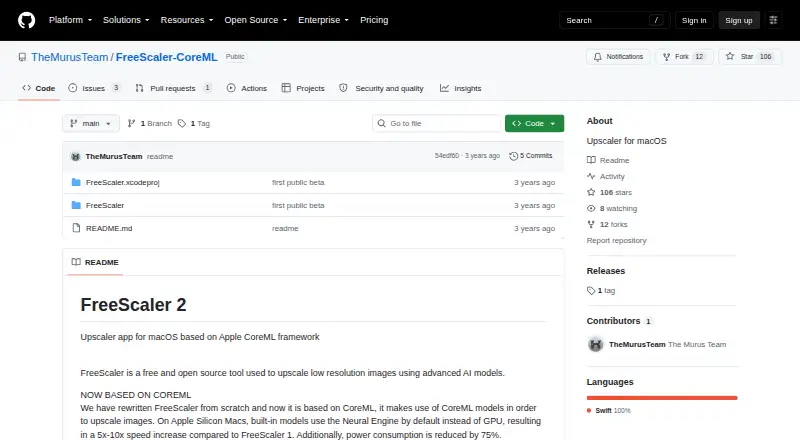
FreeScaler is a free, open-source macOS desktop app for enlarging low-resolution images with AI models. It uses Apple’s CoreML framework and keeps processing on the user’s device. Import an image, choose a model, and compare the original with the upscaled result. Custom CoreML models can also be imported when they accept and return images. Upscaling .mov files is listed as an experimental feature. The project says it collects no data or usage statistics, shows no ads, and does not require uploading images to a remote server. FreeScaler runs on Apple Silicon and Intel Macs, although Intel GPUs are not supported. It requires at least 8GB of RAM and macOS Big Sur 11.3 or newer. On Apple Silicon, built-in models use the Neural Engine by default; the project reports a 5x–10x speed increase over FreeScaler 1 and 75% lower power consumption for that setup. The current version was tested only on Apple Silicon Macs running macOS 12 and macOS 13.
Who it suits
FreeScaler suits Mac users who want on-device AI image upscaling and support for custom CoreML models. It is also relevant to users needing an open-source, no-cost desktop app.
What it does well
- Free, open-source macOS application
- On-device processing without image uploads
- Custom CoreML model importing
- Supports Apple Silicon and Intel Macs
- Exports image comparisons after upscaling
What to know first
- Requires at least 8GB RAM
- Intel GPUs are not supported
- .mov upscaling is experimental
- Exclusively available on macOS
Plans
| Plan | Billed and limits | Price |
|---|---|---|
| FreeScaler | macOS app · at least 8GB RAM · macOS Big Sur 11.3 or newer | Free |
As github.com lists them, read 12 Oct 2026. The maker's own page has the final word.
Verdict
FreeScaler combines local AI upscaling with custom CoreML model support at no cost. Check the Mac, memory, and GPU requirements before using it, especially for experimental .mov processing.
Facts from FreeScaler's own pages
- Apple Silicon
- On Apple Silicon Macs, built-in models use the Neural Engine by default, and the project reports a 5x–10x speed increase over FreeScaler 1 and 75% lower power consumption. · github.com, 12 Oct 2026
- Compatibility
- The app is a Cocoa/Swift application available exclusively on macOS, with native components for Apple Silicon and Intel Macs. · github.com, 12 Oct 2026
- Custom models
- Users can import custom CoreML models, which must use images as both input and output. · github.com, 12 Oct 2026
- Desktop app
- Yes · github.com, 22 Sept 2026
- Framework
- The app is based on Apple's CoreML framework. · github.com, 12 Oct 2026
- Free plan
- Yes · github.com, 22 Sept 2026
- GPU support
- Supported GPUs listed are Apple Silicon, AMD, and Nvidia; Intel GPUs are not supported. · github.com, 12 Oct 2026
- Maker
- TheMurusTeam describes itself as two independent developers focused on Mac firewalls and lists Italy as its location. · github.com, 12 Oct 2026
- Movie upscaling
- Upscaling .mov files is described as an experimental feature. · github.com, 12 Oct 2026
- Privacy
- The project says it collects no data or usage statistics, shows no ads, and does not require uploading images to a remote server. · github.com, 12 Oct 2026
- Processing
- The project says everything is kept on the user's device. · github.com, 12 Oct 2026
- Purpose
- FreeScaler is a free, open-source macOS app for upscaling low-resolution images with AI models. · github.com, 12 Oct 2026
- Requirements
- FreeScaler requires a Mac with at least 8GB RAM and macOS Big Sur 11.3 or newer. · github.com, 12 Oct 2026
- Testing
- The README says the current version was tested only on Apple Silicon Macs running macOS 12 and macOS 13. · github.com, 12 Oct 2026
- Upscaling method
- ai · github.com, 22 Sept 2026
- Workflow
- Users import an image, choose a model, and compare the original with the upscaled image. · github.com, 12 Oct 2026
Where FreeScaler stands on Freedom251
- Image Upscaling Software#53 of 99