Freedom251 › Image Upscaling Software
Image Upscale
What Image Upscale is
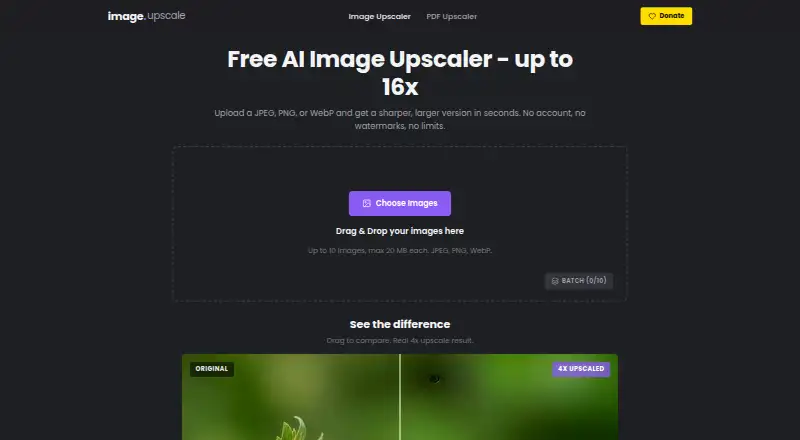
Image Upscale is a free web tool that uses AI to enlarge images while preserving sharpness and detail. It accepts JPEG, PNG, and WebP files and offers 2x, 4x, 8x, or 16x enlargement. Batch processing allows up to 10 images at once, with each file limited to 20 MB. No account is needed to use the service. The site says enhanced images can be downloaded in seconds and contain no watermarks. Listed uses include enlarging small photos for printing, recovering detail from old or compressed images, preparing product photos for high-resolution displays, and improving thumbnails or avatars. Its Free plan costs nothing and lists the same 10-image batch, 20 MB file, format, and scale limits. Access is through the web, with no separately listed desktop or mobile application. Custom scaling is listed as the maximum-scale model, while the available enlargement choices are the four stated factors.
Who it suits
It suits anyone needing quick browser-based enlargement for photos, product images, thumbnails, or avatars. The no-sign-up workflow is useful when processing supported files without creating an account.
What it does well
- AI enlargement up to 16x
- Supports JPEG, PNG, and WebP
- Processes up to 10 images
- No account required
- No watermarks on downloads
What to know first
- Each image limited to 20 MB
- Batches limited to 10 images
- Only four enlargement factors listed
- Web access only
Plans
| Plan | Billed and limits | Price |
|---|---|---|
| Free | Up to 10 images per batch · 20 MB per image · JPEG, PNG, WebP · 2x to 16x | Free |
As image-upscale.app lists them, read 11 Oct 2026. The maker's own page has the final word.
Verdict
Image Upscale offers a simple, free browser workflow for enlarging supported images without registration or watermarks. Its file, batch, format, and scale limits define the available use cases.
Facts from Image Upscale's own pages
- Batch processing
- Yes · image-upscale.app, 22 Sept 2026
- Batch size
- You can upload up to 10 images in a batch. · image-upscale.app, 11 Oct 2026
- File size limit
- Each image can be up to 20 MB. · image-upscale.app, 11 Oct 2026
- Free plan
- Yes · image-upscale.app, 22 Sept 2026
- Input formats
- Accepts JPEG, PNG, and WebP images. · image-upscale.app, 11 Oct 2026
- Maximum scale
- custom · image-upscale.app, 22 Sept 2026
- No sign-up
- The site says no account is needed to use the tool. · image-upscale.app, 11 Oct 2026
- No watermarks
- The site says upscaled images have no watermarks. · image-upscale.app, 11 Oct 2026
- Processing time
- The site says enhanced images can be downloaded in seconds. · image-upscale.app, 11 Oct 2026
- Scale factors
- The tool offers 2x, 4x, 8x, or 16x enlargement. · image-upscale.app, 11 Oct 2026
- Upscaling method
- ai · image-upscale.app, 22 Sept 2026
- Use cases
- The site describes printing small photos larger, recovering detail from old or compressed images, preparing product photos for high-resolution displays, and enhancing thumbnails or avatars. · image-upscale.app, 11 Oct 2026
- What it does
- Uses AI to increase image resolution while preserving sharpness and detail. · image-upscale.app, 11 Oct 2026
Where Image Upscale stands on Freedom251
- Image Upscaling Software#52 of 99