Freedom251 › Favicon Generators
create-favicon
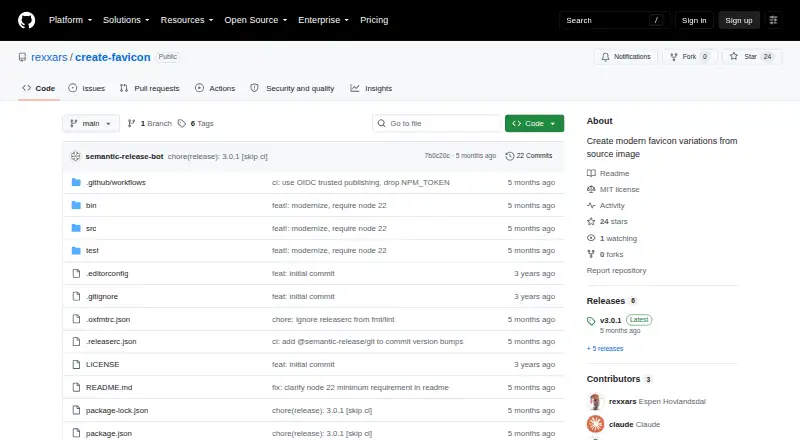
What create-favicon is
create-favicon is a free command-line tool and JavaScript API for generating favicon and app-icon files from a source image. It creates a 32×32 favicon, a 180×180 Apple icon, Android icons at 192×192 and 512×512, and web manifest files. With an SVG source, it also generates an SVG icon for modern browsers with dark-mode support. The source must be at least 512×512 pixels, and a square SVG is preferred. The API accepts a file path, URL, or image buffer, then returns HTML for linking the generated files. The command-line tool can set an output directory and base path, overwrite files, disable warnings, and skip the manifest. Installation options documented for the project include npm, npm create, and npx. It requires Node.js 22 or later and uses the MIT License, whose permissions include use, copying, modification, distribution, sublicensing, and sale subject to its conditions. The repository credits Espen Hovlandsdal as author.
Who it suits
It suits developers who want to generate favicon and app-icon files from an image through a command-line tool or JavaScript API. Users need Node.js 22 or later.
What it does well
- Generates favicon and Apple and Android icons
- Can create an SVG icon with dark-mode support
- Accepts file paths, URLs, or image buffers
- MIT License
What to know first
- Requires Node.js 22 or later
- Source image must be at least 512×512 pixels
Verdict
create-favicon covers common favicon and app-icon outputs and offers both CLI and API use. Check the source image size and Node.js requirement before choosing it.
Facts from create-favicon's own pages
- API input
- The API accepts a source file path, a URL, or an image buffer, and returns HTML for linking the generated files. · github.com, 9 Oct 2026
- API inputs
- The API can take a local file path, a URL, or an image buffer as input. · github.com, 9 Oct 2026
- CLI options
- The CLI supports choosing an output directory and base path, overwriting existing files, disabling warnings, and skipping the web manifest. · github.com, 9 Oct 2026
- Distribution
- The README documents installation through npm, npm create, and npx. · github.com, 9 Oct 2026
- Generated files
- Outputs a 32×32 favicon, 180×180 Apple icon, 192×192 and 512×512 Android icons, and web manifest files. · github.com, 9 Oct 2026
- HTML output
- On success, it outputs the HTML needed to link the generated files. · github.com, 9 Oct 2026
- Input requirement
- The source image must be at least 512×512 pixels; a square SVG is preferred. · github.com, 9 Oct 2026
- License
- The software is under the MIT License, which grants use, copying, modification, distribution, sublicensing, and sale subject to its stated conditions. · github.com, 9 Oct 2026
- Maker
- The repository credits Espen Hovlandsdal as the author. · github.com, 9 Oct 2026
- Purpose
- Creates a minimal set of favicon variations from a source image for most environments. · github.com, 9 Oct 2026
- Runtime requirement
- The package requires Node.js 22 or later. · github.com, 9 Oct 2026
- SVG output
- When the source is an SVG, it also generates an SVG icon for modern browsers that supports dark mode. · github.com, 9 Oct 2026
- SVG support
- When the source is SVG, it also generates an SVG icon for modern browsers that supports dark mode. · github.com, 9 Oct 2026
- Usage options
- The project is available as a command-line tool and as a JavaScript API. · github.com, 9 Oct 2026
- Ways to use
- It is available as a command-line tool and as a JavaScript API. · github.com, 9 Oct 2026
Where create-favicon stands on Freedom251
- Favicon Generators#12 of 30