Freedom251 › Favicon Generators

FaviconOnline
What FaviconOnline is
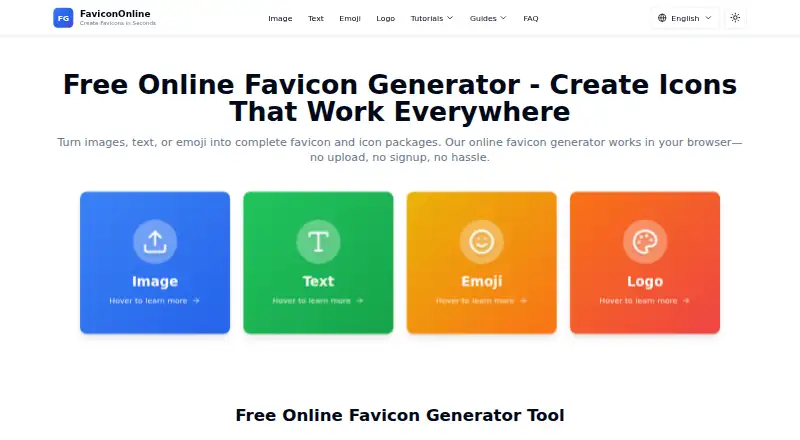
FaviconOnline is a web-based tool for creating favicon and icon packages from images, text, emoji or custom text logos. Its image converter accepts PNG, JPG, BMP, GIF and WebP files up to 10 MB. For text designs, the generator offers more than 1,000 fonts; the emoji tool includes more than 3,600 options. Live previews and controls for scale, rotation, padding and border radius help shape designs, while text-based designs can use gradients and effects.
The image converter produces a ZIP package with 31 files, including browser, iOS, Android and Windows icons, as well as configuration files. The package includes HTML installation code and a web manifest. The site also provides installation guidance for HTML, WordPress and Next.js. ICO and PNG exports and an app icon set are supported; SVG export is not. Images, text and settings are processed in the browser using JavaScript and the Canvas API, and the maker says the tools can be used offline after the page loads. The free plan needs no account, has no usage limits or watermarks, and permits personal and commercial projects subject to rights in the source material. The maker recommends images of at least 512 × 512 pixels for best quality.
Who it suits
FaviconOnline suits people creating favicon or app icon files from an image, text or emoji, including designers preparing assets for HTML, WordPress or Next.js. Its free plan supports personal and commercial projects, as long as users have rights to the source material.
What it does well
- Creates icon packages from images, text, emoji or custom text logos.
- Offers more than 1,000 fonts and more than 3,600 emoji options.
- Previews designs live and provides scale, rotation, padding and border controls.
- Processes images, text and settings in the browser.
- Free plan has no account requirement, usage limits or watermarks.
What to know first
- Image uploads are limited to 10 MB.
- SVG export is not supported.
Limits
The image converter accepts files up to 10 MB. SVG export is not supported; ICO and PNG exports are available.
Plans
| Plan | Billed and limits | Price |
|---|---|---|
| Free | No account · No usage limits · No watermarks · Personal and commercial use | Free |
As favicononline.org lists them, read 7 Oct 2026. The maker's own page has the final word.
Getting started
- Open the FaviconOnline website in a web browser.
- Choose the image converter, text generator or emoji tool.
- For an image, provide a PNG, JPG, BMP, GIF or WebP file up to 10 MB.
- Adjust the design using the live preview and available controls.
- Download the generated ZIP package and use its HTML installation code or web manifest.
Verdict
Choose FaviconOnline if you want a free browser tool to create favicon and app icon files from an image, text or emoji. It provides an installation package and guidance for HTML, WordPress and Next.js. Look elsewhere if you need SVG export or need to process an image larger than 10 MB.
Questions
How much does FaviconOnline cost?
The Free plan costs nothing. It has no usage limits or watermarks and requires no account.
Is there a free trial?
No. FaviconOnline has a free plan and no free trial.
Which platforms does it support?
FaviconOnline is web-based. The maker says the tools can be used offline after the page has loaded.
Can I use the icons for commercial projects?
The Free plan permits personal and commercial use, subject to rights in the source material.
Which file types can I export?
ICO and PNG export are supported; SVG export is not. The image converter creates a ZIP package with 31 files.
Does FaviconOnline require an account?
No account is required for the Free plan.
Facts from FaviconOnline's own pages
- Download package
- The image converter creates a ZIP package with 31 files, including browser, iOS, Android, and Windows icons plus configuration files. · favicononline.org, 7 Oct 2026
- Editing
- The tools provide live previews and controls for scale, rotation, padding, and border radius, with gradients and effects available for text-based designs. · favicononline.org, 7 Oct 2026
- Image inputs
- The image converter supports PNG, JPG, BMP, GIF, and WebP files up to 10 MB. · favicononline.org, 7 Oct 2026
- Integrations
- The maker provides installation guidance for HTML, WordPress, and Next.js; the generated package includes HTML installation code and a web manifest. · favicononline.org, 7 Oct 2026
- Intended users
- The maker says generated favicons may be used for personal or commercial projects, client work, and products, subject to rights in the source material. · favicononline.org, 7 Oct 2026
- Local processing
- The tools process images, text, and settings in the browser using JavaScript and the Canvas API, so that content is not sent to the site's servers. · favicononline.org, 7 Oct 2026
- Notable limit
- The image converter accepts uploads up to 10 MB and the maker recommends starting with an image at least 512 × 512 pixels for best quality. · favicononline.org, 7 Oct 2026
- Offline use
- The maker says the tools can be used offline after the page has loaded. · favicononline.org, 7 Oct 2026
- Privacy and analytics
- The privacy policy says the site uses Google Analytics for usage statistics and Google Fonts API, Vercel hosting, and Twemoji CDN; it says analytics does not collect personal identifiers. · favicononline.org, 7 Oct 2026
- Purpose
- FaviconOnline generates favicon and icon packages from images, text, emoji, or custom text logos. · favicononline.org, 7 Oct 2026
- Security
- The privacy policy says the site uses HTTPS and encrypts contact form submissions in transit; it does not claim a security certification or compliance audit. · favicononline.org, 7 Oct 2026
- Support
- The contact page says weekday responses usually arrive within 24 hours and lists separate general, technical support, and business contact options. · favicononline.org, 7 Oct 2026
- Text and emoji
- The text generator offers more than 1,000 fonts, and the emoji tool offers more than 3,600 emoji options. · favicononline.org, 7 Oct 2026
Where FaviconOnline stands on Freedom251
- Favicon Generators#13 of 30