Freedom251 › PDF Accessibility Software
CommonLook PDF
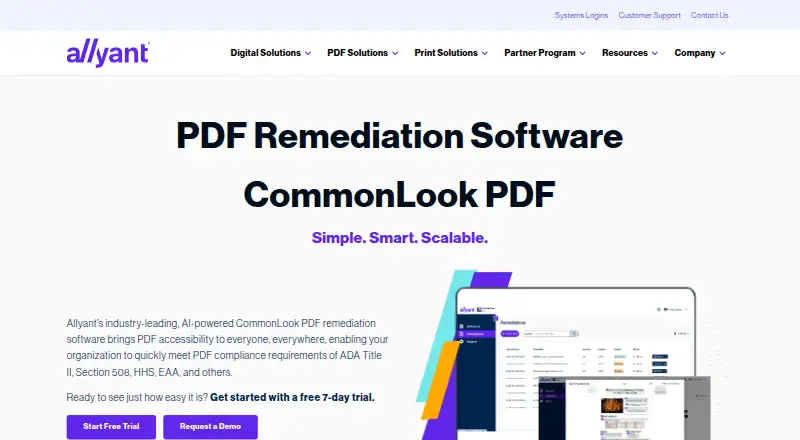
What CommonLook PDF is
CommonLook PDF helps organizations remediate PDF files for accessibility and check them against WCAG, PDF/UA, and HHS standards. Users can choose an advanced or simplified editor according to their experience and the document’s complexity. AI-assisted tagging covers tables, lists, forms, and other elements; manual tagging tools and a Fix Wizard support issues that still need attention. The software can build bookmarks from document headings and provide a downloadable Validation Report listing passed, failed, and warning issues. A record system keeps remediation history and lets users remove older files or download accessible PDFs with their reports. The desktop version is an on-premises plugin for Adobe Acrobat Pro or Pro DC; platforms listed also include Linux, macOS, web, and Windows. Allyant offers live and on-demand training and a CommonLook Knowledge Base. Pricing is available on request, and a 7-day trial is listed; there is no free plan. Allyant cautions that automation may not be enough for complex or variable content, so manual review may be needed.
Who it suits
It suits organizations working on accessible PDFs, including those addressing Section 508, ADA Title II, or EAA requirements. Its editor choices and manual remediation tools accommodate different levels of experience and document complexity.
What it does well
- Validates against WCAG, PDF/UA, and HHS standards.
- Offers advanced and simplified editors.
- Generates bookmarks from document headings.
- Provides downloadable reports with passed, failed, and warning issues.
- Includes live and on-demand training.
What to know first
- No free plan is listed.
- Pricing is available only on request.
- Complex or variable content may need manual review.
- Desktop version requires Adobe Acrobat Pro or Pro DC.
Limits
The 7-day trial is the only free access described; there is no free plan. Allyant cautions that automation alone may not make variable or complex content accessible and compliant, so manual review may be needed.
Plans
| Plan | Billed and limits | Price |
|---|---|---|
| CommonLook PDF | Pricing not published on the product page; request a demo or contact Allyant | On request |
As allyant.com lists them, read 9 Oct 2026. The maker's own page has the final word.
Getting started
- Visit the CommonLook PDF website.
- Request pricing or a demo from Allyant.
- Use the 7-day trial to evaluate the product.
- For the desktop version, use its on-premises plugin for Adobe Acrobat Pro or Pro DC.
- Choose the advanced or simplified editor for your workflow.
Verdict
CommonLook PDF combines automated tagging with tools for manual correction and standards validation. Its automation is not a substitute for review of complex or variable documents.
Questions
How much does CommonLook PDF cost?
Pricing is available on request. Allyant directs prospective customers to request a demo or contact the company.
Is there a free plan or trial?
There is no free plan. A 7-day trial is available.
Which platforms does it support?
The listed platforms are Linux, macOS, web, and Windows. The desktop version is an on-premises plugin for Adobe Acrobat Pro or Pro DC.
Which standards can it validate against?
It supports validation against WCAG, PDF/UA, and HHS standards.
Does it support OCR?
No. OCR support is listed as unavailable.
Who makes CommonLook PDF?
Allyant makes CommonLook PDF and is headquartered in Ottawa, Ontario, Canada.
Facts from CommonLook PDF's own pages
- Adobe integration
- The desktop version is an on-prem plugin for Adobe Acrobat Pro or Pro DC. · allyant.com, 9 Oct 2026
- Automated tagging
- Its AI-driven automated tagging supports remediation of tables, lists, forms, and other document elements. · allyant.com, 9 Oct 2026
- Automation limitation
- Allyant says automation alone may not make variable or complex content accessible and compliant, so manual review may be needed. · allyant.com, 9 Oct 2026
- Bookmark generation
- The software can generate bookmarks automatically from document heading structure. · allyant.com, 9 Oct 2026
- Document history
- The system of record tracks remediation history and lets users remove older files and download remediated PDFs with their reports. · allyant.com, 9 Oct 2026
- Document tracking
- A system of record tracks remediation history and lets users remove older files and download accessible PDFs with their reports. · allyant.com, 9 Oct 2026
- Editing modes
- Users can choose an advanced editor or a simplified editor based on their experience and document complexity. · allyant.com, 9 Oct 2026
- Headquarters
- Ottawa, Ontario, Canada · allyant.com, 28 Sept 2026
- Intended users
- The product is designed for users of every ability, including organizations addressing accessibility requirements such as Section 508, ADA Title II, and the EAA. · allyant.com, 9 Oct 2026
- Limitations
- Allyant says automation alone may not make variable or complex content accessible and compliant, so manual review may be needed. · allyant.com, 9 Oct 2026
- Maker profile
- Allyant says its accessibility solutions serve organizations across industries including financial services, government, healthcare, and education. · allyant.com, 9 Oct 2026
- Manual remediation
- Manual tagging tools and a Fix Wizard guide users through issues that need review or correction. · allyant.com, 9 Oct 2026
- Platforms
- The product is available through a browser on any operating system, including macOS, and as a desktop download. · allyant.com, 9 Oct 2026
- Purpose
- CommonLook PDF helps organizations remediate PDFs for accessibility and compliance. · allyant.com, 9 Oct 2026
- Reports
- Each accessible PDF comes with a downloadable Validation Report showing passed, failed, and warning issues. · allyant.com, 9 Oct 2026
- Training and support
- Allyant offers live and on-demand training and access to a CommonLook Knowledge Base. · allyant.com, 9 Oct 2026
- Validation reports
- Each accessible PDF can include a downloadable Validation Report showing passed, failed, and warning issues. · allyant.com, 9 Oct 2026
- Validation standards
- The software supports validation against WCAG, PDF/UA, and HHS standards. · allyant.com, 9 Oct 2026
Where CommonLook PDF stands on Freedom251
- PDF Accessibility Software#14 of 26