Freedom251 › Digital Wallet Apps

Coin Wallet
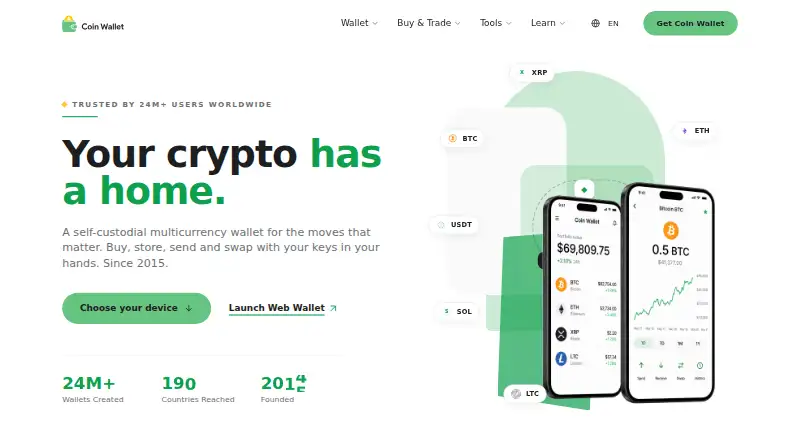
What Coin Wallet is
Coin Wallet is a self-custodial wallet for buying, holding, sending, receiving, and swapping cryptocurrency. It supports coins and tokens across networks including Bitcoin, Ethereum, Solana, and TRON, and runs on web, iOS, Android, macOS, Windows, and Linux. Private keys are created and kept on the user’s device; Coinspace LLC says it does not hold users’ funds. Security options listed include AES-256 device encryption, PIN or biometric login, and FIDO-certified security keys for sensitive actions. The wallet requires no registration and supports Tor and VPN routing. Its client code is publicly hosted on GitHub. Users can swap supported currencies without an account after reviewing an estimated amount and network fee. Coin Wallet says deposits have no fees, while transaction fees vary by cryptocurrency and may include network fees and other charges. Virtual crypto debit cards are available from version 6.30.0, depending on location, with KYC required for issuance. Coin Wallet has a free plan; transaction fees may still apply.
Who it suits
It suits people who want a cryptocurrency wallet across desktop, mobile, and web, with control of keys kept on their own device. Users seeking virtual crypto debit cards should note location limits and KYC requirements.
What it does well
- Available on web, mobile, and desktop platforms.
- Private keys remain on the user’s device.
- Supports Tor and VPN routing.
- Swaps are available without an account.
- Client code is publicly hosted on GitHub.
What to know first
- Transaction fees vary by cryptocurrency.
- Virtual cards depend on location and require KYC.
- No free trial is listed.
Limits
The free plan has no subscription price, but transaction fees vary by cryptocurrency and may include network fees and additional charges. Virtual crypto debit cards require version 6.30.0 or later, depend on location, and require KYC during issuance.
Plans
| Plan | Billed and limits | Price |
|---|---|---|
| Coin Wallet | No subscription price stated; transaction fees may apply | Free |
As coin.space lists them, read 8 Oct 2026. The maker's own page has the final word.
Getting started
- Open coin.space or choose the app for your platform.
- Install or open Coin Wallet on web, iOS, Android, macOS, Windows, or Linux.
- Create or access your wallet; the product says registration is not required.
- Use the wallet to buy, store, send, receive, or swap supported cryptocurrency.
- For sensitive actions, use PIN or biometric login or a compatible FIDO security key.
Coin Wallet is a self-custodial wallet for people who want to manage cryptocurrency across mobile, desktop and web. It suits users comfortable taking responsibility for their own keys; its broad network support is a strength, while variable transaction charges make costs less predictable.
Overview
Private keys are generated and kept on the user's device, and Coinspace LLC says it does not take custody of funds. That gives users direct control, but also makes key management their responsibility. Coin Wallet supports peer transfers and cryptocurrencies and tokens across networks including Bitcoin, Ethereum, Solana and TRON.
Coinspace LLC says it has built self-custodial crypto software since 2015. The client code is publicly hosted on GitHub, which may matter to readers who value publicly accessible code, but self-custody remains a meaningful trade-off for anyone seeking a conventional account-based payment service.
Key features
Coin Wallet combines buying, storing, sending, receiving and swapping cryptocurrency. Swaps do not require an account, and users can review an estimated amount and network fee before proceeding. That makes an occasional exchange straightforward to assess, though fees vary by cryptocurrency and may include network fees and additional charges. Coin Wallet says it charges no deposit fees.
Security options include AES-256 device encryption, PIN or biometric login, and support for FIDO-certified security keys for sensitive actions. Compatible keys include YubiKey and Google Titan. These options offer layers of device and action protection, but they do not change the user's responsibility for the keys that control funds.
The wallet requires no registration and supports Tor and VPN routing, a useful combination for users who want to avoid creating an account and prefer routing options. Virtual crypto debit cards are available in version 6.30.0 and later, but issuance depends on location and requires KYC. That makes the card a conditional extra, not a dependable reason to choose the wallet before checking eligibility.
A support portal provides FAQ articles covering installation, security, purchases, transactions and other wallet topics. It gives users a reference for common questions, though the wallet's self-custodial design still calls for care with key management.
Pricing
Coin Wallet is free: the Coin Wallet plan costs nothing, with no subscription price. There is no free trial because the free plan is the offer. No seat or usage quota applies in the published plan terms. Free does not mean every transaction is cost-free: Coin Wallet charges no deposit fee, but transaction fees vary and may include network fees and additional charges.
This plan fits users who want a wallet without a subscription commitment and can accept variable transaction costs. Readers who need predictable charges should compare fees for the cryptocurrencies they expect to use before relying on it for frequent transfers or swaps.
Platforms
Coin Wallet supports web, iOS, Android, macOS, Windows and Linux. That range suits people who want access across phone and computer platforms, as well as through a browser. It is less relevant to someone whose priority is a single-platform wallet or a conventional card-and-bank payment app.
Who it's for
Coin Wallet is a good fit for people who want to control their own keys, move supported crypto between peers, and swap without creating an account. Its privacy options and broad platform coverage add flexibility for users managing assets across devices. It is a poorer fit for people who want custody handled for them, fixed transaction costs, or a virtual card guaranteed to be available in their location.
Pros and cons
- Pros: Private keys stay on the user's device, supporting self-custody rather than provider-held funds.
- Pros: Account-free swaps include an estimated amount and network fee for review before proceeding.
- Pros: AES-256 encryption, biometric or PIN login, and FIDO security-key support provide several security options.
- Pros: Web, mobile and desktop coverage is broad, and the wallet supports assets across multiple networks.
- Cons: Variable transaction fees, which may include additional charges, make total costs harder to predict.
- Cons: Self-custody leaves key management with the user, so it is not the natural choice for someone who wants a provider to hold funds.
- Cons: Virtual card issuance depends on location and requires KYC, limiting its usefulness as a universal card option.
Alternatives
Guarda Wallet is another free-plan wallet to consider if you want a similar multi-platform option; it spans browser extension, web, desktop and mobile. It charges no platform fee, though network fees and possible third-party provider fees may apply, so it is not a way to eliminate transaction costs.
Apple Pay is the better choice for readers seeking a payment service rather than a self-custodial crypto wallet. It is free, but a card issuer may still apply its usual charges or fees.
Armory is worth considering if your priority is a Bitcoin wallet with cold storage and multi-signature support rather than Coin Wallet's multicurrency scope.
Google Pay fits readers looking for online checkout, in-store tap to pay or a payment API for businesses, rather than self-custodied cryptocurrency management.
Monese is an alternative for readers seeking a basic account for occasional use, with a free Pay as you go plan; it is a different kind of service from a crypto wallet.
PayPal Invoicing is the relevant alternative for creating and sending invoices without setup or subscription fees, with transaction fees when customers pay.
Solar Wallet is a free Stellar wallet for readers who want that narrower focus; its code is published under the GPL license for public auditing.
Wise is a better fit for people seeking a personal account and transfers with no subscription plan, rather than a self-custodial cryptocurrency wallet.
For more options, see Digital Wallet Apps.
Verdict
Choose Coin Wallet if you want self-custody, support across several major crypto networks, and access on web, mobile and desktop without a subscription. Its strongest reason to choose it is that private keys remain on your device while account-free swaps and broad platform support keep crypto management flexible. Look elsewhere if you need provider-held funds, predictable transaction costs, or a virtual card you can count on regardless of location.
Verdict
Coin Wallet combines self-custody, multiple supported networks, and broad platform coverage in a free wallet. Transaction charges can vary, and virtual card availability is conditional.
Questions
How much does Coin Wallet cost?
The Coin Wallet plan is free. Transaction fees may apply and vary by cryptocurrency.
Is there a free trial?
No. Coin Wallet is offered as a free plan.
Which platforms does it support?
Web, iOS, Android, macOS, Windows, and Linux.
Is Coin Wallet open source?
Coin Wallet says its client code is publicly hosted on GitHub.
Who makes Coin Wallet?
Coinspace LLC makes Coin Wallet and says it has built self-custodial crypto software since 2015.
Are virtual cards available?
Virtual crypto debit cards are available in version 6.30.0 and up, depending on location. KYC is required during issuance.
Facts from Coin Wallet's own pages
- Company history
- Coinspace LLC says it has built self-custodial crypto software since 2015. · coin.space, 8 Oct 2026
- Fees
- Coin Wallet says it does not charge deposit fees; transaction fees vary by cryptocurrency and may include network fees and additional charges. · coin.space, 8 Oct 2026
- Founded
- 2015 · coin.space, 28 Sept 2026
- Hardware key compatibility
- The wallet supports FIDO U2F or FIDO2/WebAuthn certified security keys, including YubiKey and Google Titan. · coin.space, 8 Oct 2026
- Open source
- Coin Wallet says its client code is publicly hosted on GitHub. · coin.space, 8 Oct 2026
- Platforms
- Coin Wallet offers web, iOS, Android, Windows, macOS, and Linux versions. · coin.space, 8 Oct 2026
- Privacy
- The features page says the wallet requires no registration and supports Tor and VPN routing. · coin.space, 8 Oct 2026
- Product
- Coin Wallet is a self-custodial multicurrency wallet for buying, storing, sending, receiving, and swapping cryptocurrency. · coin.space, 8 Oct 2026
- Security
- The product page lists AES-256 device encryption, PIN or biometric login, and FIDO-certified security keys for sensitive actions. · coin.space, 8 Oct 2026
- Support
- Coin Wallet's support portal provides FAQ articles on installation, security, purchases, transactions, and other wallet topics. · support.coin.space, 8 Oct 2026
- Supported assets
- The wallet supports cryptocurrencies and tokens across networks including Bitcoin, Ethereum, Solana, TRON, and others. · coin.space, 8 Oct 2026
- Swaps
- Users can swap supported cryptocurrencies without creating an account, after reviewing the estimated amount and network fee. · coin.space, 8 Oct 2026
- Virtual cards
- Virtual crypto debit cards are available in Coin Wallet v6.30.0 and up, with availability depending on location and KYC required during issuance. · support.coin.space, 8 Oct 2026
- Wallet control
- Private keys are generated and stored on the user's device, and Coinspace LLC says it does not take custody of funds. · coin.space, 8 Oct 2026
Where Coin Wallet stands on Freedom251
- Digital Wallet Apps#5 of 44