Freedom251 › Digital Wallet Apps

Apple Wallet
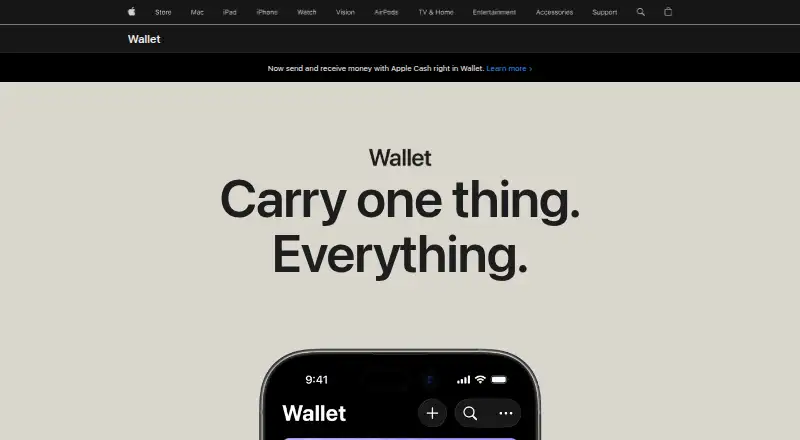
What Apple Wallet is
Apple Wallet is an app for iPhone and Apple Watch that stores eligible payment cards, transit passes, boarding passes, tickets, IDs, keys, rewards cards, and order details. Apple Pay lets users pay in stores, apps, and online, including participating merchants in third-party browsers. Eligible credit and debit cards can be added, and supported cards may show balances. Rewards can be applied to purchases, while loyalty cards can be used at checkout. Wallet supports eligible transit cards and Express Mode, plus driver’s licenses and state IDs at supported locations with Face ID or Touch ID. Eligible home, hotel, and car keys work with compatible locks, hotels, and vehicles. Apple Intelligence can organize eligible order confirmations and tracking details from Mail without duplicating merchant-integrated orders. Apple says order information remains on devices and syncs in encrypted form it cannot access. Apple Pay uses a device-specific number and transaction code instead of the actual card number. Wallet is free, but availability depends on participating providers, country, and device.
Who it suits
It suits people using supported Apple devices who want digital payment cards, passes, tickets, IDs, keys, rewards, and order information. Available features depend on participating issuers, merchants, transit systems, and compatible hardware.
What it does well
- Stores many card and pass types
- Supports Apple Pay in stores and online
- Express Mode for eligible transit
- Device-specific payment numbers protect card details
- Free to use
What to know first
- Features require eligible cards or passes
- Availability varies by country and provider
- Some features require compatible devices
- Card issuer fees may apply
Limits
Wallet functions depend on eligible cards and passes, participating issuers and businesses, country, and compatible devices. Apple Pay is free to users, although card issuer fees may apply.
Plans
| Plan | Billed and limits | Price |
|---|---|---|
| Apple Wallet | Apple says it does not charge users fees for Apple Pay purchases; card issuer fees may apply · eligible cards, passes, and features vary | Free |
As apple.com lists them, read 8 Oct 2026. The maker's own page has the final word.
Getting started
- Open Wallet on a supported iPhone or Apple Watch
- Add an eligible credit or debit card
- Add eligible passes, tickets, IDs, rewards cards, or keys
- Use Apple Pay with participating merchants and services
Verdict
Apple Wallet gathers supported cards, passes, identity documents, keys, and order details in one app. It has no user fee, but supported features depend heavily on participating organizations and compatible devices.
Questions
Is Apple Wallet free?
Yes. Apple lists Apple Wallet as free and says it does not charge users fees for Apple Pay purchases; card issuer fees may apply.
Which devices support it?
The Wallet app is on iPhone and Apple Watch. Apple Pay also supports iPad, Mac, and Apple Vision Pro.
Can it store identification?
Eligible driver’s licenses and state IDs can be presented in supported locations and services with Face ID or Touch ID verification.
Does it support transit and tickets?
It supports eligible transit cards, boarding passes, sports and event tickets, and Express Mode for supported transit use.
How are payments protected?
Apple Pay uses a device-specific number and unique transaction code instead of sharing the actual card number with merchants.
Facts from Apple Wallet's own pages
- Cards and balances
- Users can add eligible credit or debit cards and, for supported cards, view balances in Wallet. · apple.com, 8 Oct 2026
- Identity
- Eligible driver’s licenses and state IDs can be presented in supported locations and services, with Face ID or Touch ID verification. · apple.com, 8 Oct 2026
- Integrations
- Wallet features depend on participating banks and card issuers, merchants, transit systems, venues, hotels, and compatible locks or vehicles. · apple.com, 8 Oct 2026
- Keys
- Eligible home, hotel, and car keys can be stored in Wallet for supported locks, hotels, and vehicles. · apple.com, 8 Oct 2026
- Limits
- Wallet features require eligible cards or passes and vary by issuer, country, participating business, and compatible device. · apple.com, 8 Oct 2026
- Order tracking
- Apple Intelligence can organize eligible order confirmation and tracking details from Mail in Wallet; merchant-integrated orders are not duplicated. · apple.com, 8 Oct 2026
- Payments
- Apple Pay lets users pay in stores, apps, and online, including in third-party browsers with participating merchants. · apple.com, 8 Oct 2026
- Privacy
- Apple says order tracking information is stored locally on devices and synced in encrypted form that Apple cannot access. · apple.com, 8 Oct 2026
- Rewards
- Eligible card rewards can be applied to purchases, and loyalty cards can be added to Wallet for redemption at checkout. · apple.com, 8 Oct 2026
- Security
- Apple Pay uses a device-specific number and unique transaction code instead of sharing the actual card number with merchants. · apple.com, 8 Oct 2026
- Support
- Apple directs customers to Apple Support for help by phone, chat, or online answers. · apple.com, 8 Oct 2026
- Transit and tickets
- Wallet supports eligible transit cards, boarding passes, sports and event tickets, and Express Mode for supported transit use. · apple.com, 8 Oct 2026
- What it does
- Apple Wallet is an app on iPhone and Apple Watch that organizes eligible payment cards, transit passes, boarding passes, tickets, IDs, keys, rewards cards, and order details. · apple.com, 8 Oct 2026
- Who it is for
- Wallet is for people using supported Apple devices who want to carry eligible payment cards, passes, IDs, tickets, keys, and order information digitally. · apple.com, 8 Oct 2026
Where Apple Wallet stands on Freedom251
- Digital Wallet Apps#7 of 44