Freedom251 › Tax Preparation Software
Cash App Taxes
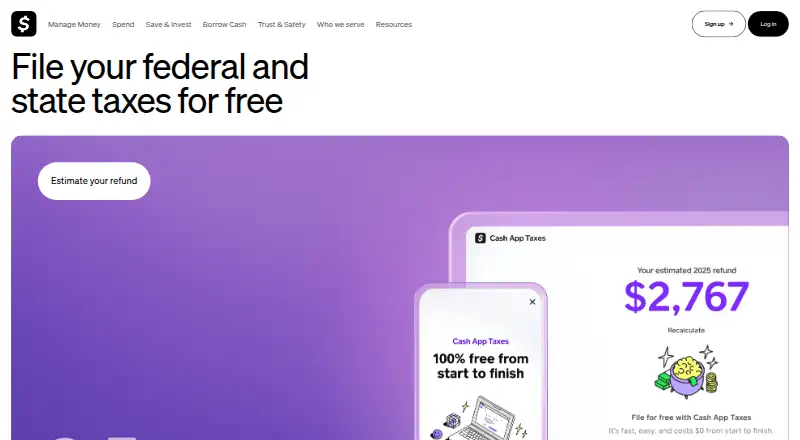
What Cash App Taxes is
Cash App Taxes is a web and mobile service for filing federal and state tax returns. Its free plan includes federal tax filing, state tax filing, self-employment income, and investment income. The plan is listed as free and is billed 100% free for federal and state returns. Filers can access the service on the web, iOS, or Android. The listed coverage means state filing is included alongside federal filing, and the plan also supports returns involving self-employment or investment income. The stated offering does not include audit support, so filers who want that service should account for its absence. Cash App Taxes is therefore focused on preparing and filing federal and state returns, with the named income types included in the free plan and access across web and mobile platforms.
Who it suits
It suits filers seeking web or mobile access to federal and state return filing, including those with self-employment or investment income. It may not suit someone who needs audit support.
What it does well
- Federal and state filing are included.
- Self-employment income is supported.
- Investment income is supported.
- Available on web, iOS, and Android.
What to know first
- Audit support is not included.
Limits
The free service does not include audit assistance, tax or legal advice, tax planning, or tax structuring. E-filing covers U.S. federal returns and most states that permit e-filing; some returns may need to be mailed.
Plans
| Plan | Billed and limits | Price |
|---|---|---|
| Free | 100% free for federal and state returns · Federal tax filing · State tax filing · Self-employment income · Investment income | Free |
| Cash App Taxes | Federal and state filing · One free plan · Cash App account required · U.S. adults with valid SSN · Supported forms only | Free |
As cash.app lists them, read 20 Sept 2026. The maker's own page has the final word.
Getting started
- Download Cash App to log in.
- Verify your phone number.
- Open cash.app/taxes on a phone or computer, or use the supported iOS or Android platform.
- Follow the step-by-step instructions to prepare and file your return.
Cash App Taxes is self-service software for preparing and filing U.S. federal and state income taxes. It suits filers who want to handle returns from a phone or computer without a filing fee. Its broad income support is a strong fit for many straightforward and more involved returns, but the absence of tax advice and audit assistance matters if you want help beyond filing.
Overview
The service guides users through filing step by step and supports returns involving W-2s, 1099s, investments, deductions, credits, self-employment and side-gig income. Federal and state filing remain free even when a return includes deductions, credits, stock sales or bitcoin sales. That removes a common reason to move up to a paid filing tier, though it does not remove the filer’s responsibility for the return.
A Cash App account is required: users must download Cash App to log in, then can prepare and file on a phone or computer at cash.app/taxes. Refunds deposited into Cash App may arrive up to five days early, subject to timing caveats.
Key features
Income and filing coverage
Support for self-employment and investment income makes this more capable than a basic W-2-only filing option. The terms cover federal e-filing and most states that permit it; some returns may need to be mailed. Filers with a return that cannot be e-filed should account for that extra step.
Security and support
Cash App Taxes says it is an authorized IRS e-file provider and follows IRS security, privacy and business standards. Its stated safeguards include encryption of 128-bit or higher in transit, taxpayer-information protections, an on-site security team and third-party vulnerability assessments. Phone-number verification is required, and authenticator-app two-factor authentication is supported.
For questions, the tax page directs users to Cash App Taxes Support and gives Cash App phone support at 1 (800) 969-1940, daily from 8 AM to 9:30 PM ET. That support channel does not amount to tax advice: the terms disclaim tax or legal advice, tax planning, tax structuring and audit assistance.
Pricing
Both named plans cost nothing. The Free plan is billed 100% free for federal and state returns and includes federal filing, state filing, self-employment income and investment income. Cash App Taxes is also free, billed $0 for federal and state filing, and covers federal and state returns plus W-2s, 1099s, investments, deductions and credits.
There is no paid tier or free-trial period in these plans, and no listed filing cap or seat limit. For eligible filers, the no-charge federal and state coverage is the central advantage. The trade-off is not a cheaper plan withholding features; it is that users who need professional tax guidance or audit help must look elsewhere.
Platforms
Cash App Taxes supports Android, iOS and web. Users can work from a phone or computer, but the required Cash App login adds an account prerequisite before filing.
Who it's for
This is a sensible choice for U.S. filers who are comfortable preparing their own returns and want federal and state filing without a fee, including those with self-employment or investment income. It is less suitable for anyone who needs tax planning, legal advice or audit assistance, or whose return cannot be e-filed and who wants an entirely electronic process.
Pros and cons
- Pros: Federal and state filing are free, including for returns with self-employment or investment income, so those income types do not trigger a paid plan.
- Pros: Android, iOS and web access lets users file from a phone or computer with step-by-step instructions.
- Pros: Authenticator-app two-factor authentication is supported alongside phone verification.
- Cons: Tax advice, planning, structuring and audit assistance are excluded, leaving users responsible for their returns.
- Cons: A Cash App account is required to log in, and some returns may need to be mailed rather than e-filed.
Alternatives
For a broader comparison of tax-filing choices, browse Tax Preparation Software or Personal Tax Software. For money apps rather than tax filing, see Peer-to-Peer Payment Apps, Digital Wallet Apps or Money Transfer Apps.
Settle Up is a freemium expense-splitting app for Android, iOS, web and Windows, with paid-plan features including receipt photos and recurring expenses; choose it for shared expense tracking, not tax filing. Wise offers a free personal account and transfers with pay-for-what-you-use pricing, for account and transfer needs rather than tax preparation. OPay, PhonePe and PicPay are free-listed payment apps, while Remitly offers transfer options and Splitwise and Venmo cover expense sharing and payments, respectively.
Verdict
Choose Cash App Taxes if you want no-charge federal and state filing and can prepare your own return, including one with self-employment or investment income. Its income coverage and device flexibility are compelling at $0, but the lack of tax advice and audit assistance makes it the wrong choice for filers who need expert guidance or support if a return is challenged.
Verdict
Cash App Taxes includes federal and state filing plus support for self-employment and investment income at no charge under its listed plan. Filers who need audit support should note that it is not offered.
Questions
How much does Cash App Taxes cost?
The listed price is free. The maker says federal and state filing is free, including when users claim deductions or credits or have sold stocks or bitcoin.
Which tax returns and income types does it support?
It supports federal and state income tax returns, including W-2s, 1099s, self-employment and side gig income, and investments.
Which platforms can I use?
Cash App Taxes is available on the web, iOS, and Android. Users can file from a phone or computer.
Do I need a Cash App account to file?
Users need to download Cash App to log in. Phone number verification is also required.
Does Cash App Taxes provide audit support or tax advice?
No. The service does not provide audit assistance, tax or legal advice, tax planning, or tax structuring.
Can I e-file my return?
The service offers e-filing for U.S. federal income taxes and most states that permit e-filing. Some returns may need to be mailed.
Facts from Cash App Taxes's own pages
- Account requirement
- Users must have a Cash App account and sign in through Cash App single sign-on before accessing Cash App Taxes. · taxes.cash.app, 15 Oct 2026
- Account verification
- Using Cash App Taxes requires phone number verification, and the service supports authenticator-app two-factor authentication. · cash.app, 8 Oct 2026
- Audit support
- No · cash.app, 20 Sept 2026
- Cash App account required
- Users need to download Cash App to log in, then can file on a phone or computer at cash.app/taxes. · cash.app, 8 Oct 2026
- Customer complaints
- Trustpilot reviews include complaints about frozen funds, account restrictions and difficulty obtaining customer-service resolutions. · trustpilot.com, 15 Oct 2026
- Data protection
- The maker says it uses 128-bit or higher encryption in transit, safeguards for taxpayer information, an on-site security team, and third-party vulnerability assessments. · cash.app, 8 Oct 2026
- Developer documentation
- Cash App publishes developer documentation for Cash App Pay and Afterpay integrations, including API quickstarts for sellers and payment service providers. · developers.cash.app, 15 Oct 2026
- E-file coverage
- The terms say the service offers e-filing for U.S. federal income taxes and most states that permit e-filing; some returns may need to be mailed. · taxes.cash.app, 8 Oct 2026
- Eligibility
- Terms require members to be at least 18, have a valid U.S. Social Security number and file only for themselves. · taxes.cash.app, 15 Oct 2026
- Federal filing price
- Federal tax filing costs $0 regardless of deductions, credits, 1099 income, stock sales or bitcoin sales. · cash.app, 15 Oct 2026
- Filing volume
- The service says it has filed more than 12 million returns without charging users. · cash.app, 15 Oct 2026
- Filing workflow
- Users can file from a phone or computer with step by step instructions. · cash.app, 8 Oct 2026
- Free plan
- Yes · cash.app, 20 Sept 2026
- Guarantees
- Cash App Taxes advertises accurate-calculation and maximum-refund guarantees, subject to eligibility and exclusions. · cash.app, 15 Oct 2026
- Guided workflow
- The product offers step-by-step instructions and says most people can finish in minutes. · cash.app, 15 Oct 2026
- Hosting model
- Cash App Taxes is accessed through a browser and Cash App mobile applications; the official pages provide no self-hosting option. · cash.app, 15 Oct 2026
- Investment income
- Yes · cash.app, 20 Sept 2026
- IRS authorization
- Cash App Taxes identifies itself as an authorized IRS e-file provider that follows IRS security, privacy and business standards. · cash.app, 15 Oct 2026
- IRS security
- Cash App Taxes says it is an authorized IRS e-file provider and complies with IRS security, privacy, and business standards. · cash.app, 8 Oct 2026
- Limit: manual data entry
- Reviewers say brokerage 1099 information and many investment transactions must be entered manually, which is burdensome for active traders. · thecollegeinvestor.com, 15 Oct 2026
- Limit: professional help
- Independent reviews repeatedly say the product lacks access to tax professionals or personalized tax advice. · cnbc.com, 15 Oct 2026
- Limit: state coverage
- ConsumerAffairs says Montana, New Hampshire and Tennessee state returns are not supported. · consumeraffairs.com, 15 Oct 2026
- Limit: unsupported situations
- Reviewers report that multiple-state, part-year, nonresident, foreign-income and prior-year filings are unsupported. · finder.com, 15 Oct 2026
- Mobile access
- web_and_mobile · cash.app, 20 Sept 2026
Where Cash App Taxes stands on Freedom251
- Tax Preparation Software#1 of 36
- Income Tax software#1 of 27
- Peer-to-Peer Payment Apps#1 of 24
- Digital Wallet Apps#3 of 44
- Tax Software#17 of 149
- Personal Tax Software#24 of 123
- Money Transfer Apps#50 of 81