CodeEdit
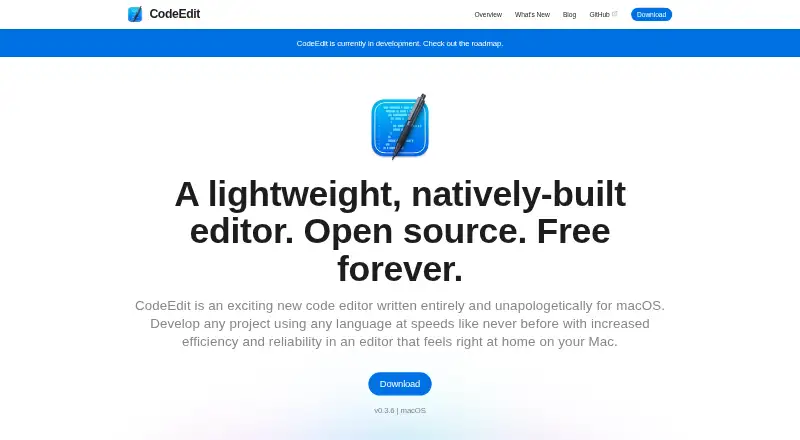
What CodeEdit is
CodeEdit is a desktop code editor for macOS, designed to supplement Xcode on projects that are not intended for Apple platforms. It is built in Swift using a native macOS architecture, and the project describes it as extensible and customizable. Its tools include syntax highlighting, code completion, project-wide find and replace, snippets, a terminal, task running, debugging, Git integration, code review and extensions. It supports language servers and includes a built-in debugger.
CodeEdit is open source under the MIT license. Its Free plan costs nothing and is described as free forever; there is no free trial. The project is in development and does not recommend it for production use yet. Users interested in contributing or discussing the editor can join its Discord or GitHub Discussions. A weekly Discord meetup takes place on Saturdays at 3pm UTC.
To install CodeEdit, open its disk image and drag the app into Applications. Adding it to the Dock is optional.
Who it suits
CodeEdit suits macOS users looking for an open-source editor to supplement Xcode on projects that do not target Apple platforms. Its development status makes it a better fit for users comfortable working with software that is not yet recommended for production use.
What it does well
- Open source under the MIT license and free forever.
- Native macOS architecture, developed in Swift.
- Includes a built-in debugger and language server support.
- Offers extensions, Git integration, code review and task running.
- Community discussions and a weekly Discord meetup are available.
What to know first
- Available only for macOS.
- The project is still in development and not recommended for production use.
- There is no free trial.
Limits
The Free plan is free forever. The project says CodeEdit is still in development and does not yet recommend it for production use.
Plans
| Plan | Billed and limits | Price |
|---|---|---|
| Free | Open source · Free forever · macOS | Free |
As codeedit.app lists them, read 3 Oct 2026. The maker's own page has the final word.
Getting started
- Open the CodeEdit website.
- Download the macOS disk image.
- Open the disk image and drag CodeEdit to Applications.
- Optionally add CodeEdit to the Dock.
Verdict
Choose CodeEdit if you want a free, open-source macOS editor with debugging, language server support and a broad set of coding tools. Look elsewhere for production-ready use, since the project says CodeEdit is still in development and is not yet recommended for production.
Questions
How much does CodeEdit cost?
Its Free plan costs nothing and is described as free forever.
Is CodeEdit open source?
Yes. The project says it is open source and the repository lists the MIT license.
Which platforms does CodeEdit support?
CodeEdit is a desktop editor for macOS.
Does CodeEdit offer a free trial?
No, its listed free trial option is no.
What tools does CodeEdit include?
Listed tools include syntax highlighting, code completion, find and replace, snippets, a terminal, task running, debugging, Git integration, code review and extensions.
Is CodeEdit ready for production use?
The project says CodeEdit is in development and is not yet recommended for production use.
Facts from CodeEdit's own pages
- Built-in debugger
- Yes · codeedit.app, 20 Sept 2026
- Community meetings
- The project says it holds a weekly Discord meetup on Saturdays at 3pm UTC. · github.com, 3 Oct 2026
- Community support
- The project invites users to join its Discord and GitHub Discussions to discuss and collaborate on CodeEdit. · github.com, 3 Oct 2026
- Customization
- The project describes CodeEdit as extensible and customizable. · codeedit.app, 3 Oct 2026
- Development status
- The project says CodeEdit is currently in development. · codeedit.app, 3 Oct 2026
- Download
- The download page instructs users to open the disk image, drag CodeEdit to Applications, and optionally add it to the Dock. · codeedit.app, 3 Oct 2026
- Editor type
- desktop · codeedit.app, 20 Sept 2026
- Extension support
- Yes · codeedit.app, 20 Sept 2026
- Features
- The repository lists syntax highlighting, code completion, project find and replace, snippets, terminal, task running, debugging, Git integration, code review, and extensions. · github.com, 3 Oct 2026
- Free plan
- Yes · codeedit.app, 20 Sept 2026
- Intended use
- CodeEdit is intended to supplement Xcode for projects not intended for Apple platforms. · codeedit.app, 3 Oct 2026
- Language server support
- Yes · codeedit.app, 20 Sept 2026
- License
- The repository says CodeEdit is licensed under the MIT license. · github.com, 3 Oct 2026
- Native architecture
- CodeEdit says it is developed in Swift with a native macOS architecture. · codeedit.app, 3 Oct 2026
- Open source
- The project says CodeEdit is open source and free forever. · github.com, 3 Oct 2026
- Supported platforms
- macos · codeedit.app, 20 Sept 2026
- Product
- CodeEdit is a code editor written for macOS. · codeedit.app, 3 Oct 2026
- Production readiness
- The repository says CodeEdit is in development and not yet recommended for production use. · github.com, 3 Oct 2026
Where CodeEdit stands on Freedom251
- Code editors#23 of 45