Freedom251 › 3D Rigging Software

CloudRig
What CloudRig is
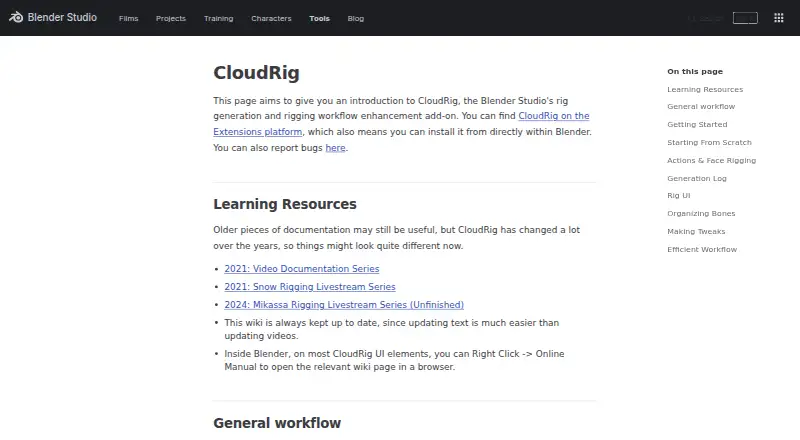
CloudRig is a free Blender Studio add-on for generating rigs and supporting rigging workflows in Blender. Riggers configure a metarig, generate a control rig, then change settings and regenerate as the metarig evolves. Component types assigned to metarig bones define rig behavior and can be adjusted for features such as limbs, spines, eyes, and bone tweaks. Generated rigs can include a custom interface that groups properties into panels, labels, and rows. When supported by the rig components, that interface can provide IK/FK switches and snap and bake operators. The add-on also includes hotkeys and pie menus. After generation, a log can flag possible issues and sometimes offer buttons to address them, but CloudRig does not automatically correct rigging mistakes. Post-generation scripts support procedural changes and require Python familiarity. An embedded cloudrig.py script may request permission to run; it does not run automatically when a file is linked or appended. CloudRig is available through Blender Extensions and can be installed within Blender.
Who it suits
It suits Blender riggers who want to generate and customize control rigs from metarigs. Users seeking procedural changes should be comfortable with Python.
What it does well
- Free Blender add-on available through Blender Extensions.
- Regenerate control rigs as metarigs change.
- Includes components for limbs, spines, eyes, and bone tweaks.
- Generation logs can flag issues and offer some fixes.
What to know first
- Does not automatically fix rigging mistakes.
- Post-generation scripts require Python familiarity.
- Embedded script may require permission to execute.
Limits
CloudRig does not automatically fix rigging mistakes, though it can detect issues and suggest fixes. Post-generation scripting requires Python familiarity; the embedded script may request permission to execute and does not run automatically when a file is linked or appended.
Getting started
- Open Blender and use its Blender Extensions platform to install CloudRig.
- Set parameters on a metarig and assign component types to its bones.
- Generate a control rig, then change settings and regenerate as the metarig develops.
- Use the generated rig's sidebar for supported controls; save and reload the file if needed for that panel.
- Add post-generation scripts for procedural changes if you are familiar with Python.
Verdict
CloudRig offers configurable rig generation and workflow tools for Blender, with optional scripting for further changes. Its issue detection can help identify problems, but rigging corrections remain the user's responsibility.
Questions
How much does CloudRig cost?
CloudRig is free, with a free plan.
Which host app does it support?
CloudRig is a Blender add-on available on the Blender Extensions platform.
Can I regenerate a rig after changing its metarig?
Yes. The workflow is to change settings and regenerate the rig as the metarig changes.
Does CloudRig include controls for animators?
Generated rigs can include a sidebar with features such as IK/FK switching and snapping. Available controls depend on the rig components.
Does it fix rigging problems automatically?
No. Its generation log can identify potential issues and may provide buttons to address some of them.
Who develops CloudRig?
Blender Studio develops CloudRig for its open movies and says it uses it in production for character and prop rigs.
Facts from CloudRig's own pages
- Animation controls
- The rig UI can include IK/FK switches and snap and bake operators when supported by the rig components. · studio.blender.org, 5 Oct 2026
- Contributions
- The CloudRig contribution page welcomes external contributors and asks them to contact Demeter before coding. · studio.blender.org, 5 Oct 2026
- Customization
- Component types have parameters that let users customize features in the generated rig. · studio.blender.org, 5 Oct 2026
- Custom rig UI
- CloudRig lets riggers organize built-in and custom properties into panels, labels, and rows in a custom rig interface. · studio.blender.org, 5 Oct 2026
- Features
- The add-on includes component types for features such as limbs, spines, eyes, and bone tweaks. · studio.blender.org, 5 Oct 2026
- Installation
- CloudRig is available on the Blender Extensions platform and can be installed from within Blender. · studio.blender.org, 5 Oct 2026
- Issues and support
- The Blender Studio add-ons page says users can report issues for its add-ons. · studio.blender.org, 5 Oct 2026
- Limit
- CloudRig does not automatically fix rigging mistakes, though it can detect issues and suggest fixes. · studio.blender.org, 5 Oct 2026
- Maker
- CloudRig is developed by Blender Studio for its open movies, beginning with CoffeeRun in 2020. · extensions.blender.org, 5 Oct 2026
- Metarig workflow
- Users set parameters on a metarig, then generate a control rig that can be regenerated as the metarig changes. · studio.blender.org, 5 Oct 2026
- Production use
- The Blender Studio says it uses CloudRig in production to generate rigs for characters and props. · studio.blender.org, 5 Oct 2026
- Purpose
- CloudRig is a Blender Studio add-on for rig generation and rigging workflow enhancement. · studio.blender.org, 5 Oct 2026
- Rig components
- Component types assigned to metarig bones define rig behaviors and can be customized with parameters. · studio.blender.org, 5 Oct 2026
- Rig panel
- Generated rigs include a sidebar panel with features such as IK/FK switching and snapping. · studio.blender.org, 5 Oct 2026
- Rig panel requirement
- The rig sidebar is available even when CloudRig is not installed, but Blender may ask permission to execute its script, and the file must be saved and reloaded. · studio.blender.org, 5 Oct 2026
- Script behavior
- A generated rig's embedded cloudrig.py script may prompt for permission to execute and does not execute automatically when the file is linked or appended. · studio.blender.org, 5 Oct 2026
- Scripting
- Post-generation scripts allow procedural changes, but require familiarity with Python. · studio.blender.org, 5 Oct 2026
- Troubleshooting
- After rig generation, a log can identify potential issues and may provide buttons to address some of them. · studio.blender.org, 5 Oct 2026
- Workflow
- The documented workflow is to change settings and regenerate the rig. · studio.blender.org, 5 Oct 2026
- Workflow tools
- The add-on includes hotkeys and pie menus intended to speed up rigging workflows. · studio.blender.org, 5 Oct 2026
Where CloudRig stands on Freedom251
- 3D Rigging Software#15 of 27