Freedom251 › Time Tracking Software
ClockingIT
by ClockingIT
What ClockingIT is
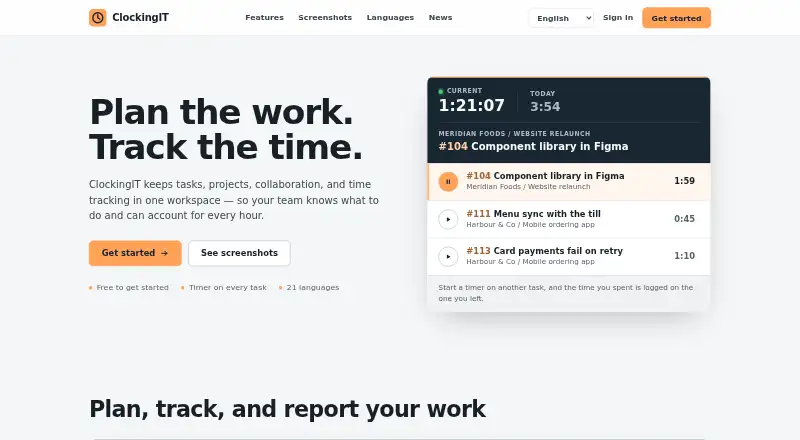
ClockingIT is a web workspace for teams managing tasks, projects, collaboration, and time. Its planning tools include dependencies, milestones, list and Kanban views, drag-and-drop scheduling, and an interactive Gantt chart. Team communication is handled through chat, direct messages, private forums, and a private wiki. Recorded time can be reviewed by task, person, client, project, or date, then exported to CSV. Listed extras include task filters, hours budgets, a client overview, calendar, checklists, notes, comments, email alerts, email replies, RSS and iCal feeds, and file storage. ClockingIT is available in 21 languages. Users create a company workspace and invite teammates after setup. The service runs on the web and has a free plan costing free, with no credit card required. ClockingIT was founded in 2005 and is independently run from Oslo, Norway.
Who it suits
It suits teams that need structured project planning, collaboration, and time tracking in a browser. Multilingual teams may value its 21-language availability.
What it does well
- Free plan with no credit card required
- Interactive Gantt chart and Kanban views
- Time reports export to CSV
- Chat, forums, and private wiki
- Available in 21 languages
What to know first
- Web platform only
- Terms of Service are being updated
- No named third-party integrations listed
Plans
| Plan | Billed and limits | Price |
|---|---|---|
| Free | Free to get started · no credit card required | Free |
As clockingit.com lists them, read 12 Oct 2026. The maker's own page has the final word.
Verdict
ClockingIT combines project planning, team communication, and time records in one web workspace. Its free plan and broad planning views make it suitable for teams seeking structure without a long list of separate tools.
Facts from ClockingIT's own pages
- Account setup
- Users create a company workspace and can invite their team after setup. · clockingit.com, 12 Oct 2026
- Additional features
- The screenshots page lists task filters, hours budgets, client overview, calendar, checklists, notes, comments, email alerts, replies by email, RSS and iCal feeds, and file storage. · clockingit.com, 12 Oct 2026
- Collaboration
- The workspace includes team chat, direct messages, private forums, and a private wiki. · clockingit.com, 12 Oct 2026
- Company
- ClockingIT says it was created by Erlend and Ellen Simonsen in Oslo, Norway, and remains independently run. · clockingit.com, 12 Oct 2026
- Data handling
- The privacy policy says ClockingIT collects account information and workspace content submitted to the hosted service to provide, operate, and support it, and that it does not sell email addresses. · clockingit.com, 12 Oct 2026
- Founded
- 2005 · clockingit.com, 28 Sept 2026
- Free plan
- Yes · clockingit.com, 20 Sept 2026
- Integrations
- The opened maker pages list RSS and iCal feeds, but do not state support for named third-party app integrations. · clockingit.com, 12 Oct 2026
- Languages
- ClockingIT is available in 21 languages. · clockingit.com, 12 Oct 2026
- Project planning
- The product includes tasks, dependencies, milestones, list and Kanban views, drag-and-drop scheduling, and an interactive Gantt chart. · clockingit.com, 12 Oct 2026
- Purpose
- ClockingIT is a hosted workspace for tasks, projects, collaboration, and time tracking, designed for teams that need structure without every available tool in the way. · clockingit.com, 12 Oct 2026
- Reports
- Recorded time can be reviewed by task, person, client, project, or date and exported to CSV. · clockingit.com, 12 Oct 2026
- Security and privacy
- ClockingIT says it uses reasonable administrative and technical measures to protect submitted information from unauthorized access, alteration, disclosure, or destruction. · clockingit.com, 12 Oct 2026
- Support
- The About page invites questions, feedback, and support requests by email. · clockingit.com, 12 Oct 2026
- Terms
- The Terms of Service page says the terms for the hosted service are being updated and directs users to contact ClockingIT with questions about acceptable use, account data, or service operation. · clockingit.com, 12 Oct 2026
- Time tracking
- Users can start a timer from any task and keep it visible while moving through ClockingIT. · clockingit.com, 12 Oct 2026
Where ClockingIT stands on Freedom251
- Time Tracking Software#19 of 77
- Project Management Software#57 of 188
- Project management tools#106 of 196
- Time tracking apps#45 of 78