Freedom251 › Video Review Software

Clipback
What Clipback is
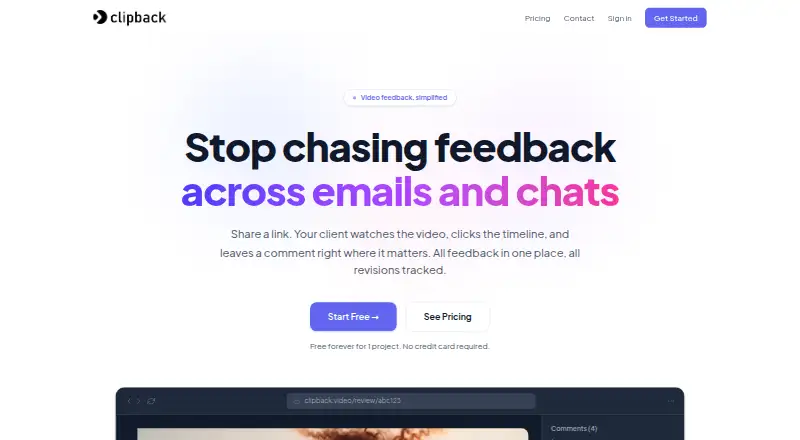
Clipback is a web video review tool for freelance editors and small studios. It collects timestamped client feedback through private links, and clients can watch and comment without signing up. Links can be password protected. Reviewers can draw arrows or rectangles on video frames, while editors see feedback as a checklist. Editors can upload new versions, compare them side by side, and resolve revisions as approval is granted. Clipback accepts MP4, MOV, and WebM files within the applicable plan limit. All plans use AWS-backed storage and a global CloudFront CDN, and review links use HTTPS. The product focuses on feedback; it does not provide DAM or proxy generation. The Free plan costs nothing and includes one active project, three video versions, and seven-day comment retention. Solo costs $8 per month, with 10 active projects, unlimited versions, and 90-day retention. Studio costs $19 per month and includes three editor seats, custom branding on review links, and one-year history. Annual billing for Solo and Studio offers two months free.
Who it suits
Clipback suits freelance video editors and small studios that need clients to leave timestamped feedback through review links. It can also suit teams that need frame annotations, version comparisons, and approval workflows.
What it does well
- Clients can comment without signing up.
- Reviewers can mark frames with arrows or rectangles.
- Editors can compare versions side by side.
- Supports MP4, MOV, and WebM files.
- Review links use HTTPS.
What to know first
- Free plan has one active project.
- Free plan retains comments for seven days.
- Does not provide DAM or proxy generation.
Limits
The free plan allows one active project and three video versions, with comments retained for seven days. Solo allows 10 active projects and unlimited versions, with 90-day retention. Studio includes three editor seats and one-year history.
Plans
| Plan | Billed and limits | Price |
|---|---|---|
| Free | 1 active project · 3 video versions · 7-day comment retention | Free |
| Studio | $19 per month; annual billing offers two months free · 3 editor seats · custom branding on review links · 1-year history | $19 a month |
| Solo | $8 per month; annual billing offers two months free · 10 active projects · unlimited versions · 90-day retention · on-frame annotations | $8 a month |
As clipback.video lists them, read 9 Oct 2026. The maker's own page has the final word.
Getting started
- Open https://clipback.video/.
- Choose the free plan, Solo, or Studio.
- Use Clipback on the web.
- Create a review link and share it with clients; clients can comment without signing up.
- Upload an MP4, MOV, or WebM video within the applicable plan limit.
Verdict
Clipback focuses on collecting and resolving video feedback, with links that let clients participate without accounts. Its free plan limits projects, versions, and comment retention; paid plans start at $8 per month.
Questions
Is Clipback free?
Yes. Its Free plan costs nothing and includes one active project, three video versions, and seven-day comment retention.
How much do the paid plans cost?
Solo costs $8 per month and Studio costs $19 per month. Annual billing offers two months free on the paid plans.
Which platforms does Clipback support?
Clipback is available on the web.
Can clients leave feedback without an account?
Yes. Clients can watch and comment through a review link without signing up. Links can be password protected.
Which video formats can I upload?
Clipback accepts MP4, MOV, and WebM files, subject to the applicable plan limit.
Does Clipback include digital asset management or proxy generation?
No. Clipback describes its focus as feedback and does not provide DAM or proxy generation.
Facts from Clipback's own pages
- Annotations
- Reviewers can draw arrows or rectangles on video frames, while editors see comments as a checklist. · clipback.video, 9 Oct 2026
- Client access
- Clients can watch and comment through a review link without signing up, and links can be password protected. · clipback.video, 9 Oct 2026
- Integration availability
- The contact page invites integration inquiries but does not name any existing integrations. · clipback.video, 9 Oct 2026
- Product scope
- Clipback describes itself as focused on feedback and says it does not provide DAM or proxy generation. · clipback.video, 9 Oct 2026
- Project limits
- When a project limit is reached, users can archive a finished project to free a slot or upgrade; archived data is preserved and restoration is instant. · clipback.video, 9 Oct 2026
- Purpose
- Clipback is a video review tool for freelance video editors and small studios that collects timestamped client feedback through private review links. · clipback.video, 9 Oct 2026
- Revisions
- Editors can upload new versions, with revisions resolving automatically as approval is granted, and compare versions side by side. · clipback.video, 9 Oct 2026
- Security reports
- Clipback asks users to report security issues through its contact form and says it responds to disclosures within 24 hours. · clipback.video, 9 Oct 2026
- Storage and delivery
- All plans use AWS-backed storage and a global CloudFront CDN, with HTTPS-only review links. · clipback.video, 9 Oct 2026
- Studio support
- Studio plan customers can request a 20-minute walkthrough. · clipback.video, 9 Oct 2026
- Support
- Support replies usually arrive within one business day, and bug reports with a clear reproduction are usually triaged within a few business hours. · clipback.video, 9 Oct 2026
- Supported formats
- Clipback accepts MP4, MOV and WebM files up to the applicable plan limit. · clipback.video, 9 Oct 2026
Where Clipback stands on Freedom251
- Video Review Software#11 of 36