Freedom251 › Home Builder Software
ClickHome
What ClickHome is
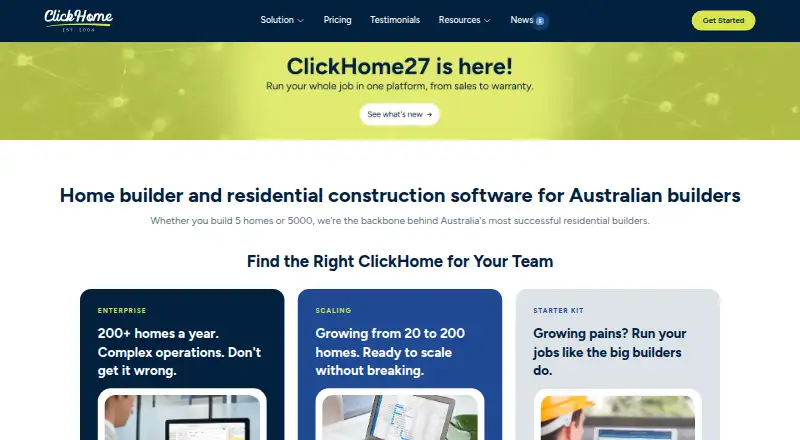
ClickHome is business management software for companies that build homes. Founded in Perth in 2004, it serves residential builders from small teams scaling up to established mid- and high-volume businesses. Its modules span the customer and job lifecycle: lead management, pre-construction, scheduling, field work, trade coordination, customer portals, and post-handover maintenance. The lead system gathers enquiries from websites, display homes, referrals, and property portals, then scores them and assigns them to consultants. Features include selections management, buyer portals, budget and cost tracking, schedule management, and trade partner management. Listed integrations include HubSpot via Zapier, Mailchimp, Google Ads, DocuSign, Xero, and Microsoft Teams. ClickHome Cloud has a 30-day free trial with no credit card required. Connect is an optional Cloud add-on at $100 a month. Build is $225 per job, Manage is $375 per job, and Succeed is $550 per job; each is a one-off fee covering the job’s full life and requires at least five jobs. Enterprise Hosted / On Prem uses volume-based licensing with pricing by contact. ClickHome does not handle general ledger or accounts, so builders need a separate financial system.
Who it suits
ClickHome suits residential builders that want to manage sales, construction workflows, trade coordination, customer communication, and post-handover service in one application. Its range of plans and enterprise deployment options are aimed at teams scaling up as well as established mid- and high-volume builders.
What it does well
- Covers CRM, pre-construction, scheduling, field tools, trades, portals, and maintenance.
- Captures, scores, and assigns leads from several enquiry sources.
- Includes selections, buyer portals, budget tracking, and schedule management.
- Lists integrations including DocuSign, Xero, Microsoft Teams, and HubSpot via Zapier.
- Cloud trial lasts 30 days and requires no credit card.
- Enterprise customers can choose hosted, on-premise, or private-cloud deployment.
What to know first
- Requires a separate system for general ledger and accounts.
- Build, Manage, and Succeed each require a five-job minimum.
- Enterprise Hosted / On Prem pricing requires contacting sales.
Limits
Build, Manage, and Succeed have a five-job minimum. ClickHome does not provide general ledger or accounts, so a separate financial system is needed.
Plans
| Plan | Billed and limits | Price |
|---|---|---|
| Connect | Optional add-on to Cloud; billing basis beyond the displayed monthly price is not stated. · Branded customer portal · online tenders · selections and wishlists · job updates and messaging · maintenance and warranty requests | $100 a month |
| Cloud Connect | monthly add-on · branded customer portal · online tenders · selections/wishlists · progress messaging · maintenance requests · lead capture | A$100 a month |
| Build | per job; minimum spend 5 jobs · construction call-sheets · supervisor iPad app · trade callups · photo uploads · SWMS/check-ins · web access · cloud hosting | $225, paid once |
| Manage | per job; minimum spend 5 jobs · all Build features · pre-construction workflows · progress claims · variations · RFQs · document compliance · cost tracking · maintenance/defects | $375, paid once |
| Succeed | per job; minimum spend 5 jobs · all Manage features · leads and sales automation · quotes/contracts · selections · variation pricing · margin control · real-estate portals · Zapier · cross-job scheduling | $550, paid once |
| Enterprise / Hosted | enterprise per-build licensing with volume pricing · all modules · hosted or on-premises · custom workflows · legacy/custom APIs · multiple business units · custom development · deep reporting | On request |
| Enterprise Hosted / On Prem | Contact Sales; enterprise per-build licensing with volume-based pricing. · All modules · hosted or on-premise · custom workflows and integrations · custom development and reporting | On request |
As clickhome.com.au lists them, read 30 Sept 2026. The maker's own page has the final word.
Getting started
- Visit the ClickHome website.
- Start the 30-day ClickHome Cloud trial; no credit card is required.
- Choose the Cloud plan or contact sales about Enterprise Hosted / On Prem.
- For Enterprise, select ClickHome-hosted hosting, on-premise deployment, or a private cloud.
Verdict
Choose ClickHome if your residential building business needs workflows spanning leads, construction, customer portals, and maintenance. Look elsewhere if you need the software itself to handle general ledger and accounts, or if a five-job minimum does not suit your project volume.
Questions
Is there a free plan or trial?
There is no free plan. ClickHome advertises a 30-day free trial for ClickHome Cloud with no credit card required.
What does ClickHome cost?
Connect is $100 a month as an optional Cloud add-on. Build is $225 per job, Manage is $375 per job, and Succeed is $550 per job, each a one-off fee for the job’s full life with a five-job minimum. Enterprise Hosted / On Prem pricing is by contact.
Which platforms does ClickHome list?
The listed platforms are Android, API, iOS, self-hosted, web, and Windows. The support overview describes field applications for iPad and Windows, while ClickHome27 says its rebuilt field app will also run on iPhone and Android.
Can ClickHome handle accounting?
No. ClickHome is not a financial or accounting system, so customers need a separate system for general ledger and accounts.
What integrations are listed?
The maker lists HubSpot via Zapier, Mailchimp, Google Ads, DocuSign, Xero, and Microsoft Teams.
How can Enterprise customers deploy ClickHome?
Enterprise customers can use ClickHome-hosted hosting, deploy on-premise, or use a private cloud. Enterprise Hosted / On Prem includes all modules, with custom workflows, integrations, development, and reporting.
Facts from ClickHome's own pages
- Accounting limitation
- ClickHome is not a financial or accounting system, so customers still need a separate financial system for general ledger and accounts. · support.clickhome.com.au, 30 Sept 2026
- API and extensibility
- Enterprise materials describe API endpoints, webhooks, staging environments, direct SQL access and event triggers. · clickhome.com.au, 15 Oct 2026
- API services
- Support documentation says ClickHome web services provide field-device synchronisation, MyHome and APIs. · support.clickhome.com.au, 15 Oct 2026
- Company history
- ClickHome says it was built in Perth in 2004 for Australian residential builders. · ch27.clickhome.com.au, 30 Sept 2026
- Company size
- LinkedIn lists ClickHome Construction Software as privately held with 11–50 employees. · au.linkedin.com, 15 Oct 2026
- Current field app
- The ClickHome27 Field App runs on iPhone, iPad, Windows and Android phones and tablets and includes an AI assistant. · support.clickhome.com.au, 15 Oct 2026
- Customer portal
- MyHome lets customers view progress, photos and documents, submit selections and communicate with builders. · support.clickhome.com.au, 15 Oct 2026
- Deployment
- Enterprise customers can use ClickHome-hosted hosting or deploy on-premise or in a private cloud, with direct SQL access described for on-premise. · clickhome.com.au, 30 Sept 2026
- Documentation and support
- The support portal provides knowledge-base articles, installation guidance, release notes and remote-support requirements. · support.clickhome.com.au, 15 Oct 2026
- Finance control
- The finance module tracks committed costs, forecasts stage spending and measures performance across jobs and business units. · clickhome.com.au, 15 Oct 2026
- Founded
- 2004 · clickhome.com.au, 28 Sept 2026
- Founded and headquarters
- LinkedIn lists the company as founded in 2001 and headquartered in Perth, Australia. · au.linkedin.com, 15 Oct 2026
- Inspections and compliance
- Field users capture inspections, signatures, defects, photos and SWMS compliance with audit reporting. · clickhome.com.au, 15 Oct 2026
- Integrations
- Listed integrations include Xero, HubSpot, JobFile, DocuSign, HIA Online, SMS, Sage, SharePoint, Databuild, BEAMS and Facebook Business Suite. · clickhome.com.au, 15 Oct 2026
- Intended customers
- ClickHome says its products serve residential builders ranging from small teams scaling up to established mid- and high-volume builders. · clickhome.com.au, 30 Sept 2026
- Lead management
- The lead system captures enquiries from websites, display homes, referrals, and property portals, scores leads, and assigns them to consultants. · clickhome.com.au, 30 Sept 2026
- Legacy mobile limitation
- The ClickHome 3 requirements page says Apple iPhone is unsupported, with iPad and Windows tablets supported for that version. · support.clickhome.com.au, 15 Oct 2026
- Legal entity
- Australian Business Register lists CLICKHOME GROUP PTY LTD as an active Australian private company with main business location WA 6000. · abr.business.gov.au, 15 Oct 2026
- Limit: flexibility
- G2 reviewers criticize limited customization and difficulty changing sections or areas for different business needs. · g2.com, 15 Oct 2026
- Limit: pricing transparency
- A Trustburn reviewer complained that product pricing was not published. · trustburn.com, 15 Oct 2026
- Limit: usability
- G2 reviewers report an outdated or cluttered interface, difficult learning curve and occasional slow loading. · g2.com, 15 Oct 2026
- Notable news
- ClickHome announced ClickHome27 in July 2026 with AI assistance, rebuilt mobile apps, job costing, dashboards and contract-duration management. · clickhome.com.au, 15 Oct 2026
- Praise: configurability
- A CrowdReviews reviewer praised configurability and integration with other systems, while describing the overall solution as very good. · crowdreviews.com, 15 Oct 2026
- Praise: workflow coverage
- G2 reviewers repeatedly praise centralized job management, workflow visibility, communication and reduced delays. · g2.com, 15 Oct 2026
Where ClickHome stands on Freedom251
- Home Builder Software#8 of 32