Freedom251 › Video Review Software

ClearView Flex
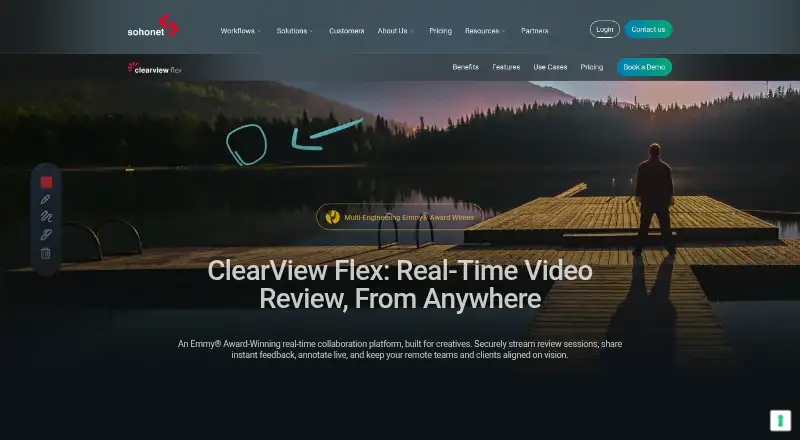
What ClearView Flex is
ClearView Flex is a real-time collaboration platform for streaming video review sessions and collecting feedback from creative teams and clients. It accepts SDI, HDMI, and NDI inputs, although only one source can be streamed at a time, and its product page describes latency below 100 milliseconds. Starter and Pro include video chat, voice chat, annotations, and end-to-end encryption. Flex can run in the cloud or on-premises, including purpose-built desktop or rack hardware, with setup guides for AWS and VMware virtual Flexboxes. Presenters connect through Chrome or Firefox with an internet connection; Firefox does not support 10-bit video. Viewers can use PC, Mac, iPhone, iPad, Android, or Apple TV. Starter supports up to 20 attendees and costs $638 a month billed annually in advance, plus a $350 setup fee. Pro supports 40 attendees and costs $1,413 a month on the same billing basis, plus $500.
Who it suits
It suits creative teams working across pre-production, on-set review, editorial, VFX, and colour review. Teams can choose cloud or on-premises deployment and invite viewers on the listed devices.
What it does well
- Sub-100ms streaming latency described
- Video, voice chat, and annotations
- End-to-end encryption on Starter and Pro
- Cloud or on-premises deployment
- Free expert-led demo
What to know first
- Only one video source streams at once
- Each Flexbox hosts one session
- Firefox lacks 10-bit video support
- Annual billing and setup fees apply
Limits
A Flexbox can host one session at a time. Starter allows up to 20 attendees with SDR up to 2K DCI and 8-bit 4:4:4; Pro allows up to 40 attendees with SDR and HDR up to 2K DCI and 10-bit 4:2:2.
Plans
| Plan | Billed and limits | Price |
|---|---|---|
| Pro | Billed annually in advance; + $500 set-up fee · Up to 40 attendees per session · SDR and HDR up to 2K DCI · Up to 10-bit 4:2:2 | $1,413 a month |
| Starter | Billed annually in advance; + $350 set-up fee · Up to 20 attendees per session · SDR up to 2K DCI · Up to 8-bit 4:4:4 | $638 a month |
| Pay as you go | Pricing available on request · Starter and Pro feature sets available for PAYG Flexboxes | On request |
As sohonet.com lists them, read 4 Oct 2026. The maker's own page has the final word.
Getting started
- Visit the ClearView Flex website
- Request the free expert-led demo
- Choose Starter, Pro, or Pay as you go
- Deploy a Flexbox in the cloud or on-premises
- Connect an SDI, HDMI, or NDI source
- Present through Chrome or Firefox with an internet connection
- Let viewers join from a supported device
Verdict
ClearView Flex brings low-latency video review, feedback tools, and multiple deployment choices to creative workflows. Check attendee limits, source constraints, browser requirements, and annual plan fees before selecting Starter or Pro.
Questions
How much does Starter cost?
Starter costs $638 a month, billed annually in advance, plus a $350 set-up fee.
How much does Pro cost?
Pro costs $1,413 a month, billed annually in advance, plus a $500 set-up fee.
Is there a free trial or demo?
The product page offers a free demo led by an expert. A free trial is also listed.
Which devices can viewers use?
Supported viewing devices are PC, Mac, iPhone, iPad, Android, and Apple TV.
Does ClearView Flex support single sign-on?
Yes. It supports SAML single sign-on, enabled for an entire managed email domain; user provisioning and IdP-initiated login are not supported.
Facts from ClearView Flex's own pages
- Annotations and chat
- Starter and Pro include video chat, voice chat, and annotations. · help.sohonet.com, 4 Oct 2026
- Browser access
- Presenters can access the application with an internet connection using Google Chrome or Mozilla Firefox; Firefox does not support 10-bit video. · help.sohonet.com, 4 Oct 2026
- Cloud and hardware
- Flex can run in the cloud or on-premises, including on purpose-built desktop or rack hardware; setup guides cover AWS and VMware virtual Flexboxes. · sohonet.com, 4 Oct 2026
- Encryption
- The Starter and Pro feature comparison lists end-to-end encryption. · sohonet.com, 4 Oct 2026
- Free demo
- The product page offers a free demo led by an expert. · sohonet.com, 4 Oct 2026
- Inputs
- It accepts SDI, HDMI, and NDI video inputs, though only one source can be streamed at a time. · help.sohonet.com, 4 Oct 2026
- Intended users
- Sohonet describes Flex as built for creatives and presents use cases spanning pre-production, on-set review, editorial, VFX, and colour review. · sohonet.com, 4 Oct 2026
- Latency
- The product page describes streaming with sub-100ms latency. · sohonet.com, 4 Oct 2026
- NDI and Avid
- Flex can receive an NDI feed from Avid, and NDI 4 or later is supported. · help.sohonet.com, 4 Oct 2026
- Purpose
- ClearView Flex is a real-time collaboration platform for securely streaming video review sessions and sharing feedback with creative teams and clients. · sohonet.com, 4 Oct 2026
- Session limit
- A Flexbox can host only one session at a time. · help.sohonet.com, 4 Oct 2026
- SSO integration
- ClearView Flex supports SAML single sign-on, which must be enabled for an entire managed email domain; user provisioning and IdP-initiated login are not supported. · help.sohonet.com, 4 Oct 2026
- Support
- Sohonet advertises premium 24/7 support for the paid Starter and Pro plans. · sohonet.com, 4 Oct 2026
- Viewer devices
- The vendor lists PC, Mac, iPhone, iPad, Android, and Apple TV as supported viewing devices. · help.sohonet.com, 4 Oct 2026
Where ClearView Flex stands on Freedom251
- Video Review Software#21 of 36