Freedom251 › Document Redaction Software
CaseGuard
What CaseGuard is
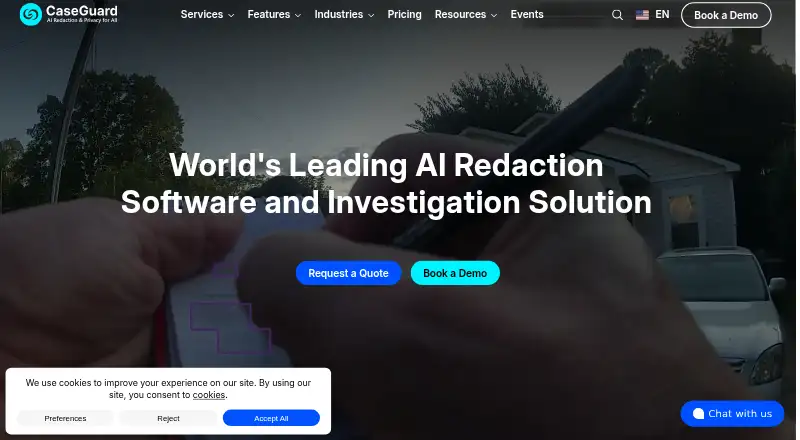
CaseGuard automates redaction of sensitive information in video, audio, documents, and images for organizations handling evidence and records. Video tools detect faces, license plates, screens, and other objects in body-camera, CCTV, and dash-camera footage. Document tools identify personally identifiable information in PDFs, email archives, Excel, and Word files. Audio features include redaction, transcription, translation described as supporting more than 100 languages, speaker identification, and closed captions. More than 30 redaction and enhancement tools address tasks such as clarifying footage and detecting tattoos. CaseGuard Studio is installed locally on Windows, and the maker says work stays on the user's machine rather than in cloud storage; transcription and document analysis use encrypted AWS GovCloud connections. Integrations include Axon Evidence and Box, with Amazon S3 listed as an import source. The product is described as supporting HIPAA, FOIA, CJIS, and GDPR compliance, with permanent redactions and scrubbed metadata. Pricing starts at $279/user/mo, billed annually.
Who it suits
CaseGuard suits government, law-enforcement, legal, healthcare, finance, education, and transportation organizations managing sensitive records. It is designed for teams needing media, document, and audio redaction on Windows.
What it does well
- Redacts video, audio, documents, and images
- Supports transcription and translation in 100+ languages
- Locally installed Windows application
- Offers Axon Evidence and Box integrations
- Includes instructor-led training with each license
What to know first
- No free plan
- Starts at $279/user/mo billed annually
- Unfinished projects become uneditable after cancellation
Limits
Doc Suite, Media Suite, and Ultimate Suite are paid annually at their listed per-user monthly rates and have different file-type and feature scopes. After cancellation, saved and exported files remain accessible, but unfinished projects cannot be opened, edited, or changed.
Plans
| Plan | Billed and limits | Price |
|---|---|---|
| Doc Suite | $279 User/Month Paid annually · Unlimited document and image redaction · 300+ supported file types · AI document redaction with batch processing · Unlimited OCR | $279 |
| Media Suite | $299 User/Month Paid annually · Unlimited video and audio redaction · 600+ supported file types · AI transcription and translation | $299 |
| Ultimate Suite | $379 User/Month Paid annually · Unlimited redaction across all file types · 900+ supported file types · Batch processing · Team collaboration · Third-party integrations · Priority support | $379 |
| Enterprise | Get Custom Pricing · Available for any Suite · Starts at 10+ seats · Admin controls · Dedicated onboarding | On request |
As caseguard.com lists them, read 3 Oct 2026. The maker's own page has the final word.
Getting started
- Open the CaseGuard website
- Choose a Doc Suite, Media Suite, Ultimate Suite, or Enterprise arrangement
- Install CaseGuard Studio on Windows
- Import files from supported formats, Axon Evidence, Box, or Amazon S3
- Apply redaction, transcription, translation, or enhancement tools
- Use included live instructor-led training and available support
Verdict
CaseGuard combines automated detection, redaction, enhancement, and evidence integrations across many file types. Its local Windows deployment and stated compliance support may suit organizations with controlled records workflows.
Questions
What platforms does CaseGuard support?
CaseGuard Studio is a locally installed Windows application and is offered as self-hosted software.
How much does CaseGuard cost?
Doc Suite is $279 a year, Media Suite is $299 a year, and Ultimate Suite is $379 a year. Enterprise uses custom pricing.
Is there a free plan or trial?
No free plan is listed.
Which integrations are available?
CaseGuard documents integrations with Axon Evidence and Box, and lists Amazon S3 as an import source.
What happens to projects after cancellation?
Saved and exported files remain accessible, but unfinished projects cannot be opened, edited, or changed.
Does CaseGuard support compliance requirements?
The pricing page describes support for HIPAA, FOIA, CJIS, and GDPR compliance, with metadata scrubbing and permanent redactions.
Facts from CaseGuard's own pages
- Audio and language
- CaseGuard offers audio redaction, transcription, translation, speaker identification, and closed captions, with translation described as supporting 100+ languages. · caseguard.com, 3 Oct 2026
- Axon integration detail
- Users can import supported files from Axon Evidence into CaseGuard and export redacted versions back; Axon handles authentication directly and CaseGuard says it does not access or store Axon credentials. · caseguard.com, 3 Oct 2026
- Cancellation limit
- After cancellation, users retain access to saved and exported files but cannot open, edit, or change unfinished projects. · caseguard.com, 3 Oct 2026
- Compliance
- The pricing page describes the product as supporting HIPAA, FOIA, CJIS, and GDPR compliance and says metadata is scrubbed and redactions are permanent. · caseguard.com, 3 Oct 2026
- Document redaction
- Document tools identify and redact personally identifiable information across files including PDFs, email archives, Excel, and Word documents. · caseguard.com, 3 Oct 2026
- Founded
- 2014 · caseguard.com, 28 Sept 2026
- Headquarters
- Arlington, Virginia, United States · caseguard.com, 28 Sept 2026
- Integrations
- CaseGuard documents integrations with Axon Evidence and Box, and its project guide also lists Amazon S3 as an import source. · caseguard.com, 3 Oct 2026
- Intended customers
- CaseGuard says it serves organizations across government, law enforcement, legal, healthcare, finance, education, and transportation. · caseguard.com, 3 Oct 2026
- Investigation tools
- The product includes 30+ redaction and enhancement tools for tasks such as clarifying footage and detecting tattoos. · caseguard.com, 3 Oct 2026
- Local deployment
- CaseGuard Studio is a locally installed Windows application, and the maker says work is stored on the user's machine. · caseguard.com, 3 Oct 2026
- Purpose
- CaseGuard automates redaction of sensitive information in video, audio, documents, and images for organizations handling evidence and records. · caseguard.com, 3 Oct 2026
- Security
- The maker says files are not stored in the cloud, while transcription and document analysis use AWS GovCloud services and communication with those endpoints is encrypted. · caseguard.com, 3 Oct 2026
- Support and training
- The pricing FAQ says every license includes free live instructor-led training, and support and a dedicated account manager are available for guidance. · caseguard.com, 3 Oct 2026
- Video redaction
- Video tools can detect and redact faces, license plates, screens, and other objects in body-worn camera, CCTV, and dash-camera footage. · caseguard.com, 3 Oct 2026
Where CaseGuard stands on Freedom251
- Document Redaction Software#22 of 27