Freedom251 › Accounting Practice Management Software
Canopy
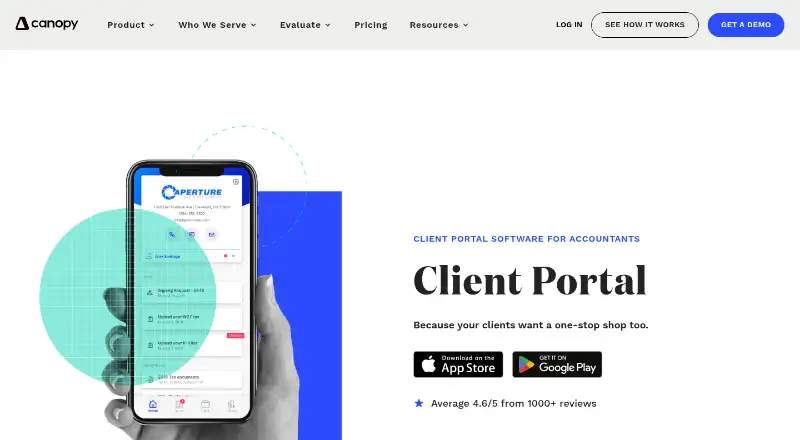
What Canopy is
Canopy is accounting practice software for handling client relationships, documents, work, and billing. Its client portal supports secure messaging, while document management includes eSign. Firms can manage invoices and payments, track time and deadlines, and use automated or recurring task workflows. Canopy also lists staff capacity planning and forecasting. The Standard plan includes CRM and client management, document tools, the portal, workflows, invoicing, and payments. Plus adds user roles and access controls, more client intake capacity, advanced task views and filters, capacity planning, and custom reporting. Premium includes advanced workflows and automation, advanced billing scenarios, and reporting; Enterprise is a custom plan for large firms. Canopy has a free plan and is listed as freemium, but prices for the named plans are not listed. It is available on Android, iOS, and web. The company was founded in 2014 and is headquartered in Draper, Utah.
Who it suits
Canopy suits accounting firms that want a client portal alongside document handling, billing, and task workflows. Its plans also address firms needing capacity planning or a custom enterprise plan.
What it does well
- Free plan is available.
- Client portal includes secure messaging.
- Document management includes eSign.
- Tracks time and deadlines.
- Plus includes capacity planning and forecasting.
What to know first
- Prices for named plans are not listed.
- Enterprise is a custom plan for large firms.
Plans
| Plan | Billed and limits | Price |
|---|---|---|
| Standard | CRM and client management · Document management and eSign · Client portal and secure messaging · Automated and recurring task workflows · Invoicing and payments | On request |
| Plus | User roles and access controls · More client intake capacity · Advanced task views and filters · Capacity planning and forecasting · Custom reporting | On request |
| Premium | Advanced workflows and automation · Advanced billing scenarios · Deep reporting and insights | On request |
| Enterprise | Custom plan for large firms | On request |
As getcanopy.com lists them, read 19 Sept 2026. The maker's own page has the final word.
Getting started
- Visit the Canopy accounting client portal website.
- Choose web, Android, or iOS.
- Start with the free plan, or review Standard, Plus, Premium, and Enterprise.
- Select a plan based on the listed features you need.
Overview
Canopy is accounting practice-management software for firms that want client work, communications and billing coordinated in one system. It suits practices looking to connect recurring tasks with client records and document exchange. Its broad toolkit is a stronger fit for managing a practice than for firms seeking only a single-purpose billing or file-sharing app.
Key features
Client management, a portal and secure messaging bring client interactions together with document management and eSign. Invoicing and payments extend that workflow into billing, while automated and recurring task workflows help organize repeat work. For firms that want clients, files and routine processes tied together, that breadth is Canopy’s main appeal.
Time tracking and deadline tracking cover two practical parts of day-to-day practice work. Staff capacity planning is also supported, with advanced capacity planning and forecasting included in Plus. Firms that need to anticipate workload across staff may find that distinction important; those focused on basic client and task management may not need to move up for those tools.
Pricing
Canopy has a free plan and four paid tiers with custom pricing. The free option gives firms a way to start without a paid subscription, but a plan-by-plan comparison of its feature limits is not possible from the capabilities described for the paid tiers.
- Standard: CRM and client management, document management and eSign, client portal and secure messaging, automated and recurring task workflows, and invoicing and payments. It is the natural starting paid tier for firms that need the core client-service and billing toolkit.
- Plus: Adds user roles and access controls, more client intake capacity, advanced task views and filters, capacity planning and forecasting, and custom reporting. It is a better fit for practices managing differentiated staff access or planning workload across a larger intake.
- Premium: Adds advanced workflows and automation, advanced billing scenarios, and deeper reporting and insights. Firms with more complex processes or billing needs may have reason to choose it; practices needing only routine workflows may not.
- Enterprise: A custom plan for large firms. Its custom pricing makes it a tier to discuss for larger operations rather than a straightforward self-serve choice.
Seat counts, usage quotas, trial length and renewal terms are not described for Canopy’s plans, so firms should confirm fit and total cost before committing.
Platforms
Canopy runs on web, Android and iOS, giving firms access through browsers and mobile devices.
Who it's for
Canopy is best suited to accounting practices that want client communication, document handling, task workflows and billing under one practice-management umbrella. Firms needing access controls, forecasting or custom reporting should weigh Plus; those with advanced workflow or billing requirements should consider Premium. A practice looking solely for one narrow function may be better served by a more focused product.
Pros and cons
- Pro: Client portal, secure messaging, document management and eSign sit alongside client management, reducing the need to treat those parts of client service as separate workflows.
- Pro: Recurring task automation, deadline tracking, time tracking and billing cover multiple stages of practice operations.
- Pro: Android, iOS and web support gives staff platform flexibility.
- Con: Advanced controls, capacity forecasting and custom reporting require Plus, while advanced automation and billing scenarios require Premium.
- Con: Custom pricing across named paid tiers makes it harder to compare their cost without a quote.
Alternatives
Explore the Accounting Practice Management Software category to compare the field. Xero Practice Manager is another freemium option with a free plan and web access. Choose IRIS Practice Engine if you prefer a paid, web-based alternative.
TaxDome is a paid alternative with Android, iOS, macOS, web and Windows support and no free plan. Nomi is another paid option with a free trial and Android, iOS and web access. Practice CS is a paid alternative for Windows, while CCH Axcess Practice is paid and web-based.
Karbon is a paid option with Android, iOS and web support, but no free plan. KashFlow is also paid, offers a free trial and supports Android, iOS and web.
Verdict
Choose Canopy if your accounting practice wants client management, document exchange, recurring work and billing connected in one system, with mobile and web access. Its broad scope is the key reason to consider it; the main reason to look elsewhere is that the paid tiers use custom pricing and important planning and advanced workflow capabilities sit above Standard.
Verdict
Canopy brings client communication, documents, tasks, and billing into accounting practice software. A free plan is listed, while prices for its named paid plans are not provided.
Questions
Does Canopy have a free plan?
Yes. Canopy is listed as freemium and has a free plan.
Which platforms support Canopy?
Canopy is available on Android, iOS, and web.
What does the Standard plan include?
Standard includes CRM and client management, document management and eSign, the client portal and secure messaging, automated and recurring task workflows, and invoicing and payments.
Which plan includes capacity planning?
Plus includes capacity planning and forecasting, along with custom reporting, user roles and access controls, and other features.
What does Premium add?
Premium includes advanced workflows and automation, advanced billing scenarios, and deep reporting and insights.
Who is the Enterprise plan for?
Enterprise is a custom plan for large firms.
Facts from Canopy's own pages
- Founded
- 2014 · getcanopy.com, 23 Sept 2026
- Headquarters
- Draper, Utah, United States · getcanopy.com, 23 Sept 2026