Freedom251 › Cartoon Maker Software

Callipeg
What Callipeg is
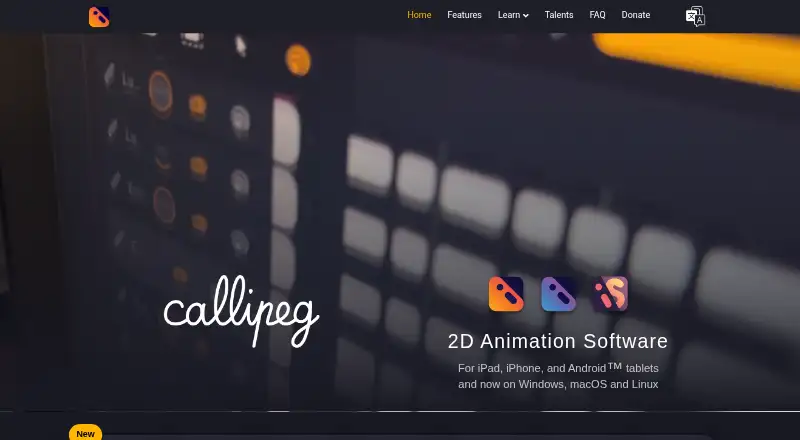
Callipeg is a 2D animation application for frame-by-frame work on tablets and desktop computers. It combines pixel-based hand-drawn animation with keyframe tools for layer parenting, curve editing, tangents, and position, scale, rotation and opacity. Drawing options include customizable brushes, dedicated erasers, freehand and geometric shapes, pixel and raster drawing, selection, and affine, perspective and warp transformations. It imports images, videos, image sequences, JSON, XDTS, audio, brushes, palettes and PSD files. Exports include single images, image sequences, video, GIF, JSON, OCA and XDTS. OCA is compatible with Blender; XDTS is compatible with CLIP STUDIO PAINT, Toei Digital Exposure Sheet and OpenToonz. Files are stored locally, with optional backups through iCloud or another preferred cloud storage service depending on platform. A permanent internet connection is not required, though downloading and updating the app requires internet access. Callipeg autosaves every 30 seconds and lists support up to 4K, with no hard limit on layers or sheets. Listed one-time purchase prices are 5.00 USD for Callipeg mini, 15.00 USD for Callipeg and 30.00 USD for Callipeg Studio. Purchases are tied to platform stores, except a Studio license bought on Steam can be used on Windows and Linux.
Who it suits
Callipeg may suit animators who draw frame by frame or combine hand-drawn work with keyframe animation. Its import, export and pipeline formats may also suit artists moving work among supported animation tools.
What it does well
- Combines hand-drawn and keyframe animation.
- Imports PSD, audio, image and video files.
- Exports OCA and XDTS for compatible workflows.
- Autosaves every 30 seconds.
- No permanent internet connection required.
What to know first
- No free plan.
- Purchases are tied to platform stores, with a stated Steam Studio exception.
- Listed purchases are one-time costs of 5.00 USD, 15.00 USD or 30.00 USD.
Limits
There is no free plan. The listed prices are for one-time purchases: 5.00 USD for the iPhone edition, 15.00 USD for the iPad edition, and 30.00 USD for the desktop edition.
Plans
| Plan | Billed and limits | Price |
|---|---|---|
| Callipeg | one-time purchase · iPad | $15, paid once |
| Callipeg Studio | one-time purchase · Windows · macOS · Linux | $30, paid once |
| Callipeg mini | one-time purchase · iPhone | $5, paid once |
As callipeg.com lists them, read 30 Sept 2026. The maker's own page has the final word.
Getting started
- Visit https://callipeg.com/.
- Choose Callipeg mini for iPhone, Callipeg for iPad, or Callipeg Studio for Windows, macOS, or Linux.
- Purchase the edition for its listed price: 5.00 USD, 15.00 USD, or 30.00 USD, respectively.
- Download the application; internet access is needed for downloading and updates.
- Optionally configure iCloud or another preferred cloud-storage service for backups, depending on platform.
Verdict
Callipeg covers drawing, frame-by-frame animation and keyframe workflows, with broad import and export options. Files are stored locally, and the listed one-time purchases are tied to platform stores except for the Steam Studio license.
Questions
How much does Callipeg cost?
Callipeg mini is 5.00 USD, Callipeg is 15.00 USD, and Callipeg Studio is 30.00 USD. Each is described as a one-time purchase with no subscription.
Is there a free plan?
No, Callipeg is listed as paid with no free plan.
Which platforms does it support?
The listed platforms are Android, iOS, Linux, macOS, and Windows. The editions are described for iPhone, iPad, and desktop systems.
What file types can it export?
It exports single images, image sequences, videos, GIFs, JSON, OCA, and XDTS. The listed export formats also include PEG, MP4, HEVC, PNG, and TGA.
Can projects be backed up to cloud storage?
Files are stored locally, with optional iCloud or other preferred cloud-storage backups depending on platform.
Does Callipeg need an internet connection?
A permanent connection is not required. Internet access is needed to download and update the application.
Facts from Callipeg's own pages
- Animation
- It provides pixel-based hand-drawn animation and keyframe animation with layer parenting, curve editing, tangents, and position, scale, rotation, and opacity keyframes. · callipeg.com, 30 Sept 2026
- Autosave
- Callipeg auto-saves every 30 seconds and provides configurable backups and notifications. · callipeg.com, 30 Sept 2026
- Connectivity
- A permanent internet connection is not required; internet is needed for downloading and updating the application. · callipeg.com, 30 Sept 2026
- Drawing
- Drawing features include customizable brushes, dedicated eraser brushes, freehand and geometric shapes, pixel/raster drawing, selection, and affine, perspective, and warp transformations. · callipeg.com, 30 Sept 2026
- Export
- It exports single images, image sequences, videos, GIFs, JSON, OCA, and XDTS files. · callipeg.com, 30 Sept 2026
- Export formats
- PEG,MP4,HEVC,GIF,PNG,TGA,JSON,OCA,XDTS · callipeg.com, 20 Sept 2026
- File storage
- Callipeg stores files locally on the device, with optional backups using iCloud or another preferred cloud-storage service depending on platform. · callipeg.com, 30 Sept 2026
- Free plan
- No · callipeg.com, 20 Sept 2026
- Import
- Callipeg can import images, videos, image sequences, JSON, XDTS files, audio, brushes, and palettes, including PSD files. · callipeg.com, 30 Sept 2026
- License limits
- Purchases are tied to their platform stores, while a Callipeg Studio license purchased on Steam can be used on both Windows and Linux. · callipeg.com, 30 Sept 2026
- Performance limits
- The features page lists support up to 4K and no hard limit on the number of layers or sheets. · callipeg.com, 30 Sept 2026
- Pipeline compatibility
- OCA is compatible with Blender, while XDTS is compatible with CLIP STUDIO PAINT, Toei Digital Exposure Sheet, and OpenToonz. · callipeg.com, 30 Sept 2026
- Supported platforms
- iOS,Android,Windows,macOS,Linux · callipeg.com, 20 Sept 2026
- Privacy
- The privacy policy says contact-form information is stored for three years and personal information is not sold, traded, or rented. · callipeg.com, 30 Sept 2026
- Purpose
- Callipeg is a 2D animation application for frame-by-frame animation on tablets and desktop computers. · callipeg.com, 30 Sept 2026
- Security responsibility
- The terms state that users are responsible for device security and backups and that the provider cannot ensure the security and integrity of application data. · callipeg.com, 30 Sept 2026
- Support
- The maker provides online documentation, video tutorials, classes, and support contact through [email protected]. · callipeg.com, 30 Sept 2026
Where Callipeg stands on Freedom251
- Cartoon Maker Software#20 of 31
- 2D Character Animation Software#33 of 48
- Animation Software#86 of 106