Freedom251 › 2D Character Animation Software
Pivot Animator
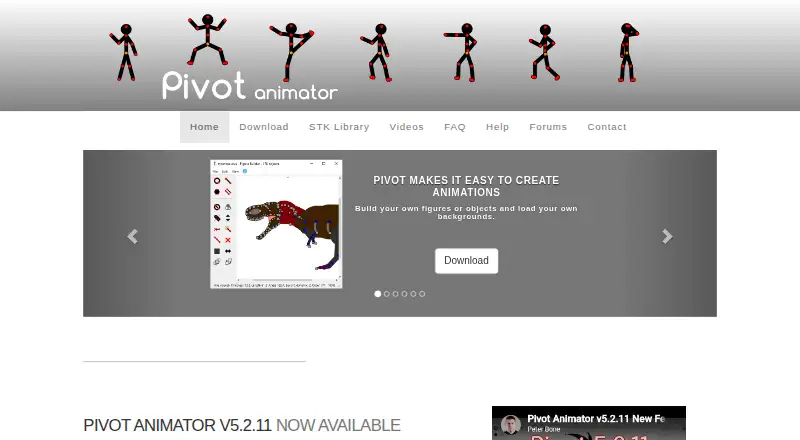
What Pivot Animator is
Pivot Animator is a Windows program for creating 2D stick-man and sprite animations. Build figures or objects, position them with handles, and arrange poses into a sequence of frames. You can make custom figures with up to 30,000 segments, and load images for backgrounds or sprites. Version 5 can generate inbetween frames between keyframes to help smooth movement. It also includes a virtual camera for pan and zoom, colour and gradient backgrounds, and text styled with fonts installed on your computer.
Projects use .piv animation files and .stk figure files. The program supports common image formats for backgrounds and sprites, and exports GIF, APNG, WMV, WEBM, MP4, FFV1, AVI, PNG, JPEG, and SVG. It is free for personal or commercial use; there is no free trial. The current version is Windows-only, with requirements including Windows 7 SP1 or later, DirectX 11 or later, a GPU, and 60MB of installation disk space. It does not add sound or music to animations; the FAQ suggests adding audio after export in a video editor. During installation, optional third-party software offers can be declined.
Who it suits
Pivot Animator suits people making stick-man or sprite animations who want to build figures and arrange movement frame by frame. It is also a fit for Windows users who need a free tool with multiple still-image, animation, and video export formats.
What it does well
- Free for personal or commercial use.
- Build figures with up to 30,000 segments.
- Version 5 can create inbetween frames between keyframes.
- Virtual camera supports pan and zoom effects.
- Exports GIF, APNG, video, still-image, and SVG formats.
What to know first
- The current version is available only for Windows.
- It does not support sound or music in animations.
- The installer includes optional third-party software offers.
Plans
| Plan | Billed and limits | Price |
|---|---|---|
| Pivot Animator | Free for personal or commercial use · Windows only | Free |
As pivotanimator.net lists them, read 9 Oct 2026. The maker's own page has the final word.
Getting started
- Visit https://pivotanimator.net/.
- Install the Windows version, which requires Windows 7 SP1 or later, DirectX 11 or later, a GPU, and 60MB of disk space.
- Decline any optional third-party software offers during installation if you do not want them.
- Create figures or objects, load backgrounds or sprites, and arrange poses into frames.
- Export the finished animation in a supported format.
Verdict
Choose Pivot Animator if you want a free Windows tool for building stick-man or sprite animations with custom figures and varied export formats. Look elsewhere if sound or music needs to be part of the animation itself, or if you need a platform other than Windows.
Questions
Is Pivot Animator free?
Yes. The Pivot Animator plan is free and is free for personal or commercial use. There is no free trial.
Which platforms does Pivot Animator support?
The current version is available only for Windows. Requirements include Windows 7 SP1 or later, DirectX 11 or later, a GPU, and 60MB of installation disk space.
What file formats can it export?
Exports include GIF, APNG, WMV, WEBM, MP4, FFV1, AVI, PNG, JPEG, and SVG.
Can Pivot Animator add sound or music?
No. It does not support sound or music in animations; its FAQ suggests adding audio to an exported video in a video editor.
Who created Pivot Animator?
The FAQ says Pivot was created by Peter Bone and that its first version was started around 2004. The maker is Pivot Animator, founded in 2004.
What files does Pivot Animator use for projects and figures?
It uses .piv animation files and .stk figure files, and supports common image formats for backgrounds and sprites.
Facts from Pivot Animator's own pages
- Camera and backgrounds
- Version 5 includes a virtual camera for pan and zoom effects and supports colour and gradient backgrounds. · pivotanimator.net, 9 Oct 2026
- Compatibility
- The current version is available only for Windows; its listed requirements include Windows 7 SP1 or later, DirectX 11 or later, a GPU and 60MB of installation disk space. · pivotanimator.net, 9 Oct 2026
- Creator
- The FAQ says Pivot was created by Peter Bone and that its first version was started around 2004. · pivotanimator.net, 9 Oct 2026
- Export formats
- GIF,APNG,WMV,WEBM,MP4,FFV1,AVI,PNG,JPEG,SVG · pivotanimator.net, 20 Sept 2026
- Exports
- Version 5 exports animated PNG and video formats including WMV, WEBM, MP4 and lossless FFV1. · pivotanimator.net, 9 Oct 2026
- Figure builder
- Users can build their own figures or objects and load backgrounds, including images. · pivotanimator.net, 9 Oct 2026
- Figure complexity
- The figure builder supports up to 30,000 segments per figure. · pivotanimator.net, 9 Oct 2026
- Founded
- 2004 · pivotanimator.net, 28 Sept 2026
- Frame inbetweening
- Version 5 can create inbetween frames between keyframes to help make smooth movements. · pivotanimator.net, 9 Oct 2026
- Free plan
- Yes · pivotanimator.net, 20 Sept 2026
- Installer offers
- The installer includes optional third-party software offers that users can decline during installation. · pivotanimator.net, 9 Oct 2026
- No audio
- Pivot does not support sound or music in animations; the FAQ suggests adding audio after exporting to a video editor. · pivotanimator.net, 9 Oct 2026
- Supported platforms
- windows · pivotanimator.net, 20 Sept 2026
- Purpose
- Pivot Animator is designed to create 2D stick-man and sprite animations by positioning objects with handles and building sequences of frames. · pivotanimator.net, 9 Oct 2026
- Support
- Users can email [email protected] or use the contact form, and the contact page asks users to check the FAQ first. · pivotanimator.net, 9 Oct 2026
- Supported files
- Pivot uses .piv animation files and .stk figure files, and supports common image formats for backgrounds and sprites. · pivotanimator.net, 9 Oct 2026
- Text
- Version 5 supports adding text in different styles using installed fonts. · pivotanimator.net, 9 Oct 2026
Where Pivot Animator stands on Freedom251
- 2D Character Animation Software#20 of 48
- Animation Software#45 of 106
- Cartoon Maker Software#18 of 31