Freedom251 › 2D Character Animation Software

Adobe Animate
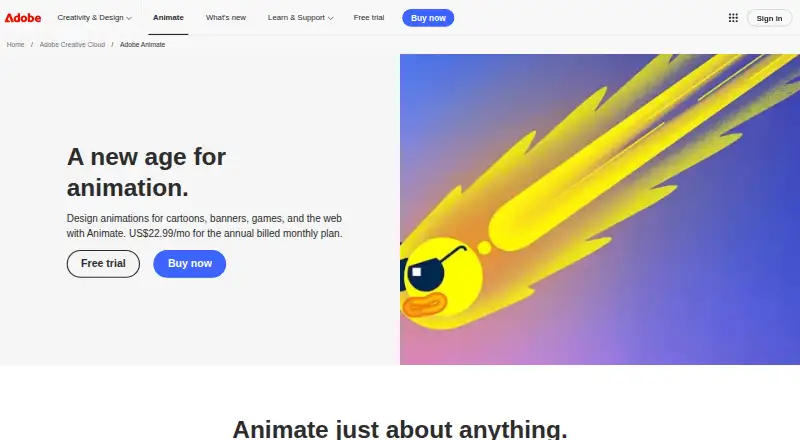
What Adobe Animate is
Adobe Animate is a macOS and Windows application for creating 2D animations for cartoons, banners, games, and web projects. It supports frame-by-frame character animation, character rigging, and motion graphics. Interactive work can target games, television shows, web content, advertisements, eLearning, and infographics. Banners can respond to mouse movement, touch, and clicks. Export options include HTML5 Canvas, WebGL, Flash or Adobe AIR, SVG, GIF, BMP, SWF, JPG, PICT, PNG, MOV, WAV, and AVI. Adobe says Animate works with Creative Cloud Libraries and alongside Photoshop, Illustrator, Muse, and InDesign. The application is in maintenance mode: security and bug fixes are planned, but no new features, and it remains available to new and existing users. A downloadable seven-day trial is available through a free Creative Cloud membership. Internet access and registration are required for activation, subscription validation, and online services. Adobe provides tutorials, support, and a user community.
Who it suits
It suits animators and designers creating 2D, interactive, or exported web and multimedia content on Windows or macOS. Users should note Adobe’s maintenance-mode status when considering the application.
What it does well
- Supports frame-by-frame animation and character rigging
- Creates interactive banners responding to input
- Exports to many web, image, video, and audio formats
- Works with Creative Cloud and Adobe applications
- Seven-day downloadable trial available
What to know first
- Maintenance mode means no new features
- Requires internet connection and registration
- No free plan
- Available only on Windows and macOS
Limits
The trial lasts seven days. After that, Animate is a paid application and has no free plan; its maintenance mode provides security and bug fixes without new features.
Plans
| Plan | Billed and limits | Price |
|---|---|---|
| Adobe Animate | Annual, billed monthly · Animate app · subscription | $22.99 a month |
As adobe.com lists them, read 11 Oct 2026. The maker's own page has the final word.
Getting started
- Open the Adobe Animate website
- Create a free Creative Cloud membership
- Download the seven-day trial
- Install Animate on macOS or Windows
- Connect to the internet and register for activation
Verdict
Adobe Animate provides a broad 2D and interactive animation toolset with many export formats and Adobe workflow connections. Its maintenance-mode status and desktop system requirements are important considerations before choosing it.
Questions
Is Adobe Animate free?
No. Adobe Animate is paid, with a downloadable seven-day trial available through a free Creative Cloud membership.
Which platforms support Adobe Animate?
Adobe Animate runs on macOS and Windows.
What can Animate export?
Exports include HTML5 Canvas, WebGL, Flash/Adobe AIR, SVG, GIF, BMP, SWF, JPG, PICT, PNG, MOV, WAV, and AVI.
Does Animate integrate with other Adobe apps?
It works with Creative Cloud Libraries and alongside Photoshop, Illustrator, Muse, and InDesign.
Will Adobe Animate receive new features?
Animate is in maintenance mode, with planned security and bug fixes but no new features.
Facts from Adobe Animate's own pages
- Adobe integrations
- Adobe says Animate works with Creative Cloud Libraries and in tandem with Photoshop, Illustrator, Muse, and InDesign. · helpx.adobe.com, 11 Oct 2026
- Animation tools
- It supports frame-by-frame character animation and interactive banners that respond to mouse movement, touch, and clicks. · adobe.com, 11 Oct 2026
- Character rigging
- Yes · adobe.com, 21 Sept 2026
- Export formats
- Animations can be exported to HTML5 Canvas, WebGL, Flash or Adobe AIR, and custom platforms such as SVG. · adobe.com, 11 Oct 2026
- Free plan
- No · adobe.com, 21 Sept 2026
- Interactive content
- It can create interactive animations for games, TV shows, web content, ads, eLearning, and infographics. · adobe.com, 11 Oct 2026
- Maintenance status
- Adobe says Animate is in maintenance mode: it plans ongoing security and bug fixes, no new features, and continued availability to new and existing users. · helpx.adobe.com, 11 Oct 2026
- Motion graphics
- Yes · adobe.com, 21 Sept 2026
- Supported platforms
- windows,macos · adobe.com, 21 Sept 2026
- Security and compliance
- Adobe says it integrates security practices into its product lifecycle and undergoes independent audits for compliance with industry standards and regulations. · adobe.com, 11 Oct 2026
- Support
- Adobe points Animate users to video tutorials, step-by-step guidance, product support, and its user community. · helpx.adobe.com, 11 Oct 2026
- System requirements
- Adobe lists Windows and macOS system requirements and says an internet connection and registration are needed for activation, subscription validation, and online services. · helpx.adobe.com, 11 Oct 2026
- Trial
- Adobe offers a downloadable trial of Animate through a free Creative Cloud membership. · helpx.adobe.com, 11 Oct 2026
- 2D animation tools
- Yes · adobe.com, 21 Sept 2026
- Use cases
- Animate is for creating animations for cartoons, banners, games, and the web. · adobe.com, 11 Oct 2026
Where Adobe Animate stands on Freedom251
- 2D Character Animation Software#29 of 48
- Cartoon Maker Software#19 of 31
- Animation Software#69 of 106
- Multimedia Software#20 of 28
- Video Intro Maker Software#26 of 30