Freedom251 › Ebook Reader Software
Calibre-Web
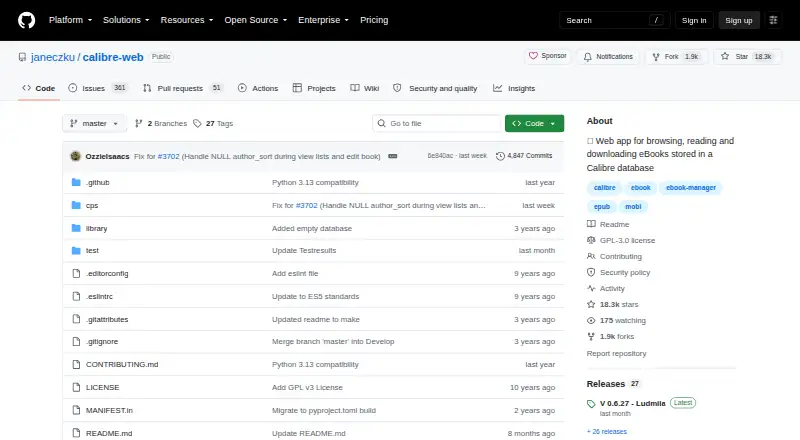
What Calibre-Web is
Calibre-Web is a free, self-hosted web app for browsing, reading, and downloading eBooks stored in a Calibre database. Its library tools include advanced search and filtering, custom shelves, metadata editing, and plugin-based metadata downloads. Readers can use in-browser readers for formats including EPUB, comics, TXT, and PDF, and upload books in various formats, including audio. An OPDS feed lets eBook reader apps access the library, and a one-click option sends books to e-readers. Kobo syncing is available when the optional Kepubify tool is installed. Administrators can manage users and per-user permissions, restrict downloads for logged-in users, allow public registration, and hide content by category. Authentication options include LDAP, Google and GitHub OAuth, and proxy authentication. The project is licensed under GPL v3 and supports web, Windows, macOS, and Linux. The README recommends pip installation in a Python virtual environment and links to LinuxServer Docker images for x64 and aarch64. Python 3.7 or newer is required, and ImageMagick is needed for EPUB cover extraction.
Who it suits
It suits people who want to host and manage a Calibre-based eBook library, including readers who use OPDS apps or supported e-readers. Its user controls can also suit library operators who need per-user permissions or category-based visibility.
What it does well
- Free under the GPL v3 license.
- Includes search, filtering, shelves, and metadata editing.
- Supports OPDS access and one-click e-reader transfers.
- Offers user management and multiple authentication options.
What to know first
- Requires a Calibre database.
- Kobo syncing requires optional Kepubify.
- Requires Python 3.7 or newer.
- ImageMagick is needed for EPUB cover extraction.
Limits
The free software requires a Calibre database. Kobo synchronization requires the optional Kepubify tool, and EPUB cover extraction requires ImageMagick.
Plans
| Plan | Billed and limits | Price |
|---|---|---|
| Calibre-Web | GPL v3 licensed software · requires a Calibre database | Free |
As github.com lists them, read 8 Oct 2026. The maker's own page has the final word.
Getting started
- Prepare a Calibre database.
- Choose a supported environment: web, Windows, macOS, or Linux with self-hosting.
- Install with pip in a Python virtual environment, or use a linked LinuxServer Docker image for x64 or aarch64.
- Meet the Python 3.7 or newer requirement.
- Install ImageMagick if you need EPUB cover extraction.
- Open the web app to browse, read, or download books.
Calibre-Web is a self-hosted web catalogue, reader, and download service for books managed in Calibre. It suits households, clubs, and small organisations that want their own collection reachable through browsers and reader apps, with rules for different users. The free software is compelling for technically capable owners, but it is the wrong choice if you want a managed cloud library with no server administration.
Overview
Calibre-Web exposes an existing Calibre database through a web interface for browsing, reading, and downloading eBooks. GPL v3 licensing keeps the software free, with no subscription or trial to administer. You remain responsible for the Calibre database, hosting, installation, upgrades, and security maintenance, so the real cost is operational time rather than a licence fee.
Installation guidance calls for Python 3.7 or newer in a virtual environment, and ImageMagick is needed to extract EPUB covers. Docker images are provided for LinuxServer x64 and aarch64 systems, giving administrators a practical container route. Those requirements favor people comfortable with self-hosting and make the product excessive for someone who simply wants to open books on a phone.
Key features
Library management
Advanced search and filtering, custom shelves, and metadata editing keep a growing catalogue navigable. Extensible plugins can download metadata, helping standardise descriptions and covers when books arrive with incomplete information. These tools are valuable to a curator willing to maintain a database, rather than to a reader seeking a minimal file viewer.
Reading and formats
Built-in readers handle EPUB, KEPUB, PDF, TXT, CBZ, CBT, CBR, DJVU, and DJV, and the wiki identifies dedicated readers for EPUB, comics, TXT, and PDF. In-browser reading means a borrowed or personal device can start reading without a separate app. Books can also be uploaded in various formats, including audio formats, although the supported-format list is centered on ebook and comic files. Reading sync lets progress carry between sessions.
Devices and access
An OPDS feed connects compatible ebook reader apps to the catalogue, while one-click sending delivers books to e-readers. Kobo synchronization extends that workflow, but it requires the optional Kepubify tool, adding another dependency to configure. LDAP, Google and GitHub OAuth, and proxy authentication support integration with existing identity systems.
Permissions and privacy
User management includes per-user permissions, restrictions on downloads for logged-in users, public registration, and category-based hiding. That combination fits a shared household or private group where not every account should see or retrieve every title. Security guidance directs issue reports to the project’s security email and recommends upgrading to the latest version for vulnerability fixes, so ongoing maintenance is part of responsible operation.
Pricing
Calibre-Web — free. This is GPL v3 software and requires a Calibre database. There are no paid tiers, seat charges, quotas, renewal dates, or trial conversion. The plan suits owners who can supply hosting and administration; it gives up the convenience of a vendor-managed service, centralized support contract, and turnkey library setup.
Platforms
Calibre-Web runs as a web application on self-hosted Windows, macOS, and Linux environments. Browser delivery provides access across devices, while Docker images target LinuxServer x64 and aarch64 deployments. Reader-app access comes through OPDS rather than a separate native Calibre-Web client.
Who it's for
Choose it for a personal library already organised in Calibre, or for a household, club, or small organisation that needs account-level permissions and several reading routes. It is especially suitable when OPDS, Kobo synchronization, metadata tools, and self-hosted control matter. Look elsewhere if you do not have a Calibre database, cannot maintain Python or container deployments, or want a hosted collection that works immediately.
Pros and cons
- Pros: No software charge or subscription; broad ebook and comic format support; browser reading plus OPDS and one-click device delivery; Kobo synchronization; strong authentication and per-user visibility controls; metadata plugins and catalogue editing.
- Cons: Requires Calibre and self-hosting; Python 3.7+ and ImageMagick add setup work; Kobo support needs Kepubify; updates and vulnerability response are your responsibility; the web-first model is unnecessary for readers who only need a standalone app.
Alternatives
Ebook Reader Software is the broader directory to compare when you are not committed to a Calibre-backed server. Choose Libby for free borrowing through a valid library card across Android, iOS, macOS, web, and Windows, rather than managing your own files. Readest fits readers wanting a freemium, open-source reader with a $4.99-per-month Plus plan that includes 5 GB cloud sync and 100K AI translations. Bluefire Reader is a mobile-focused free app, with a separate white-label offering at custom pricing. FBReader offers free desktop builds but its current code is closed source. Adobe Digital Editions is a free reader for Android, iOS, macOS, and Windows without Calibre-Web’s server requirement. BookFusion is a hosted freemium option whose free tier caps the library at 10 books, 15 MB per file, three shelves, three devices, and two Send to Kindle books per month. Thorium Reader is free on desktop platforms when local reading is the priority. eBoox provides a freemium Android, iOS, and web reader with a free, ad-free tier.
Verdict
Calibre-Web is a strong recommendation for technically capable Calibre owners who want a private, multi-user library with browser reading, OPDS access, and detailed permissions at no software cost. Its decisive drawback is the infrastructure: maintaining the database, host, dependencies, and updates is unavoidable. Choose a hosted or standalone reader instead if convenience matters more than control.
Verdict
Calibre-Web pairs Calibre library browsing with in-browser reading, reader-app access, and user controls. It requires a Calibre database and some setup dependencies, so check those requirements before choosing a self-hosted installation.
Questions
How much does Calibre-Web cost?
The Calibre-Web plan is listed as free, and the software is licensed under GPL v3.
Is there a free plan or trial?
Calibre-Web is free. A free trial is listed as unavailable.
Which platforms does Calibre-Web support?
It supports web, Windows, macOS, and Linux, with self-hosted deployment.
Does it require a Calibre database?
Yes. The listed plan requires a Calibre database.
Can Kobo devices sync with Calibre-Web?
Yes. Kobo sync is supported when the optional Kepubify tool is installed.
What are the installation requirements?
The README requires Python 3.7 or newer. ImageMagick is needed for EPUB cover extraction.
Facts from Calibre-Web's own pages
- Access management
- It provides user management with per-user permissions, logged-in-user download restrictions, public registration, and category-based content hiding. · github.com, 8 Oct 2026
- Authentication
- Supported authentication options include LDAP, Google and GitHub OAuth, and proxy authentication. · github.com, 8 Oct 2026
- Installation
- The README recommends installation with pip in a Python virtual environment and also links to pre-built Docker images for LinuxServer x64 and aarch64. · github.com, 8 Oct 2026
- Kobo
- Calibre-Web can sync Kobo devices with a Calibre library; Kobo support requires the optional Kepubify tool. · github.com, 8 Oct 2026
- Library tools
- Features include advanced search and filtering, custom shelves, metadata editing, and metadata downloads through extensible plugins. · github.com, 8 Oct 2026
- License
- The project is licensed under the GPL v3 License. · github.com, 8 Oct 2026
- Purpose
- Calibre-Web is a web app for browsing, reading, and downloading eBooks stored in a Calibre database. · github.com, 8 Oct 2026
- Reader integrations
- An OPDS feed lets eBook reader apps access the library, and the app can send eBooks to e-readers with one click. · github.com, 8 Oct 2026
- Reading
- It supports in-browser reading for multiple formats and can upload books in various formats, including audio formats. · github.com, 8 Oct 2026
- Requirements
- The README requires Python 3.7 or newer and says ImageMagick is needed for EPUB cover extraction. · github.com, 8 Oct 2026
- Security reporting
- The security policy asks users to report security issues to the email address listed there and says to upgrade to the latest version to receive vulnerability fixes. · github.com, 8 Oct 2026
- Support
- The project points users to its wiki FAQ and Discord community for help, and asks bug reporters to file issues in the repository. · github.com, 8 Oct 2026
- Wiki readers
- The project wiki says four eBook readers are available and identifies EPUB, comics, TXT, and PDF readers. · github.com, 8 Oct 2026
Where Calibre-Web stands on Freedom251
- Ebook Reader Software#6 of 27