Freedom251 › Digital Rights Management

Adobe Digital Editions
What Adobe Digital Editions is
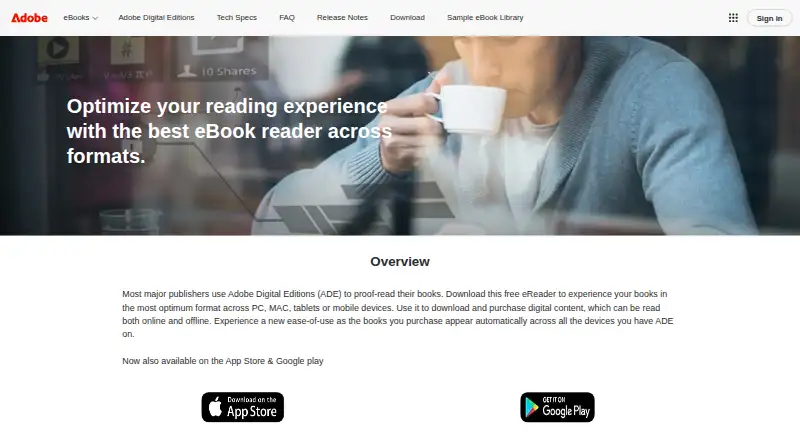
Adobe Digital Editions is a free reader for downloading, purchasing, borrowing, organising, and reading digital publications online or offline. It supports EPUB, EPUB 3, and PDF on Windows, macOS, iOS, and Android. Readers can search book text, bookmark, highlight, and annotate passages, and arrange bookshelves by title, author, or publisher. EPUB 3 support includes audio and video, right-to-left reading, interactive quizzes, and assistive technology support. The app can borrow eBooks from public libraries, including services using Adobe Content Server DRM. Books fulfilled on one device can be downloaded to the user's other devices activated with the same ID. Protected books can use an Adobe ID or an alternate vendor or bookseller ID; an Adobe ID is not required. One Adobe ID can activate up to six computers and devices, with Customer Service able to reset activations at that limit. Some enterprise PDF features are unsupported and may cause documents to render incorrectly.
Who it suits
It suits readers who want a free app for managing and reading EPUB or PDF publications, including borrowed library eBooks. Its annotation tools and stated accessibility support may also suit readers who use those features.
What it does well
- Free on Windows, macOS, iOS, and Android.
- Supports EPUB, EPUB 3, and PDF.
- Bookshelves can be organised by title, author, or publisher.
- Supports borrowing eBooks from public libraries.
- Offers search, bookmarks, highlights, and annotations.
What to know first
- Some enterprise PDF features are unsupported.
- Unsupported PDF features may cause incorrect rendering.
- One Adobe ID activates up to six devices.
Limits
The free reader supports EPUB, EPUB 3 and PDF, but some enterprise PDF features are unsupported and may cause documents to render incorrectly. An Adobe ID can activate the app on up to six computers and devices; Customer Service can reset activations at that limit.
Plans
| Plan | Billed and limits | Price |
|---|---|---|
| Adobe Digital Editions | free eBook reader · Windows, Mac, iOS and Android | Free |
As adobe.com lists them, read 30 Sept 2026. The maker's own page has the final word.
Getting started
- Visit the Adobe Digital Editions website.
- Choose the installer for Windows or Macintosh, or the app for iOS or Android.
- Install and open the app.
- Authorize with an Adobe ID or, for protected eBooks, an alternate vendor or bookseller ID.
- Download, purchase or borrow publications, then organise and read them in the app.
Adobe Digital Editions is a free app for reading, borrowing and organising digital books across desktop and mobile. It is best suited to readers who use public libraries or EPUB publications and want offline access and synced reading. Its broad EPUB 3 support is a strength; readers who rely on advanced enterprise PDF features should look elsewhere.
Overview
Digital Editions brings downloading, purchasing, borrowing and reading into one place. Search, bookmarks, highlights and annotations support both casual reading and study, while bookshelves can be sorted by title, author or publisher. Books fulfilled on one device can download automatically to other devices activated with the same ID, and offline reading makes it practical to continue without an internet connection.
Protected eBooks can be authorised with an Adobe ID or, where supported, an alternate vendor or bookseller ID. An Adobe ID is optional, but if used it can activate the app on up to six computers and devices. Customer Service can reset activations at the limit; the cap is worth considering if you frequently replace or rotate devices.
Key features
Formats and reading tools
ADE supports EPUB, EPUB 3 and PDF. EPUB 3 can render audio and video, handle right-to-left reading and interactive quizzes, and improve assistive-technology support. That makes ADE a capable choice for publications that go beyond plain text. Its search and annotation tools are useful for reference and study, though they are focused on reading rather than broader document editing.
Library borrowing and accessibility
The app supports borrowing from public libraries, including services that use Adobe Content Server DRM. This is a meaningful advantage for readers whose libraries distribute protected eBooks. Adobe says ADE works with JAWS, NVDA and Window-Eyes on Windows, and VoiceOver on Mac; keyboard controls, text enlargement and high-contrast modes also support accessible reading.
PDF trade-off
The PDF reader is tuned for performance and onscreen readability, not every specialized document workflow. Some enterprise PDF features are unsupported and can cause documents to render incorrectly. ADE is therefore a sensible fit for ordinary PDF reading, but not for business users who depend on complex enterprise PDFs displaying reliably.
Pricing
Adobe Digital Editions — free. The free plan includes the eBook reader for Windows, Mac, iOS and Android, with EPUB, EPUB3 and PDF support, annotation tools, reading sync and offline reading. There is no paid tier or free trial to weigh against it; the trade-off is the PDF limitation rather than a feature cap or subscription cost.
Platforms
ADE is available for Windows, macOS, iOS and Android. Adobe lists desktop version 4.5.12 installers for Macintosh and Windows. Mobile requirements are iOS 9.0 or later and Android 4.4 or later. Since July 2025, Wipro Engineering – Connected Services has managed future releases, maintenance, updates and support requests for Adobe eBook Platform components, including Digital Editions.
Who it's for
Choose ADE if you borrow eBooks from a public library, read EPUB or EPUB 3 publications, and want annotations, offline access and continuity across activated devices without paying for the reader. Its accessibility support and optional use of alternate IDs for protected books are also useful considerations. Avoid making it your primary PDF app if enterprise features are essential to your work.
Pros and cons
- Pros: Free reading across desktop and mobile, with EPUB, EPUB 3 and PDF support; no subscription cost for core reading.
- Pros: Public-library borrowing, offline access and cross-device downloads make it suited to readers moving between borrowed and personal books.
- Pros: EPUB 3 media, right-to-left reading, quizzes and accessibility support suit more varied publications than static text alone.
- Cons: Unsupported enterprise PDF features can result in incorrect rendering, limiting its reliability for specialized business documents.
- Cons: An Adobe ID activates only up to six devices, so frequent device changes may require a Customer Service reset.
Alternatives
Compare ebook reader software if you want to assess more options. Choose Libby instead if you want a free library-focused app with borrowing at no subscription cost, provided you have a valid library card. Consider Readest if open-source software is a priority; it is available on more platforms, including Linux and the web. Bluefire Reader is another option to compare if you want a reader with a free mobile app and a separate white-label offering.
FBReader is an alternative if you want a reader available on Linux; its current code is closed source. Consider BookFusion if you want a freemium service with a published free-plan cap of 10 books, 15 MB per file, three virtual bookshelves and three devices. Calibre-Web may suit readers who want free, GPL v3 software and can provide a Calibre database. Choose Thorium Reader if you want a free reader developed by EDRLab, a Paris-based non-profit. eBoox is another freemium option, with a free plan that has no ads.
Verdict
Adobe Digital Editions is a strong free choice for library borrowers and EPUB readers who value offline reading, annotation and synced access across devices. Its main reason to choose it is the combination of library support and EPUB 3 features at no cost. Look elsewhere if enterprise PDFs are central to your work or if the six-device activation limit does not fit how you use your devices.
Verdict
Adobe Digital Editions brings reading, library borrowing, and book organisation into a free app. Readers working with enterprise PDFs should note that some features may not be supported.
Questions
How much does Adobe Digital Editions cost?
It is free. The listed plan is free.
Which formats and platforms does it support?
It supports EPUB, EPUB 3 and PDF on Windows, macOS, iOS and Android.
Can I borrow library eBooks and read offline?
Yes. It supports public library borrowing, including services based on Adobe Content Server DRM, and offline reading.
Do I need an Adobe ID?
No. Protected eBooks can be authorized with an Adobe ID or an alternate vendor or bookseller ID.
What accessibility features are supported?
Adobe says it works with JAWS, NVDA and Window-Eyes on Windows and VoiceOver on Mac. It also supports keyboard controls, text enlargement and high-contrast modes.
What is the device activation limit?
One Adobe ID can activate the app on up to six computers and devices. Customer Service can reset activations when the limit is reached.
Facts from Adobe Digital Editions's own pages
- Accessibility
- Adobe says ADE works with JAWS, NVDA and Window-Eyes on Windows and VoiceOver on Mac, and supports keyboard controls, text enlargement and high-contrast modes. · adobe.com, 30 Sept 2026
- Activation limit
- One Adobe ID can activate ADE on up to six computers and devices; Customer Service can reset activations at the limit. · adobe.com, 30 Sept 2026
- Cross-device access
- Books fulfilled on one device can be automatically downloaded to the user’s other devices activated with the same ID. · adobe.com, 30 Sept 2026
- Desktop downloads
- Adobe lists version 4.5.12 installers for Macintosh and Windows. · adobe.com, 30 Sept 2026
- DRM and IDs
- Users can authorize with an Adobe ID or use alternate vendor or bookseller IDs for protected eBooks; authorization with an Adobe ID is not required. · adobe.com, 30 Sept 2026
- EPUB 3
- EPUB 3 support includes audio and video rendering, right-to-left reading, interactive quizzes and improved assistive technology support. · adobe.com, 30 Sept 2026
- Formats
- It supports EPUB, EPUB 3 and PDF files. · adobe.com, 30 Sept 2026
- Founded
- 1982 · adobe.com, 28 Sept 2026
- Headquarters
- San Jose, California, USA · adobe.com, 28 Sept 2026
- Library borrowing
- The app supports borrowing eBooks from public libraries, including services based on Adobe Content Server DRM. · adobe.com, 30 Sept 2026
- Maker
- Adobe’s corporate headquarters are in San Jose, California; Adobe was founded in December 1982 by Charles Geschke and John Warnock. · adobe.com, 30 Sept 2026
- Mobile platforms
- Adobe lists iOS and Android versions, with requirements of iOS 9.0 or later and Android 4.4 or later. · adobe.com, 30 Sept 2026
- PDF limitation
- ADE’s PDF reader is optimised for performance and onscreen readability, and some enterprise PDF features are unsupported and may cause documents to render incorrectly. · adobe.com, 30 Sept 2026
- Purpose
- Adobe Digital Editions is an eBook reader used to download, purchase, borrow, organise and read digital publications online or offline. · adobe.com, 30 Sept 2026
- Reading features
- Readers can search book text, bookmark, highlight and annotate passages, and organise bookshelves by title, author or publisher. · adobe.com, 30 Sept 2026
- Support transition
- Since July 2025, Wipro Engineering – Connected Services manages future releases, maintenance, updates and support requests for Adobe eBook Platform components including Digital Editions. · helpx.adobe.com, 30 Sept 2026
Where Adobe Digital Editions stands on Freedom251
- Digital Rights Management#1 of 21
- Ebook Reader Software#3 of 27