Freedom251 › Video Editing Software

ByteWave
What ByteWave is
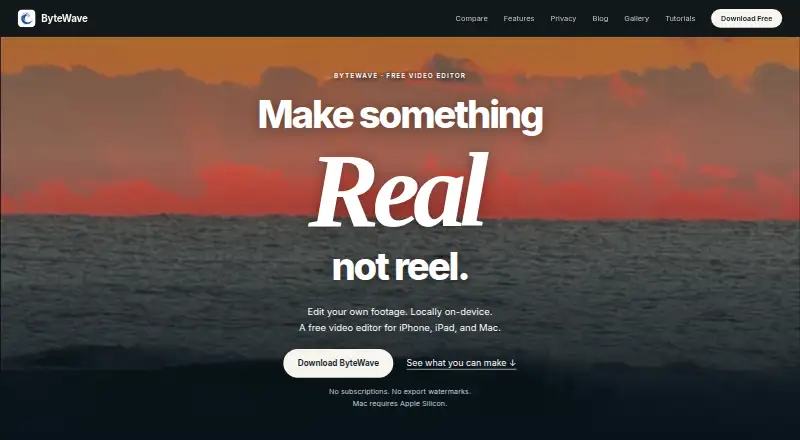
ByteWave is a free video editor for iPhone, iPad, and Apple Silicon Mac that keeps footage and editing work on the device. Its tools include animated captions, custom filters, slow motion, layered audio, and video layouts. GPU processing handles frame interpolation, motion blur, and temporal noise reduction in real time, while on-device upscaling avoids cloud processing. Users can create speech from text or captions from speech; some Apple speech features may use Apple servers depending on device, language, and settings. Filters expose shader code for direct editing, and users can publish filters or add those made by other creators. ByteWave reads supported C2PA Content Credentials on-device, including AI-generated labels. Exports receive cryptographic signatures and provenance metadata that can indicate ByteWave origin and later file changes. The editor says it does not upload footage, audio, project data, or machine-learning inference results to its servers. Accounts are optional, and feed recommendations and liked-video history stay on-device. iOS 26 is required.
Who it suits
It suits people editing their own footage locally on supported Apple devices. It is also useful for creators wanting editable filters, GPU effects, and provenance metadata on exports.
What it does well
- Local editing without cloud footage uploads
- Real-time GPU video effects
- Editable and shareable shader filters
- On-device video upscaling
- Optional accounts
What to know first
- Requires iOS 26
- Apple-only device support
- Some speech features may use Apple servers
Plans
| Plan | Billed and limits | Price |
|---|---|---|
| Free | No subscription or paid tier · No ByteWave export watermark · No account required for local editing | Free |
As bytewaveai.com lists them, read 12 Oct 2026. The maker's own page has the final word.
Verdict
ByteWave combines local Apple-device editing with captions, filters, GPU effects, and signed export provenance. Check the iOS 26 requirement and the conditions under which Apple speech services may process requests.
Facts from ByteWave's own pages
- Audio and captions
- Users can generate speech from text or captions from speech; some Apple speech features may use Apple servers depending on device, language, and settings. · bytewaveai.com, 12 Oct 2026
- Community filters
- Users can publish filters and browse and add filters made by other creators. · bytewaveai.com, 12 Oct 2026
- Content credentials
- ByteWave reads supported C2PA Content Credentials, including labels identifying AI-generated content, with the check running on-device. · bytewaveai.com, 12 Oct 2026
- Desktop app
- Yes · bytewaveai.com, 22 Sept 2026
- Editable filters
- Filters expose their shader code, which users can edit directly. · bytewaveai.com, 12 Oct 2026
- Editing tools
- It offers animated captions, custom filters, slow motion, layered audio, and video layouts. · bytewaveai.com, 12 Oct 2026
- Export provenance
- Exports receive a cryptographic signature with provenance metadata, which can help show ByteWave origin and whether a file changed after signing. · bytewaveai.com, 12 Oct 2026
- Feed privacy
- Feed recommendations and liked-video history are computed and stored on-device, and ByteWave says it does not log watch history or track feed browsing behavior. · bytewaveai.com, 12 Oct 2026
- Free plan
- Yes · bytewaveai.com, 22 Sept 2026
- GPU effects
- Frame interpolation, motion blur, and temporal noise reduction run on the GPU in real time. · bytewaveai.com, 12 Oct 2026
- Local privacy
- The editor does not upload footage, audio, project data, or machine-learning inference results to ByteWave servers; publishing or sharing through an online feature is an explicit user choice. · bytewaveai.com, 12 Oct 2026
- Mobile app
- Yes · bytewaveai.com, 22 Sept 2026
- Notable device limit
- ByteWave requires iOS 26 and supports iPhone, iPad, and Apple Silicon Mac. · bytewaveai.com, 12 Oct 2026
- Optional accounts
- Profiles are optional; account authentication uses Google Firebase Authentication for social features. · bytewaveai.com, 12 Oct 2026
- Upscaling
- ByteWave can upscale video resolution on-device without cloud processing. · bytewaveai.com, 12 Oct 2026
- What it does
- ByteWave is a video editor for iPhone, iPad, and Apple Silicon Mac that edits footage locally on the device. · bytewaveai.com, 12 Oct 2026
- Who it is for
- The maker describes ByteWave as an editor for people who want to edit their own footage locally on Apple devices. · bytewaveai.com, 12 Oct 2026
Where ByteWave stands on Freedom251
- Video Editing Software#85 of 153