Freedom251 › Python Package Managers
Buildout
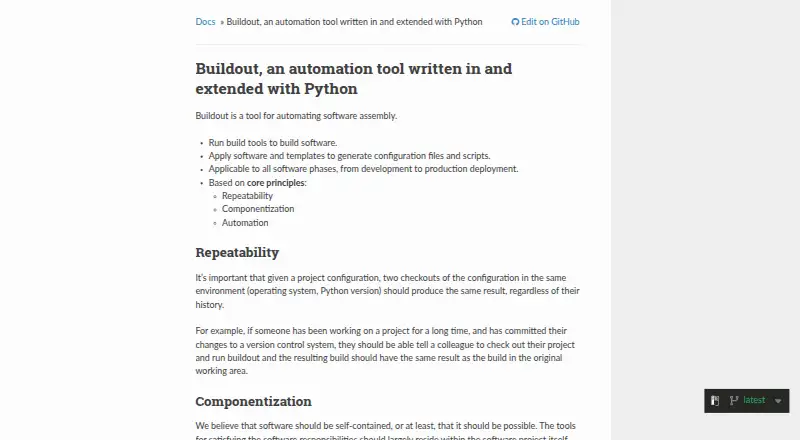
What Buildout is
Buildout is a free software assembly tool for Linux, macOS, and Windows. It coordinates build tools, software packages, and templates to produce configuration files and executable scripts, and its documentation covers work from development through production deployment. A configuration can inherit settings from other files, with local or later values taking priority. You can pin dependency versions and maintain a versions file for selected requirements. Buildout is designed so identical configuration in the same environment gives the same result, independent of earlier build history.
Its recipe framework adds reusable Python modules for installing distributions, creating files, and updating components. Recipes can also invoke tools such as configure and make to build non-Python software from source, run JavaScript builders, or automate other Python tasks. Python projects can receive editable development eggs from project directories or setup.py paths. A download cache can reuse distributions and recipe downloads, while cache-only installation can support builds without network requests when recipes meet its requirements. The recommended installation uses pip inside a virtual environment, helping avoid conflicts from packages in a shared Python installation.
Who it suits
Buildout suits developers and release teams assembling Python or mixed-language software across development and deployment. It is useful when repeatable configurations, pinned dependencies, reusable recipes, generated scripts, and source-built components are important.
What it does well
- Free plan available
- Runs on Linux, macOS, and Windows
- Supports repeatable configuration-based builds
- Reusable recipes extend build tasks
- Pins dependency versions and maintains versions files
- Download cache can reuse fetched files
What to know first
- Requires Python setup and environment care
- No environment management feature
- No package publishing feature
Getting started
- Open the Buildout website
- Create a clean Python installation or virtual environment
- Install Buildout with pip using `pip install zc.buildout`
- Create and configure a buildout.cfg file
- Run the configured build to generate scripts and configuration files
Verdict
Choose Buildout if you need configurable, repeatable assembly from development through production, especially for Python projects or builds that include non-Python tools. Look elsewhere if you need built-in environment management or package publishing.
Questions
Is Buildout free?
Yes. Buildout has a free plan.
Which platforms does Buildout support?
Buildout runs on Linux, macOS, and Windows.
Can Buildout manage dependency versions?
Yes. Requirements can be pinned in configuration, and Buildout can maintain a versions file for selected versions.
Does Buildout support non-Python software?
Recipes can run tools such as configure and make to install non-Python software from source, and can automate other tasks.
Is Buildout open source?
The project site links to a GitHub repository, issue tracker, and contributor development group.
Facts from Buildout's own pages
- Caching
- Buildout supports a download cache to reuse downloaded distributions and files fetched by recipes. · buildout.org, 9 Oct 2026
- Configuration
- Buildout configurations can extend other configuration files, with later or local options overriding earlier ones. · buildout.org, 9 Oct 2026
- Dependency management
- Buildout installs specified Python distributions with their dependencies and can pin dependency versions in configuration. · buildout.org, 9 Oct 2026
- Dependency versions
- Users can pin requirement versions in configuration, and Buildout can maintain a versions file for selected versions. · buildout.org, 9 Oct 2026
- Design principles
- Buildout is based on repeatability, componentization, and automation. · buildout.org, 9 Oct 2026
- Development through deployment
- The documentation describes Buildout as applicable from software development through production deployment. · buildout.org, 9 Oct 2026
- Environment considerations
- The guide recommends a virtual environment or clean Python installation because packages in a shared Python installation can cause unexpected errors. · buildout.org, 9 Oct 2026
- Extensibility
- The documentation says recipes can automate tasks such as installing non-Python software from source or running JavaScript builders. · buildout.org, 9 Oct 2026
- Generated outputs
- Buildout can generate executable scripts and configuration files based on part options and substitutions. · buildout.org, 9 Oct 2026
- Installation
- The recommended installation method is pip inside a virtual environment, using `pip install zc.buildout`. · buildout.org, 9 Oct 2026
- Isolation
- The documentation recommends using a virtual environment or clean Python installation to reduce interference from packages in a shared Python environment. · buildout.org, 9 Oct 2026
- Non-Python tasks
- Recipes can run tools such as configure and make to install non-Python software from source, or automate other tasks with Python. · buildout.org, 9 Oct 2026
- Purpose
- Buildout automates software assembly, including running build tools and applying software and templates to generate configuration files and scripts. · buildout.org, 9 Oct 2026
- Python development
- Buildout supports Python development projects by creating editable development eggs from project directories or setup.py paths. · buildout.org, 9 Oct 2026
- Recipe framework
- Recipes extend Buildout with reusable Python modules for tasks such as installing distributions and creating configuration files. · buildout.org, 9 Oct 2026
- Recipes
- Buildout recipes implement parts and can install or update software components; the documentation says there are hundreds of recipes to choose from. · buildout.org, 9 Oct 2026
- Repeatability
- Buildout aims for the same configuration to produce the same result when built in the same environment, regardless of build history. · buildout.org, 9 Oct 2026
- Security-related mode
- Buildout's install-from-cache mode is intended to make builds without network requests, provided recipes follow the mode's requirements and a download cache is configured. · buildout.org, 9 Oct 2026
- Support and community
- The project site links to a GitHub issue tracker and repository, and invites contributors to discuss ideas and submit pull requests through its development group. · buildout.org, 9 Oct 2026
- Use across lifecycle
- The documentation says Buildout can be used in software phases from development through production deployment. · buildout.org, 9 Oct 2026
- Version control
- The getting-started guide says the example project needs only its buildout.cfg file checked into version control; other files are generated. · buildout.org, 9 Oct 2026
- What it builds
- It runs build tools and applies software and templates to generate configuration files and scripts. · buildout.org, 9 Oct 2026
Where Buildout stands on Freedom251
- Python Package Managers#8 of 27