
conda
What conda is
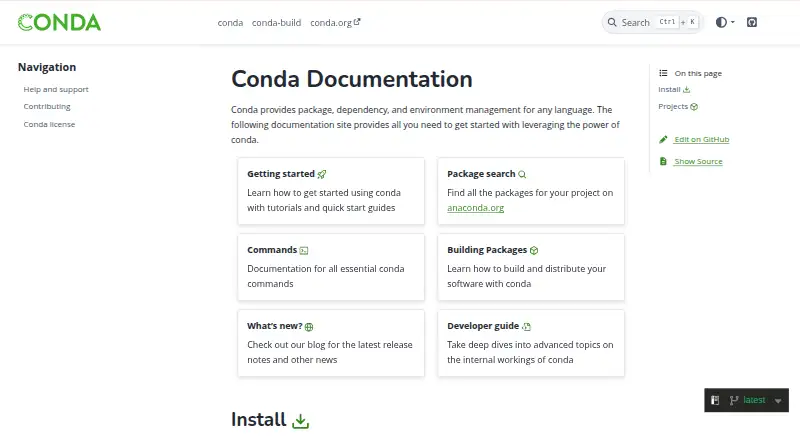
conda is a free, cross-platform package and environment manager for software written in many programming languages. It can find, install, update, and remove packages, while keeping dependencies for different projects in separate environments. Packages are retrieved from channels, which users can configure; the default channel may require a paid license, while conda-forge is free to use. Environments can be created from environment files, and lockfiles help reproduce resolved environments across Windows, macOS, and Linux when the required packages are available. Conda supports dependency resolution, offline installation, and authenticated channels through plugins. Its command-line interface is open-source software under the BSD license, and plugins can extend its behavior. Conda can also be used with pip inside an active environment, though the two package systems have compatibility limits. The documentation recommends Miniconda or Miniforge as installation options, configured for different repositories. Conda supports .conda and .tar.bz2 package formats and is available for Windows, macOS, and Linux.
Who it suits
Conda suits developers and teams who need to manage packages and isolate project environments across supported operating systems. It can also help users who need offline installs or repeatable environments, subject to package availability.
What it does well
- Manages packages across multiple programming languages
- Separate environments for different projects
- Supports lockfiles and offline installation
- Available on Windows, macOS, and Linux
What to know first
- The default channel may require a paid license
- pip and conda packages have compatibility limits
- Recreated environments depend on package availability
Limits
Conda is free, but its default package channel may require a paid license; conda-forge is free to use. Conda and pip packages also have compatibility limits when used in the same active environment.
Getting started
- Visit https://conda.io/ for the project documentation.
- Install conda through Miniconda or Miniforge.
- Choose Miniconda for the Anaconda Repository or Miniforge for conda-forge.
- Create a separate environment for a project.
- Search for and install packages from configured channels.
Verdict
Conda brings package management and project environments together across three major desktop operating systems. Users should consider channel licensing and the documented limits when mixing pip and conda packages.
Questions
How much does Conda cost?
Conda is free. The default channel may require a paid license, while conda-forge is free to use.
Which systems does Conda support?
Conda supports Windows, macOS, and Linux.
Is Conda open source?
Yes. Its command-line interface is BSD-licensed open-source software.
Can Conda work with pip?
Yes. Conda documents using pip inside an active Conda environment, with compatibility limits between the two package systems.
How do I install Conda?
The documentation recommends Miniconda or Miniforge. Miniconda is configured for the Anaconda Repository, while Miniforge is configured for conda-forge.
Who makes Conda?
Anaconda describes Conda as its package, environment, and dependency manager.
Facts from conda's own pages
- Authentication
- Conda supports authenticated channels through authentication handler plugins, including token and HTTP basic authentication workflows. · docs.conda.io, 30 Sept 2026
- Channel licensing limit
- The default channel may require a paid license, while the conda-forge channel is free for all to use. · docs.conda.io, 30 Sept 2026
- Channels
- Conda downloads packages from channels, which are locations where packages are stored. · docs.conda.io, 30 Sept 2026
- Community governance
- The conda Organization’s governance page describes a volunteer community with a Steering Council and project teams. · conda.org, 30 Sept 2026
- Community support
- The conda project points users to its documentation, Zulip chat, social channels, Stack Overflow, and bug reports or feature requests for help. · github.com, 30 Sept 2026
- Dependency resolution
- Yes · conda.io, 21 Sept 2026
- Environment portability
- Conda can create environments from environment files and supports lockfiles to recreate resolved environments across Windows, Linux, and macOS, depending on package availability. · docs.conda.io, 30 Sept 2026
- Environments
- Conda lets users create and manage separate environments for projects. · docs.conda.io, 30 Sept 2026
- Free plan
- Yes · conda.io, 21 Sept 2026
- Head office
- Anaconda’s contact page lists an Austin, Texas office at 901 East 6th Street, Austin, TX 78702, USA. · anaconda.com, 30 Sept 2026
- Installers
- The documentation recommends Miniconda or Miniforge to install conda, with Miniconda configured for the Anaconda Repository and Miniforge for conda-forge. · conda.io, 30 Sept 2026
- Integrations
- Conda can work with pip in an active conda environment, though the documentation notes unavoidable compatibility limits between pip and conda packages. · docs.conda.io, 30 Sept 2026
- Lockfile support
- Yes · conda.io, 21 Sept 2026
- Maker relationship
- Anaconda says conda is its package, environment, and dependency manager and that Anaconda was founded in 2012. · anaconda.com, 30 Sept 2026
- Offline installation
- Yes · conda.io, 21 Sept 2026
- Open source
- The conda command-line interface is BSD-licensed open-source software. · github.com, 30 Sept 2026
- Package channels
- Conda downloads packages from channels, which are URLs to directories containing packages, and users can configure which channels it searches. · docs.conda.io, 30 Sept 2026
- Package discovery
- The documentation directs users to Anaconda.org to find packages for projects. · conda.io, 30 Sept 2026
- Package formats
- Conda packages can contain system libraries, language modules, executable programs, and metadata, and use the .conda or .tar.bz2 file formats. · docs.conda.io, 30 Sept 2026
- Packages
- Conda can search for, install, update, and remove packages in environments. · docs.conda.io, 30 Sept 2026
- Package scope
- Conda can manage applications and libraries written in languages including C, C++, Java, Rust, and Go. · conda.org, 30 Sept 2026
- pip integration
- Conda documents using pip inside an active conda environment and notes that pip and conda package differences create compatibility limits. · docs.conda.io, 30 Sept 2026
- Platforms
- The conda site lists Miniconda and Miniforge installers for Windows x86_64, macOS arm64 and x86_64, and Linux x86_64 and aarch64. · conda.io, 30 Sept 2026
- Plugins
- Conda’s behavior can be extended through plugins. · docs.conda.io, 30 Sept 2026
Where conda stands on Freedom251
- Package Managers#29 of 93
- Python Package Managers#9 of 27