Cabal
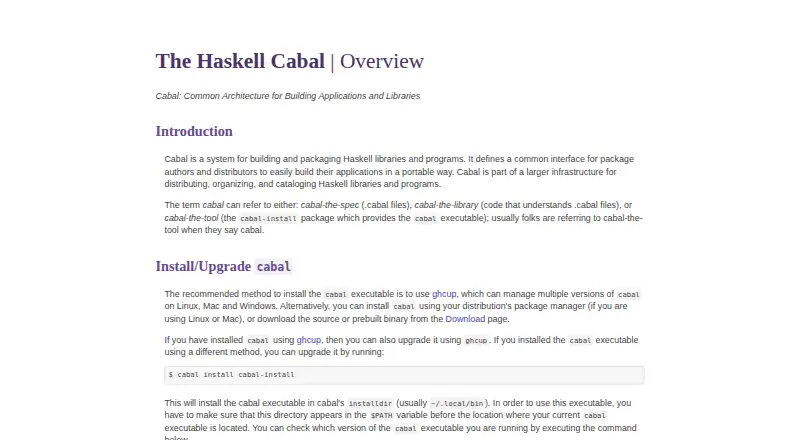
What Cabal is
Cabal is a free system for building and packaging Haskell libraries and programs. Its command-line tool installs packages and their dependencies, using Hackage as its default archive while also working with other suitable package archives. It can install from local directories, package archives, and local or remote tarballs, and supports offline installation.
For local packages, Cabal can configure and build software, generate documentation, and run test suites and benchmarks. The `cabal run` command can also run single-file Haskell scripts. A Cabal package combines Haskell software with machine-readable metadata in a `.cabal` file and a standard build interface in `Setup.hs`. Cabal supports dependency resolution, lockfiles, and workspaces. Its built-in build system is optional, so packages can use custom build systems. Users can choose an installation location and Haskell implementation, and select optimized or profiling-enabled builds.
Cabal supports Linux, macOS, FreeBSD, and Windows. Packages are source-based and are typically, but not always, portable across platforms and Haskell implementations. Distribution options include `.cabal` files, `.tar.gz` source distributions, RPM, Debian packages, and Windows installers.
Who it suits
Cabal suits Haskell developers who need to install dependencies and build libraries or programs across Linux, macOS, FreeBSD, or Windows. It also fits projects that need documentation generation, test and benchmark runs, workspaces, or a choice of build system and compiler implementation.
What it does well
- Installs packages and their dependencies from Hackage or other suitable archives
- Supports dependency resolution, lockfiles, workspaces, and offline installation
- Builds local packages and generates documentation
- Runs test suites, benchmarks, and single-file Haskell scripts
- Allows optimized or profiling-enabled builds and custom build systems
What to know first
- Packages are not guaranteed to be portable across platforms or Haskell implementations
- Future-proof interface stability is not guaranteed during ongoing development
Plans
| Plan | Billed and limits | Price |
|---|---|---|
| Cabal | No pricing or usage limits stated | Free |
As haskell.org lists them, read 8 Oct 2026. The maker's own page has the final word.
Getting started
- Visit the Cabal website for documentation and download links
- Obtain Cabal through ghcup, or use a manually downloaded binary
- Run `cabal init` to create files for an executable, library, or test suite project
- Use the cabal command-line tool to install packages or configure and build a local package
Verdict
Choose Cabal for Haskell package management and build workflows that benefit from dependency resolution, offline installation, and configurable builds. Look elsewhere if your work depends on guaranteed portability or a promise of complete future-proof interface stability.
Questions
Is Cabal free?
Yes. Cabal is free, and its listed plan is free.
Which platforms does Cabal support?
Cabal supports Linux, macOS, FreeBSD, and Windows.
How do I get Cabal?
The download page recommends obtaining Cabal through ghcup and also provides manually downloadable binaries for many architectures.
What package sources can Cabal use?
It uses Hackage by default and can work with other suitable archives. It can also install from local directories and local or remote tarballs.
Does Cabal support offline installation?
Yes. Cabal supports offline installation.
Can Cabal packages use a custom build system?
Yes. Cabal's built-in build system is optional, so custom build systems can be used.
Facts from Cabal's own pages
- Build workflow
- Cabal supports configuring and building local packages, as well as generating documentation and running test suites and benchmarks. · cabal.readthedocs.io, 8 Oct 2026
- Company details
- The Cabal overview and download pages do not state a maker headquarters or founding date. · haskell.org, 8 Oct 2026
- Configuration
- Users can choose where packages are installed, which Haskell implementation to use, and whether to build optimized or profiling-enabled code. · cabal.readthedocs.io, 8 Oct 2026
- Custom build systems
- Cabal's built-in build system for simple packages is optional, and custom build systems can be used. · cabal.readthedocs.io, 8 Oct 2026
- Customization
- Users can choose where to install a package, which Haskell implementation to use, and whether to build optimized or profiling-enabled code. · cabal.readthedocs.io, 8 Oct 2026
- Dependency resolution
- Yes · haskell.org, 21 Sept 2026
- Distribution
- Cabal packages use compressed .tar.gz tarballs and the package format can be translated into native formats such as RPM or deb. · cabal.readthedocs.io, 8 Oct 2026
- Downloads
- The download page recommends ghcup and also links to manually downloadable binaries for many architectures. · haskell.org, 8 Oct 2026
- Free plan
- Yes · haskell.org, 21 Sept 2026
- Installation
- The Cabal download page recommends obtaining Cabal through ghcup and provides links to manually downloaded binaries for many architectures. · haskell.org, 8 Oct 2026
- Interface stability
- Cabal says it cannot promise complete future-proof stability while development continues, though its package file format is backward compatible and mostly forward compatible. · cabal.readthedocs.io, 8 Oct 2026
- Lockfile support
- Yes · haskell.org, 21 Sept 2026
- Offline installation
- Yes · haskell.org, 21 Sept 2026
- Package archive
- Cabal uses Hackage by default to install packages from Haskell’s central package archive, and can use other suitable archives. · cabal.readthedocs.io, 8 Oct 2026
- Package archives
- Cabal uses Hackage by default to install packages and can also work with other suitable package archives. · cabal.readthedocs.io, 8 Oct 2026
- Package format
- Cabal packages contain Haskell software, machine-readable metadata in a .cabal file, and a standard build interface in Setup.hs. · cabal.readthedocs.io, 8 Oct 2026
- Package formats
- .cabal files; .tar.gz source distributions; RPM; Debian packages; Windows installers · haskell.org, 21 Sept 2026
- Package management
- The cabal command-line tool can install packages and automatically install their dependencies. · cabal.readthedocs.io, 8 Oct 2026
- Package sources
- Cabal can install packages from local directories, package archives, and local or remote tarball files. · cabal.readthedocs.io, 8 Oct 2026
- Platforms
- The recommended ghcup installation method supports Linux, macOS, FreeBSD, and Windows. · cabal.readthedocs.io, 8 Oct 2026
- Portability
- Cabal packages are source-based and typically, though not necessarily, portable across platforms and Haskell implementations. · cabal.readthedocs.io, 8 Oct 2026
- Project setup
- The cabal init command creates the files needed for a Cabal package, including executable, library, or test suite projects. · cabal.readthedocs.io, 8 Oct 2026
- Purpose
- Cabal is a system for building and packaging Haskell libraries and programs. · haskell.org, 8 Oct 2026
- Security
- The official Cabal pages opened here do not state a security certification or compliance standard. · haskell.org, 8 Oct 2026
Where Cabal stands on Freedom251
- Package Managers#26 of 93