
NuGet
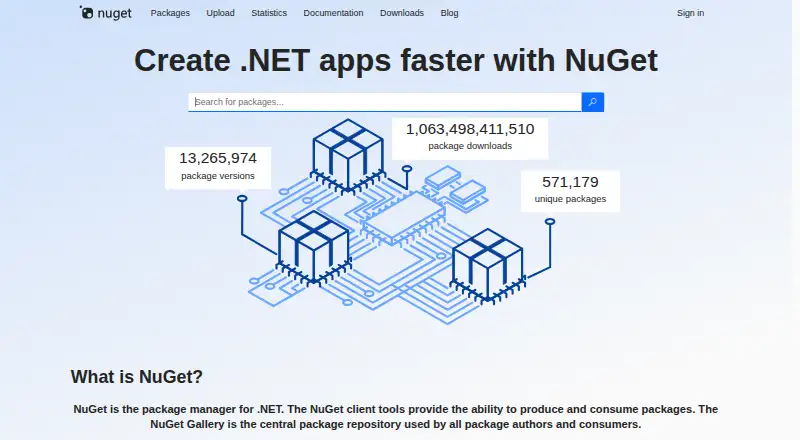
What NuGet is
NuGet is a package manager for .NET projects, with tools to create and consume packages and the NuGet Gallery as a central repository. Packages use the .nupkg format and can contain compiled code, related files, and a manifest. NuGet resolves dependency graphs and records package identifiers and versions so projects can restore dependencies across machines and build servers. Developers can manage packages in Visual Studio or use the dotnet CLI and nuget.exe; Visual Studio Code extensions also provide NuGet capabilities. NuGet supports PackageReference and packages.config, with PackageReference required for .NET SDK-style projects. Package restore can check dependencies against configured vulnerability sources and report warnings. Packages may be hosted in private cloud locations, private networks, or local file systems. NuGet supports offline installation, lockfiles, and private registry authentication. The Gallery code is open source under Apache 2.0, and the project welcomes community contributions. NuGet is free. The dotnet CLI works on Windows, macOS, and Linux; nuget.exe is for Windows and can run on macOS and Linux with Mono, with limitations.
Who it suits
NuGet suits .NET library creators and consumers who need package creation, dependency management, or package hosting. It may also fit teams restoring dependencies across machines or build servers.
What it does well
- Free, with no free-trial requirement.
- Resolves dependencies and supports lockfiles.
- Supports offline installation and private registry authentication.
- Restore can report warnings for known vulnerabilities.
- Available through Visual Studio and command-line tools.
What to know first
- nuget.exe has limitations on macOS and Linux with Mono.
- Published packages generally cannot be deleted.
- nuget.org uploads are limited to 250 MB.
Limits
NuGet.org accepts package uploads up to 250 MB and generally does not support deleting published packages.
Getting started
- Visit https://www.nuget.org/ to browse the NuGet Gallery.
- Choose a workflow through Visual Studio, the dotnet CLI, nuget.exe, or a Visual Studio Code extension.
- Create or consume packages in .nupkg format, or use .snupkg where supported.
- Use PackageReference or packages.config for package management.
- Configure a private feed if packages should be hosted on a cloud, network, or local file system.
Verdict
NuGet combines package creation, hosting, and consumption for .NET, with several client tools and support for private feeds. Its dependency restoration and vulnerability checks are useful considerations for projects shared across machines or build systems.
Questions
How much does NuGet cost?
NuGet is free.
Which package formats does NuGet support?
NuGet supports .nupkg and .snupkg packages.
Which systems can use NuGet?
The listed platforms include Windows, macOS, Linux, and .NET. The dotnet CLI works on Windows, macOS, and Linux; nuget.exe runs on Windows and can run on macOS and Linux with Mono, with limitations.
Can NuGet use private package feeds?
Yes. Packages can be hosted privately in cloud locations, private networks, or local file systems, with access limited to people who can reach the host.
Is NuGet open source?
The NuGet Gallery code is open source under the Apache 2.0 license, and the project welcomes community contributions.
Can NuGet check dependencies for vulnerabilities?
NuGet restore can compare project dependencies with known vulnerabilities from configured audit sources and report warnings.
Facts from NuGet's own pages
- Audit data source
- NuGet.org’s vulnerability database uses the GitHub Advisory Database, and NuGet.org provides a vulnerability-data-only service index. · learn.microsoft.com, 2 Oct 2026
- Build integrations
- Package restore can be run with NuGet, the dotnet CLI, MSBuild, Visual Studio, or Azure Pipelines and Azure DevOps Server. · learn.microsoft.com, 3 Oct 2026
- CLI tools
- The dotnet CLI and nuget.exe support package creation and consumption; the dotnet CLI is available for .NET Core, .NET Standard, and SDK-style projects targeting .NET Framework. · learn.microsoft.com, 2 Oct 2026
- Deletion policy
- NuGet.org generally does not support deleting published packages. · learn.microsoft.com, 3 Oct 2026
- Dependency management
- NuGet resolves package dependency graphs and records package identifiers and versions so dependencies can be restored across machines and build servers. · learn.microsoft.com, 2 Oct 2026
- Dependency resolution
- Yes · learn.microsoft.com, 22 Sept 2026
- Development tools
- NuGet capabilities are available through the dotnet CLI, nuget.exe, Visual Studio, and Visual Studio Code extensions. · learn.microsoft.com, 3 Oct 2026
- Downloads
- The downloads page lists a Windows x86 nuget.exe command-line distribution and a Visual Studio 2015 VSIX; it says NuGet 4.x is included with Visual Studio 2017. · nuget.org, 2 Oct 2026
- Gallery license
- The NuGet Gallery is open-source software licensed under Apache 2.0, and the project welcomes community contributions. · nuget.org, 2 Oct 2026
- Intended users
- NuGet provides tools and package hosting for .NET library creators and consumers. · learn.microsoft.com, 3 Oct 2026
- Lockfile support
- Yes · learn.microsoft.com, 22 Sept 2026
- Offline installation
- Yes · learn.microsoft.com, 22 Sept 2026
- Open source
- The NuGet Gallery code is licensed under Apache 2.0, and the project welcomes community contributions. · nuget.org, 3 Oct 2026
- Package contents
- A NuGet package is a .nupkg ZIP file that can contain compiled code, related files, and a descriptive manifest. · learn.microsoft.com, 2 Oct 2026
- Package formats
- .nupkg,.snupkg · learn.microsoft.com, 22 Sept 2026
- Package gallery
- The NuGet Gallery is the central package repository used by package authors and consumers. · nuget.org, 3 Oct 2026
- Package management formats
- NuGet supports PackageReference and packages.config, and PackageReference is required for .NET SDK-style projects. · learn.microsoft.com, 2 Oct 2026
- Package signatures
- NuGet packages can be digitally signed to help verify package integrity and origin, and nuget.org automatically repository-signs uploaded packages. · learn.microsoft.com, 3 Oct 2026
- Package size limit
- NuGet.org allows package uploads up to 250 MB and recommends keeping packages under 1 MB when possible. · learn.microsoft.com, 3 Oct 2026
- Package workflows
- NuGet supports package creation, publishing, installation, updating, and restoring dependencies. · learn.microsoft.com, 3 Oct 2026
- Private feeds
- NuGet packages can be hosted privately in the cloud, on a private network, or on a local file system, with access limited to people who can reach the host. · learn.microsoft.com, 2 Oct 2026
- Private registry auth
- Yes · learn.microsoft.com, 22 Sept 2026
- Purpose
- NuGet is the package manager for .NET, providing tools to create, share, and consume packages. · nuget.org, 3 Oct 2026
- Security auditing
- NuGet restore can check project dependencies against known vulnerabilities from configured audit sources and report warnings. · learn.microsoft.com, 2 Oct 2026
Where NuGet stands on Freedom251
- Package Managers#22 of 93
- Package Registries#18 of 28