Freedom251 › Meeting Notes Software
Bubbles
by Bubbles
What Bubbles is
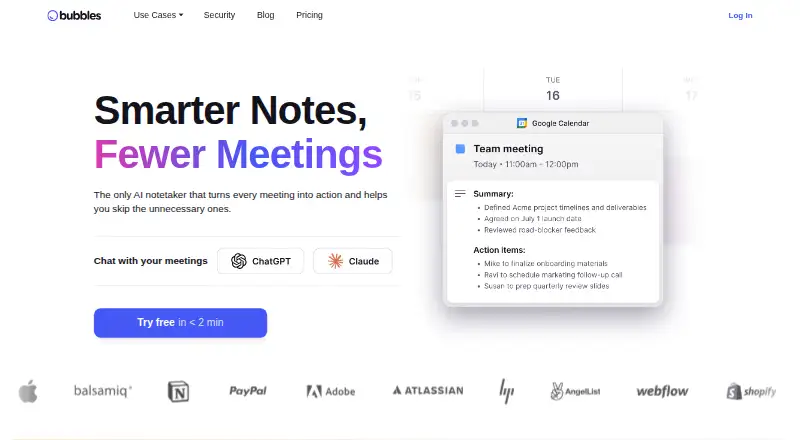
Bubbles is an AI meeting notetaker and asynchronous video collaboration service available through the web, a browser extension and an API. Its Notetaker can join calendar meetings automatically to record, transcribe and create notes, while Pro users choose which meetings it joins and who receives recordings. Free Notetaker links include Zoom, Google Meet, Microsoft Teams, GoTo Meeting and Webex. The extension records live meetings or a browser screen with voice. Teams can organize, search and share recordings, add comments or video replies, and invite guests without signup or installation. Slack supports slash-command recording, notifications and replies. Developer options include a REST API, webhooks and an MCP server; API keys require paid-feature access and are limited to 10 active keys. The free plan allows 30-minute recordings, five meeting recordings weekly, unlimited screen recordings and AI summaries. Paid plans start at $12/user/mo annually, with a 14-day trial.
Who it suits
Bubbles suits teams that need meeting capture, searchable recordings and async video collaboration. Its guest access, Slack integration and developer interfaces also fit distributed teams and connected workflows.
What it does well
- Automatic meeting recording and transcription
- Supports five listed meeting platforms
- Guests collaborate without signup or installation
- Slack recording and activity features
- SOC 2 Type II certified
What to know first
- Free recordings limited to 30 minutes
- Free plan allows five meeting recordings weekly
- API keys require paid-feature access
- Only 10 active API keys allowed
Limits
The Basic free plan limits meeting recordings to 30 minutes each and five per week; recordings lock after two weeks. Pro Teams starts at $12/user/mo billed yearly, with unlimited recording length and meeting recordings; monthly billing is $15/user/month.
Plans
| Plan | Billed and limits | Price |
|---|---|---|
| Basic | 30 mins per recording · 5 meeting recordings per week · unlimited screen recordings · bubbles lock after 2 weeks · AI summaries and action items · 2 channels | Free |
| Pro Teams | yearly; $15/user/month when paying monthly · Unlimited recording length and meeting recordings · AI transcripts · choose which meetings Notetaker joins and who receives recordings · unlimited channels · pricing for 3+ members | $12 a month |
| Pro Personal | yearly; $22/user/month when paying monthly · Everything in Pro Teams · for 1 or 2 members · automatically transitions to Pro Teams pricing at 3+ members | $18 a month |
As usebubbles.com lists them, read 30 Sept 2026. The maker's own page has the final word.
Getting started
- Visit https://www.usebubbles.com/.
- Choose the free plan or a paid plan; a 14-day trial is available.
- Use the web app or browser extension to record meetings or a screen with voice.
- Connect calendar meetings to the Notetaker and, on Pro, select which meetings it joins.
- Share recordings with teammates or guests, or use the Slack integration.
Verdict
Bubbles combines automated meeting notes with browser-based screen recording and collaboration. The free tier has clear recording limits, while integrations and developer access broaden paid-plan workflows.
Questions
Is Bubbles free?
Yes. The Basic plan costs nothing and includes AI summaries and action items.
How much do paid plans cost?
Pro Teams is $12/user/mo billed yearly, or $15/user/month when paying monthly. Pro Personal is $18 a month billed yearly, or $22/user/month when paying monthly.
Which platforms does Bubbles support?
It is available on the web, as an extension, and through an API.
Which meeting platforms work with the free Notetaker?
The listed meeting links are Zoom, Google Meet, Microsoft Teams, GoTo Meeting, and Webex.
Can guests use Bubbles without an account?
Yes. Guests can collaborate without signup or installation.
Does Bubbles have a free trial?
Yes. Bubbles lists a 14-day trial.
Facts from Bubbles's own pages
- API limit
- The API quickstart says creating an API key requires paid-feature access and allows up to 10 active keys. · docs.usebubbles.com, 30 Sept 2026
- Async recording
- The browser extension can record live meetings or a user's screen and voice from the browser. · usebubbles.com, 30 Sept 2026
- Collaboration
- Users can organize, search, and share recordings with teammates or guests and add comments or video replies to meeting videos. · usebubbles.com, 30 Sept 2026
- Company
- The homepage describes Bubbles as built by an async team around the world. · usebubbles.com, 30 Sept 2026
- Developer access
- Bubbles documents a REST API, webhooks, and an MCP server for connecting assistants including Claude, ChatGPT, Claude Code, and Cursor. · docs.usebubbles.com, 30 Sept 2026
- Free plan
- Yes · usebubbles.com, 20 Sept 2026
- Guest access
- Bubbles says guests such as clients, vendors, contractors, and agencies can collaborate without signup or installation. · usebubbles.com, 30 Sept 2026
- Headquarters
- San Francisco, California, United States · usebubbles.com, 28 Sept 2026
- Integrations
- The Slack integration supports starting recordings with slash commands, notifications about Bubbles activity, and replying to activity in Slack. · usebubbles.com, 30 Sept 2026
- Meeting capture
- Its Notetaker can automatically join calendar meetings to record, transcribe, and take notes, and users can customize which meetings it joins on Pro. · usebubbles.com, 30 Sept 2026
- Meeting platforms
- The pricing FAQ lists Zoom, Google Meet, Microsoft Teams, GoTo Meeting, and Webex as supported meeting links for the free Notetaker. · usebubbles.com, 30 Sept 2026
- Product
- Bubbles describes itself as an AI meeting notetaker that turns meetings into notes and action items, alongside async video collaboration. · usebubbles.com, 30 Sept 2026
- Security
- Bubbles says it is SOC 2 Type II certified and independently audited by Johanson Group LLP. · usebubbles.com, 30 Sept 2026
- Paid from
- 12 · usebubbles.com, 20 Sept 2026
- Support
- Bubbles advertises 24/7 customer support with responses expected within 24 hours Monday through Friday, by email, Bubble, or Slack. · usebubbles.com, 30 Sept 2026
- Transcription
- Yes · usebubbles.com, 20 Sept 2026
Where Bubbles stands on Freedom251
- Meeting Notes Software#17 of 112
- Video Messaging Software#6 of 29