Freedom251 › On-Site Event Management
Bravura Onsite Check-In
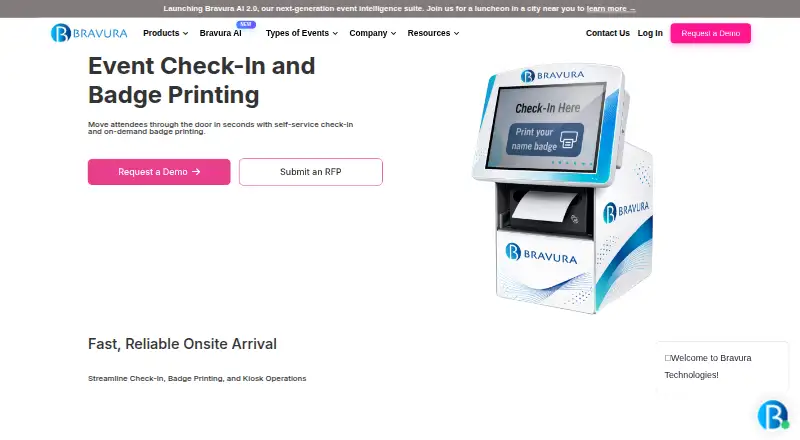
What Bravura Onsite Check-In is
Bravura Onsite Check-In provides self-service event check-in and on-demand badge printing on Android, iOS, and the web. At a kiosk, attendees can scan a QR code to find their record and print a personalized badge without staff assistance. The built-in Badge Designer supports branded templates with sponsor logos, session indicators, QR codes, and custom fields. Wireless printing lets organizers place kiosks and printers around an event floor, and check-in and printing can continue offline when Wi-Fi is unreliable. Event staff can use an admin console to edit attendee details, reprint badges, monitor kiosks, and view real-time check-in reports. Across its event platform, Bravura describes REST and SOAP APIs, Zapier, and CRM connections including Salesforce, HubSpot, and Marketo. The company states it maintains active SOC II Type 1 certification and follows GDPR and CCPA requirements. FLEX includes guided onboarding and implementation support. The check-in page offers onsite technicians and remote technical support. Pricing is tailored to event scale and requirements and is available on request.
Who it suits
It suits event teams that need self-service check-in and badge printing at onsite events. Offline operation may help where Wi-Fi is unreliable.
What it does well
- Attendees can retrieve records and print badges at kiosks
- Wireless printing supports flexible kiosk placement
- Check-in and printing can operate offline
- Admin console offers real-time check-in reports
- Available on Android, iOS, and web
What to know first
- Pricing is available only on request
- Pricing is tailored to event scale and requirements
Plans
| Plan | Billed and limits | Price |
|---|---|---|
| Bravura FLEX™ | Enterprise pricing tailored to event scale and requirements | On request |
As bravuratechnologies.com lists them, read 7 Oct 2026. The maker's own page has the final word.
Getting started
- Visit the Bravura Onsite Check-In website.
- Request pricing tailored to your event's scale and requirements.
- Use FLEX guided onboarding and implementation support.
- Arrange kiosks and wireless printers for onsite check-in and badge printing.
Verdict
Bravura Onsite Check-In combines self-service QR check-in, badge design, printing, and event staff controls. Teams can request pricing tailored to their event requirements.
Questions
How much does Bravura Onsite Check-In cost?
Pricing is tailored to event scale and requirements and is available on request.
Which platforms does it support?
It is available on Android, iOS, and the web.
Can attendees check in without staff assistance?
Yes. Attendees can scan a QR code at a kiosk to retrieve their record and print a personalized badge.
Can it work without Wi-Fi?
The kiosk can run check-in and badge printing offline where Wi-Fi is unreliable.
What integrations are described?
Bravura describes REST and SOAP APIs, Zapier, and CRM connections including Salesforce, HubSpot, and Marketo across its event platform.
What support is available?
The product page offers dedicated onsite technicians and remote technical support. Bravura says FLEX includes guided onboarding and implementation support.
Facts from Bravura Onsite Check-In's own pages
- Administration and reporting
- An admin console lets event staff edit attendee details, reprint badges, and monitor kiosks, with real-time check-in reporting. · bravuratechnologies.com, 7 Oct 2026
- Badge design
- The built-in Badge Designer supports branded templates with sponsor logos, session indicators, QR codes, and custom fields. · bravuratechnologies.com, 7 Oct 2026
- Data protection
- Bravura states that data in transit uses TLS 1.2 or higher, data at rest uses AES-256, and customer data is logically segregated in its multi-tenant environment. · bravuratechnologies.com, 7 Oct 2026
- Founded
- 2006 · bravuratechnologies.com, 28 Sept 2026
- Headquarters
- Sarasota, Florida, United States · bravuratechnologies.com, 28 Sept 2026
- Integrations
- Bravura describes REST and SOAP APIs, Zapier, and CRM connections including Salesforce, HubSpot, and Marketo across its event platform. · bravuratechnologies.com, 7 Oct 2026
- Offline operation
- The kiosk can run check-in and badge printing offline where Wi-Fi is unreliable. · bravuratechnologies.com, 7 Oct 2026
- Onsite check-in
- Yes · bravuratechnologies.com, 21 Sept 2026
- Platform and onboarding
- Bravura says its products are backed by FLEX, which includes guided onboarding and implementation support. · bravuratechnologies.com, 7 Oct 2026
- Pricing
- Bravura's pricing page says FLEX pricing is tailored to event scale and requirements and directs buyers to request pricing. · bravuratechnologies.com, 7 Oct 2026
- Privacy
- Bravura says it follows GDPR and CCPA requirements and uses Standard Contractual Clauses for relevant data transfers. · bravuratechnologies.com, 7 Oct 2026
- Purpose
- Bravura Onsite Check-In provides self-service event check-in and on-demand badge printing. · bravuratechnologies.com, 7 Oct 2026
- QR check-in
- Attendees can scan a QR code at a kiosk to retrieve their record and print a personalized badge without staff assistance. · bravuratechnologies.com, 7 Oct 2026
- Security
- Bravura states it maintains active SOC II Type 1 certification and conducts annual audits. · bravuratechnologies.com, 7 Oct 2026
- Support
- The check-in product page offers dedicated onsite technicians and remote technical support. · bravuratechnologies.com, 7 Oct 2026
- Wireless printing
- Badge printing is wireless, allowing kiosks and printers to be placed around the event floor without tethered cables. · bravuratechnologies.com, 7 Oct 2026
Where Bravura Onsite Check-In stands on Freedom251
- On-Site Event Management#8 of 23
- Event Badge Printing Software#26 of 49
- Event Management Software#155 of 181