Bounce Metronome Pro
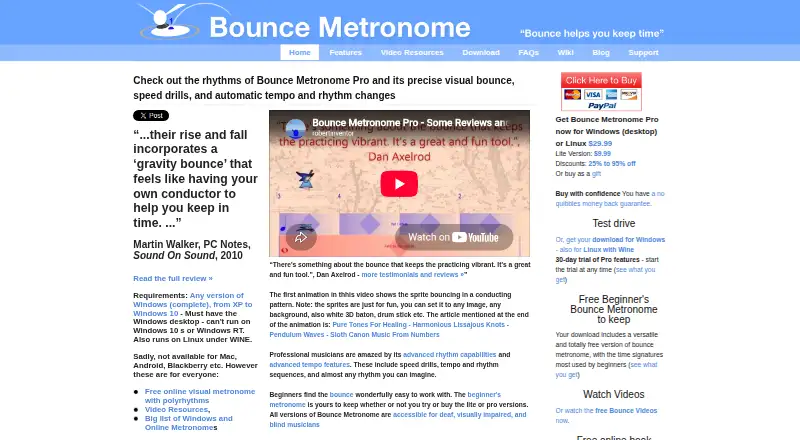
What Bounce Metronome Pro is
Bounce Metronome Pro is a visual metronome for musicians practicing tempo and rhythm. It supports odd time signatures, arbitrary subdivisions, swing, drum rudiments, polyrhythms, additive rhythms, and rare rhythms. Tempo controls include tap tempo, fractional BPM, gradual changes, silent intervals, speed drills, and automatic switching between tempos and rhythms. Players can follow bouncing visuals, conducting patterns, and beat or sub-beat counts, or use silent metronome mode. Pro adds accents, selectable instruments, chord accompaniment, stereo panning, and MIDI output for VSTi and sound fonts. The maker describes accessibility features for blind, visually impaired, and deaf musicians. A fully featured 30-day Pro trial comes with the download and can be started when the user chooses. After it ends, animations pause every few seconds and audio times out after a few minutes unless an unlock key is purchased. Bounce Metronome Pro costs $29.99, paid once for Windows desktop; the current download can run on Linux using Wine. The maker says downloadable programs do not collect data, include spyware, or serve ads.
Who it suits
It suits musicians who need visual guidance, detailed rhythm patterns, or tempo practice tools. The maker also describes accessibility features for blind, visually impaired, and deaf musicians.
What it does well
- Supports odd signatures and polyrhythms.
- Includes tap tempo and speed drills.
- Offers visual and silent metronome modes.
- Provides MIDI output and chord accompaniment.
- A 30-day Pro trial is included.
What to know first
- After the trial, animations pause every few seconds.
- After the trial, audio times out after a few minutes.
- Current download is for Windows; Linux use requires Wine.
- Older 32-bit Mac beta does not run on High Sierra or later.
Limits
The free beginner plan covers common beginner time signatures, up to four subdivisions, and a basic drum machine. The 30-day Pro trial is fully featured; afterward, animations pause every few seconds and audio times out after a few minutes unless an unlock key is purchased.
Plans
| Plan | Billed and limits | Price |
|---|---|---|
| Free Beginner’s Bounce Metronome | Free to keep · common beginner meters 2/4, 3/4, 4/4, 6/8, 9/8 and 12/8 · up to four subdivisions · basic drum machine | Free |
| Bounce Metronome Pro | $29.99 · polyrhythms · polymeters · additive rhythms · drum rudiments · swing · advanced tempo automation · MIDI output | $29.99, paid once |
| Bounce Metronome Lite | $9.99 · all time signatures including odd · unlimited subdivisions · basic tempo and bounce features | $9.99, paid once |
As bouncemetronome.com lists them, read 14 Oct 2026. The maker's own page has the final word.
Getting started
- Visit the Bounce Metronome website.
- Download the Windows program.
- Start the 30-day Pro trial when you choose.
- Use the current Windows download on Linux through Wine, if needed.
- Purchase the Pro unlock key for $29.99, paid once to continue beyond the trial without its stated timeouts.
Overview
Bounce Metronome Pro is a visual metronome for musicians who want detailed rhythm and tempo control alongside a steady pulse. It is best suited to players practicing complex meters or planned tempo changes; musicians who only need a simple click have little reason to take on its extra controls.
Key features
Pro supports odd and additive time signatures, arbitrary subdivisions, swing, drum rudiments, polyrhythms and rare rhythms. That range gives rhythm-focused practice room to grow, but is likely more than a beginner needs. Tap tempo, fractional BPM and an unlimited tempo range make it possible to set a precise pace, while gradual tempo changes, silent intervals, speed drills and automatic tempo or rhythm switching support more structured practice.
Bouncing visuals, conducting patterns and beat and sub-beat counts offer ways to follow the pulse without relying only on a click. Audio controls include beat and subdivision accents, rhythm auto-accents, selectable instruments, chord accompaniment and stereo panning. MIDI output works with VSTi and sound fonts, a useful addition for musicians who want the metronome in a software-instrument setup. The maker also describes accessibility features for blind, visually impaired and deaf musicians.
The maker says its downloadable programs do not collect data, contain spyware or serve ads, and connect to the internet only when requested. Payment agents process card details; the maker says it does not see credit card numbers. Support is offered by email, with tutorials, a wiki and a forum. The maker also advertises a no-quibbles money-back guarantee.
Pricing
The free Beginner’s Bounce Metronome costs nothing and covers common beginner time signatures, up to four subdivisions and a basic drum machine. It is a reasonable starting point for straightforward practice, but it does not match Pro’s broader rhythmic range and practice controls.
Bounce Metronome Lite costs $9.99, paid once, and Bounce Metronome Pro costs $29.99, paid once. Lite is the lower-cost paid option; Pro is the choice for the full set of advanced rhythms, tempo tools, visual and sound options, and MIDI output. Both are listed for Windows desktop and Linux via Wine.
A fully featured 30-day Pro trial comes with the download and can be started when the user chooses. After the trial, Basic and Pro animations pause every few seconds and audio times out after a few minutes unless an unlock key is purchased. That makes the trial useful for evaluating the software, but not a dependable long-term free setup.
Platforms
The current download is for Windows and can run on Linux using Wine. The older 32-bit Mac beta does not run on macOS High Sierra or later, so Mac users should not count on this as a current Mac option.
Who it's for
Bounce Metronome Pro makes the most sense for musicians who need uncommon meters, polyrhythms, flexible subdivisions or deliberate tempo drills, and for those who value visual cues or MIDI output. It is a poor fit for anyone who needs a straightforward metronome on a current Mac or wants unrestricted ongoing use without paying for an unlock key.
Pros and cons
- Pro: Broad rhythm and tempo controls support demanding, varied practice rather than only standard timekeeping.
- Pro: Visual cues, silent mode, audio shaping and MIDI output give musicians several ways to integrate the metronome into practice.
- Pro: A 30-day Pro trial lets users choose when to begin evaluating the full version.
- Con: After the trial, animations pause and audio times out without an unlock key, sharply limiting continued free use.
- Con: The current download is for Windows; Linux requires Wine, and the older Mac beta is incompatible with macOS High Sierra or later.
Alternatives
Metronome Apps is the broader directory for readers comparing metronomes. Easy Metronome is worth considering for a free app across Android, iOS, macOS and Windows, with optional sound-pack purchases. MagicBPM offers a free core app across mobile, Mac and web; its iPhone and Android apps show ads, while its Mac app is ad-free. Metronome Beats has a free ad-supported app with in-app purchases and an iOS Pro purchase at $8.99, paid once for saving presets and setting tempo.
True Metronome is another cross-platform free option with a trial and a free plan covering 20–400 BPM, all backgrounds, two skins, all time signatures, one bell accent and background playback. Metronome Time suits readers looking for a free Android, iOS or web option with all current features included. PolyMetronome may suit users who want a free Simple Mode on Android, iOS or web, with a yearly Pro tier for additional modes and practice tools.
Pro Metronome offers an ad-free free version on Android and iOS, plus a $3.99, paid once Pro Version and a $0.99 a month plan. Tempo by Frozen Ape is a paid alternative for Android and iOS with free Lite versions; its Android version contains ads and in-app purchases.
Verdict
Choose Bounce Metronome Pro if you practice complex rhythms or controlled tempo changes and want visual, audio and MIDI options in one metronome. Its one-time Pro price is compelling for that depth, but the trial’s restrictive end state and weak Mac compatibility are strong reasons to choose another tool if you need a simple, current cross-platform option.
Verdict
Bounce Metronome Pro brings visual cues and extensive rhythm and tempo controls into a practice tool. Note the trial behavior and platform details before relying on it.
Questions
How much does Bounce Metronome Pro cost?
The Pro plan costs $29.99, paid once for Windows desktop.
Is there a free version?
Yes. The free beginner plan includes common beginner time signatures, up to four subdivisions, and a basic drum machine.
Does it include a trial?
The download includes a fully featured 30-day Pro trial that users can start when they choose.
Which platforms are supported?
The current download is for Windows and can run on Linux using Wine. The maker says the older 32-bit Mac beta does not run on macOS High Sierra or later.
Who makes Bounce Metronome?
The site identifies Robert Walker as the maker.
What happens after the Pro trial?
Animations pause every few seconds and audio times out after a few minutes unless an unlock key is purchased.
Facts from Bounce Metronome Pro's own pages
- Accessibility
- The maker says all editions are usable by deaf, visually impaired and blind musicians. · bouncemetronome.com, 14 Oct 2026
- Change-log history
- The maker publishes links to previous uploads and maintains a separate change-log page. · bouncemetronome.com, 14 Oct 2026
- Compatibility
- The current download is for Windows and can run on Linux using Wine; the maker says the older 32-bit Mac beta does not run on macOS High Sierra or later. · bouncemetronome.com, 3 Oct 2026
- Current download
- The download page identifies version 4.7, updated 5 February 2019, with a 20 MB installer. · bouncemetronome.com, 14 Oct 2026
- Documentation
- The wiki provides searchable help for windows, main views, tutorials, background material and a feature wish list. · bouncemetronome.com, 14 Oct 2026
- Free edition
- The included beginner edition remains usable after download and covers common meters plus a simple drum machine. · bouncemetronome.com, 14 Oct 2026
- Independent listing details
- Apponic lists Bounce Metronome version 4.1 from 19 August 2010 as trial software for Windows 2000, XP, Vista and 7, with no additional system requirements. · bounce-metronome.apponic.com, 14 Oct 2026
- Independent listing: shareware
- Ivertech lists Bounce Metronome as shareware for Windows and describes support for any meter, swing, subdivisions, polyrhythms and arbitrary tempo. · software.ivertech.com, 14 Oct 2026
- Independent praise: visual timing
- Apponic describes the gravity-bounce display as enabling practice without audible clicks and helping users anticipate irregular or swung beats. · bounce-metronome.apponic.com, 14 Oct 2026
- Installer behavior
- The installer unpacks program files, optionally creates shortcuts and file associations, and installs the Bach musicological font. · bouncemetronome.com, 14 Oct 2026
- Limit: complexity
- A PG Music forum user described the Pro configuration and presentation options as excessive for their needs, despite finding Lite sufficient. · pgmusic.com, 14 Oct 2026
- Limit: reported bugs
- A PG Music forum user said an earlier version had been buggy and that this affected their willingness to buy it at the time. · pgmusic.com, 14 Oct 2026
- Limit: visual reliance
- Another PG Music forum participant complained that the visual approach lacked the desired audio subdivision feature and found watching the display distracting. · pgmusic.com, 14 Oct 2026
- Linux support
- The Windows build can run on Linux through Wine. · bouncemetronome.com, 14 Oct 2026
- Mac limitation
- The old 32-bit Mac beta does not run on macOS High Sierra or later because Apple ended 32-bit support. · bouncemetronome.com, 14 Oct 2026
- Maker
- The site identifies the maker as Robert Walker and lists a postal address on the Isle of Mull, Scotland, United Kingdom. · bouncemetronome.com, 3 Oct 2026
- Maker identity
- Robert Walker identifies himself as the mathematician and music-software developer who authors Bounce Metronome. · robertinventor.com, 14 Oct 2026
- Maker location
- The maker lists a home software business address on the Isle of Mull, Scotland, United Kingdom. · bouncemetronome.com, 14 Oct 2026
- MIDI extensibility
- MIDI output can drive VST instruments and sound fonts. · bouncemetronome.com, 14 Oct 2026
- Notable update
- Version 4.7 added easier tempo adjustment, notation display, improved MIDI alignment for DAWs and additional Tune Smithy transformation windows on 16 June 2017. · bouncemetronome.com, 14 Oct 2026
- Payment processing
- Purchases are handled by external processors such as PayPal, FastSpring, RegNow, Plimus or eSellerate, so the maker says it never sees card numbers. · bouncemetronome.com, 14 Oct 2026
- Post-trial limits
- After the trial, the free taster remains available while paid-mode animations pause periodically and sound stops after several minutes. · bouncemetronome.com, 14 Oct 2026
- Praise: complex meters
- The same TalkBass discussion points to mixed meters such as 4/4 plus 7/8 and polyrhythms such as 4/4 over 4/3 as useful for jazz practice. · talkbass.com, 14 Oct 2026
- Praise: swing practice
- A TalkBass discussion highlights that the bounce visuals make swung notes easier to anticipate and that swing amount can range from gentle lilt to hard swing. · talkbass.com, 14 Oct 2026
Where Bounce Metronome Pro stands on Freedom251
- Metronome Apps#3 of 26