Freedom251 › Reverse Engineering Tools
Boomerang
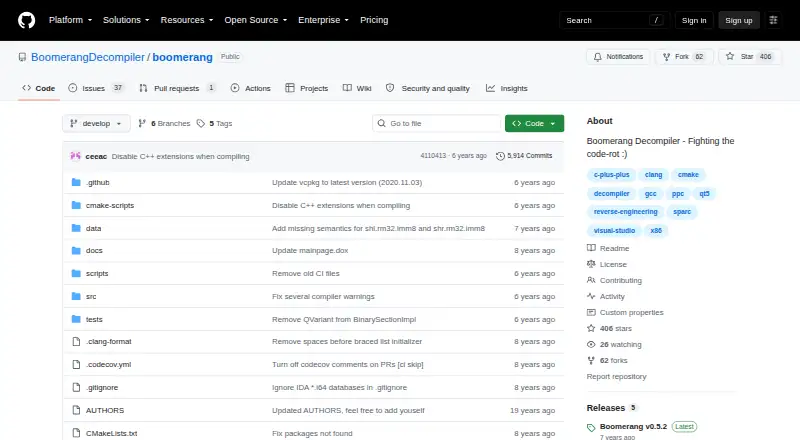
What Boomerang is
Boomerang is a free, open-source machine-code decompiler that turns supported binaries into C source code. It handles x86 (IA-32 only), PPC, and ST20 architectures, and accepts ELF, PE, DOS MZ, DOS/4GW LE, and Mach-O files. You can use it as a command-line tool or a GUI application. The project describes its license as BSD, and its documented build instructions cover Linux, macOS, and Windows.
Building Boomerang requires a 64-bit operating system and a C++17 compiler; 32-bit systems are unsupported. Its documented prerequisites include CMake, Qt5, Capstone, GNU bison, and GNU flex. Precompiled packages are available for release versions, while the project recommends building the development branch from source. The project includes unit and regression tests, though the README says the regression test suite cannot be built on Windows. The maker positions the release for developers and experimenters and cautions that large-binary decompilation may disappoint. Decompiled output does not reconstruct the original source file and may differ from it.
Who it suits
Boomerang suits developers and experimenters who need to inspect supported native binaries and produce C output. It is a fit for users working with its listed architectures and file formats who can build or run it on a supported 64-bit system.
What it does well
- Free, open-source software under a BSD license.
- Supports x86 (IA-32 only), PPC, and ST20.
- Accepts ELF, PE, DOS MZ, DOS/4GW LE, and Mach-O.
- Offers both command-line and GUI interfaces.
- Provides unit tests and regression tests.
What to know first
- 32-bit systems are unsupported for builds.
- Decompilation does not recreate the original source file.
- Windows does not support building the regression test suite.
- The maker warns large-binary decompilation may disappoint.
Limits
The free plan is the BSD-licensed Boomerang Decompiler. Its decompilation output does not reproduce the original source file, and the maker warns that results on large binaries may disappoint.
Plans
| Plan | Billed and limits | Price |
|---|---|---|
| Boomerang Decompiler | Open source · BSD licensed | Free |
As github.com lists them, read 8 Oct 2026. The maker's own page has the final word.
Getting started
- Open the Boomerang GitHub project page.
- Choose a release package or build from source; the project recommends the development branch.
- Use a 64-bit Linux, macOS, or Windows system with a C++17 compiler.
- Install the documented build prerequisites: CMake, Qt5, Capstone, GNU bison, and GNU flex.
- Run Boomerang through its command-line tool or GUI application.
Boomerang is an open-source decompiler that translates supported machine-code binaries into C. It is best suited to developers and experimenters working with its specific native architectures and file formats. Its appeal is a BSD-licensed tool with command-line and GUI options; its output is not a recovery of the original source.
Overview
Boomerang turns supported binaries into C that can help with examining machine code. That output may differ from the original program's source, so it is an aid to analysis rather than a way to restore a project as written. The maker also warns that results on large binaries may disappoint, which makes it a weaker fit when dependable results across a large codebase matter.
The project is BSD licensed and free. It provides unit and regression tests, but building the regression suite on Windows is unsupported. Bug reports go through the GitHub issue tracker.
Key features
- Native-code decompilation: Boomerang outputs C from supported machine-code binaries. It does not handle bytecode, so it is unsuitable for bytecode-based targets.
- Focused architecture support: The supported architectures are x86 (IA-32 only), PPC, and ST20. This can suit a matching target, but excludes x86-64.
- Five input formats: It accepts ELF, PE, DOS MZ, DOS/4GW LE, and Mach-O. The defined set is useful for matching binaries, not a promise of support for other formats.
- CLI and GUI: The two interfaces offer a choice of workflow, without changing the architectures or formats the decompiler can handle.
- Source build: Building requires a 64-bit operating system and a C++17 compiler, along with CMake, Qt5, Capstone, GNU bison, and GNU flex. The 32-bit limitation and dependency list make setup a more natural fit for developers than casual users. Release versions have precompiled packages, while the project recommends building its development branch from source.
Pricing
Boomerang Decompiler costs nothing. The plan is open source and BSD licensed, with no paid tier described. That makes it a straightforward option when the supported targets fit; the trade-off is that a free license does not change its architecture coverage, lack of bytecode support, or warnings about output quality and large binaries.
Platforms
Build instructions cover Linux, macOS, and Windows. All require a 64-bit operating system and C++17; 32-bit systems are unsupported. Windows users should also note that the regression test suite cannot be built there.
Who it's for
Boomerang makes most sense for developers and experimenters who need to inspect a supported native binary, can work with its build requirements, and are comfortable treating generated C as an approximation. It is not a good fit for bytecode work, x86-64 targets, faithful source reconstruction, or large binaries where reliable results are essential.
Pros and cons
Pros
- Free and BSD licensed: The open-source license suits users who want a no-cost native-code decompiler.
- CLI and GUI options: Users can choose between command-line and graphical workflows.
- Linux, macOS, and Windows build guidance: The project documents builds across the three operating systems, subject to its 64-bit requirement.
Cons
- Narrow architecture and format coverage: It supports only x86 (IA-32), PPC, and ST20, and the five named input formats.
- No bytecode decompilation: It cannot serve bytecode-focused workflows.
- Approximate output and large-binary caveat: Generated C may differ from the original source, and the maker warns that large binaries may disappoint.
- Build prerequisites: A 64-bit system, C++17, and several dependencies make setup more involved than simply opening a ready-to-use application.
Alternatives
For a wider choice of decompilation tools, browse Decompiler Software or Reverse Engineering Tools.
- Binary Ninja is worth considering when its five-architecture free evaluation and education plan suits your needs; it does not include API or plugin access. Its Personal plan costs $199, paid once.
- IDA Pro may suit users who need its free x86-32 and x86-64 disassembly and two cloud-based decompilers, or who are considering a paid tier. IDA Pro Essential costs 1099.00 USD.
- JEB offers a free Community Edition for x86 and x86-64 decompilation, aimed at researchers, students, hobbyists, and nonprofit reverse engineers.
- rev.ng is an alternative whose decompilation pipeline is Free Software; its UI is planned for commercial cloud and standalone versions.
- Bytecode Viewer is a free, open-source GPL v3 option to consider when bytecode work is the priority.
- CFR is another free decompiler to consider.
- Ghidra is another free option.
- ILSpy is another free, MIT-licensed option.
Verdict
Boomerang is a sensible free choice for developers and experimenters whose native binaries match its architecture and format support, and who want C output with either a CLI or GUI. Its BSD license and zero price are clear advantages, but limited coverage, approximate output, and the warning about large binaries set firm boundaries. Look elsewhere for bytecode, x86-64 support, faithful source recovery, or more reliable work on large binaries.
Verdict
Choose Boomerang if you need a free decompiler for its supported native architectures and formats, with C output and command-line or GUI use. Look elsewhere if you need bytecode decompilation, original source reconstruction, or reliable results on large binaries.
Questions
How much does Boomerang cost?
The listed plan is free. It is open source and BSD licensed.
Which architectures and file formats does it support?
It supports x86 (IA-32 only), PPC, and ST20. Input formats include ELF, PE, DOS MZ, DOS/4GW LE, and Mach-O.
Which operating systems can I use?
The project documents build instructions for Linux, macOS, and Windows. Building requires a 64-bit operating system.
Does Boomerang have a graphical interface?
Yes. It can be run as either a command-line tool or a GUI application.
Does it decompile bytecode or recreate original source?
Bytecode decompilation is not supported. Its C output does not recreate the original source file and may differ from it.
Who makes Boomerang and where can I report a bug?
Boomerang is the project at BoomerangDecompiler on GitHub. The README directs users to file bug reports through its GitHub issue tracker.
Facts from Boomerang's own pages
- Architectures
- The GitHub project lists support for x86 IA-32, PPC, and ST20 architectures. · github.com, 8 Oct 2026
- Build dependencies
- Required build dependencies listed include CMake, Qt5, Capstone, GNU bison, and GNU flex. · github.com, 8 Oct 2026
- Build platforms
- The README gives build instructions for Linux, macOS, and Windows. · github.com, 8 Oct 2026
- Build requirements
- Building requires a 64-bit operating system and a C++17 compiler; 32-bit systems are not supported. · github.com, 7 Oct 2026
- Development recommendation
- The README recommends building the development branch from source, while noting precompiled packages are available for release versions. · github.com, 8 Oct 2026
- File formats
- The project lists ELF, PE, DOS MZ, DOS/4GW LE, and Mach-O file formats. · github.com, 8 Oct 2026
- Input formats
- It supports ELF, PE, DOS MZ, DOS/4GW LE, and Mach-O file formats. · github.com, 7 Oct 2026
- Integrations
- The README lists CMake, Qt5, Capstone, GNU bison, GNU flex, and optional CCache, Doxygen, and Python 3 as build tools or dependencies. · github.com, 8 Oct 2026
- Intended users
- The maker's download page says its release is strictly for developers and experimenters and warns that large-binary decompilation may disappoint. · boomerang.sourceforge.net, 8 Oct 2026
- Interfaces
- Boomerang can be run as a command-line tool or as a GUI application. · github.com, 8 Oct 2026
- License
- The repository describes Boomerang as BSD licensed. · github.com, 7 Oct 2026
- Licensing
- The GitHub README describes the project as BSD licensed. · github.com, 8 Oct 2026
- Operating systems
- The README documents build instructions for Linux, macOS, and Windows. · github.com, 7 Oct 2026
- Output
- The GitHub project says Boomerang outputs C source code. · github.com, 8 Oct 2026
- Purpose
- Boomerang is an open-source machine-code decompiler that attempts to turn executable files into high-level source code. · boomerang.sourceforge.net, 8 Oct 2026
- Quality limits
- The maker's original project page says decompilation does not recreate the original source file and may produce source unlike it. · boomerang.sourceforge.net, 8 Oct 2026
- Release guidance
- Although precompiled packages are available for release versions, the project recommends building the development branch from source. · github.com, 7 Oct 2026
- Requirements
- The README lists a 64-bit operating system and a C++17 compiler among the build prerequisites. · github.com, 8 Oct 2026
- Security and compliance
- The repository page shows no security advisories and does not state security certifications or compliance claims. · github.com, 7 Oct 2026
- Support
- The README directs users to file bugs through the GitHub issue tracker. · github.com, 8 Oct 2026
- Testing
- The README documents unit tests and regression tests, and says building the regression test suite on Windows is not supported. · github.com, 8 Oct 2026
Where Boomerang stands on Freedom251
- Reverse Engineering Tools#12 of 73
- Decompiler Software#5 of 24