Freedom251 › Employee Onboarding Software
BoardFlow
What BoardFlow is
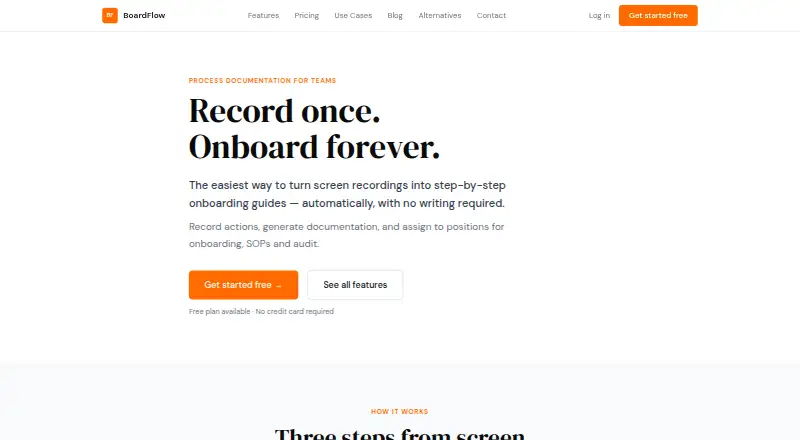
BoardFlow records browser workflows and turns them into onboarding guides that can be assigned by team or position. Its Chrome extension captures clicks, form inputs, page changes and tab switches across browser tabs. Generated guides contain numbered steps, descriptions, URLs and screenshots, and can be edited before publication. Organizations can use these guides as role-specific checklists, while managers and team owners can track completion. Public links allow people to open shared guides without an account. BoardFlow also describes timestamped workflow documentation with screenshots that can be exported for audit purposes. The web app for guides, team management and checklists works in a modern browser without installation. The Free plan includes one team and 10 guide recordings. Pro costs $5 a month and includes three teams, 50 guide recordings total, unlimited members, advanced progress tracking and priority support. Business costs $15 a month, includes 20 teams and 100 recordings, and lists organization dashboards as coming soon. The terms say recordings and documentation are stored on BoardFlow's servers and are not sold to third parties.
Who it suits
BoardFlow is aimed at operations managers, team leads and organizations onboarding new hires or documenting processes. It may fit teams that want role-specific guides and progress tracking in a browser-based workspace.
What it does well
- Chrome extension records actions across browser tabs.
- Guides include screenshots and can be edited.
- Public links work without viewer accounts.
- Web app needs no installation.
What to know first
- Free plan is limited to one team.
- Free plan includes 10 guide recordings.
- Business dashboards are marked as coming soon.
- Recordings and documentation are stored on BoardFlow's servers.
Limits
The Free plan includes one team and 10 guide recordings. Pro costs $5 a month and includes three teams and 50 guide recordings total; Business costs $15 a month and includes 20 teams and 100 recordings.
Plans
| Plan | Billed and limits | Price |
|---|---|---|
| Free | 1 team · 10 guide recordings · automatic step-by-step docs · role-based onboarding checklists · Chrome extension recording · public sharing links | Free |
| Business | monthly · 20 teams · 100 guide recordings total · everything in Pro · organization dashboards coming soon | $15 a month |
| Pro | monthly · 3 teams · 50 guide recordings total · priority support · advanced progress tracking · unlimited members | $5 a month |
As boardflow.online lists them, read 15 Oct 2026. The maker's own page has the final word.
Getting started
- Install the Chrome extension to record browser workflows.
- Capture a workflow across browser tabs.
- Edit the generated guide before publishing.
- Use the web app in a modern browser to manage guides, teams, and checklists.
- Choose a plan based on team and recording allowances.
BoardFlow is a browser workflow recorder and guide builder for teams documenting repeatable processes. It best suits operations managers and team leads who need role-based onboarding checklists and visibility into completion. Its capture-to-guide workflow is a focused fit for browser procedures, though recording caps matter as documentation grows.
Overview
BoardFlow pairs a Chrome extension that records browser activity with a web app for managing guides, teams, and checklists. The extension captures clicks, form inputs, page navigations, and tab switches across tabs, then produces numbered steps with plain-English descriptions, URLs, and screenshots. Authors can edit those steps before publishing, giving them a chance to turn a raw capture into usable instructions.
Organizations can assign guides to teams and positions, and managers can see completion status across their team. Public links let people view a guide without an account, useful for sharing instructions broadly; team assignments and progress tracking serve the separate task of managing employee onboarding. BoardFlow also says it can create timestamped, audit-ready workflow documentation with screenshots for export.
Recordings and documentation are stored on BoardFlow's servers and are accessible to the user and organization members. BoardFlow says it does not sell that material to third parties. The web app runs in any modern browser without installation, while recording requires its Chrome extension.
Key features
Browser capture and editable guides
Capturing several kinds of activity across tabs gives authors a substantial first draft for browser-based procedures. Editing before publication is important: teams can refine the generated instructions instead of handing new hires an untouched recording.
Role-based onboarding and progress
Assigning guides by team and position helps keep checklists relevant to different jobs. Managers can check completion across their team, making BoardFlow more useful for coordinated onboarding than a guide library without progress visibility. Advanced progress tracking is reserved for Pro.
Public sharing and documentation
Viewers can open public guide links without accounts, reducing friction when distributing instructions. BoardFlow's timestamped, exportable screenshots may also suit teams documenting workflows for audit purposes. The product's described workflow centers on browser recording and web-based guides; no named third-party integrations are part of that offering.
Pricing
BoardFlow is freemium, with a free plan and paid plans billed monthly. Its low-cost Pro tier may suit a small team producing a limited set of guides; the main constraint is the recording allowance, not the number of members.
| Plan | Price | Included | Best fit |
|---|---|---|---|
| Free | Price not listed | 1 team, 10 guide recordings, Chrome extension recording, and public sharing links | A single team exploring the capture and sharing workflow |
| Pro | $5 a month (billed / month) | 3 teams, 50 guide recordings total, priority support, advanced progress tracking, and unlimited members | Growing teams that need more team capacity, stronger progress reporting, or priority email help |
| Business | $15 a month (billed / month) | 20 teams and 100 guide recordings total; organization dashboards are coming soon | Organizations coordinating guides across many teams, if the 100-recording cap is sufficient |
The free plan is capped at one team and 10 recordings, so it is better for a small pilot than sustained documentation across an organization. Pro raises those limits and removes the member cap, but still limits total recordings to 50. Business expands capacity to 20 teams and 100 recordings; its organization dashboards are not yet available. Email support usually replies within 24 hours, while Pro includes priority support. All paid prices are monthly, with no longer billing term stated.
Platforms
BoardFlow supports extension and web access. Recording is through its Chrome extension; guide management and checklists run in a modern browser without installation. That split suits teams whose procedures happen in browser tabs, but does not describe a standalone mobile app.
Who it's for
BoardFlow is aimed at operations managers, team leads, and teams onboarding new hires through repeatable browser procedures. It is a good match when the work can be captured in Chrome and managers need to assign instructions by role and monitor completion. Teams that need documentation outside browser workflows, or expect to create more guides than the plan caps allow, should weigh those constraints before committing.
Pros and cons
- Pros: Captures clicks, form entries, navigation, and tab switches, then creates editable steps with URLs and screenshots, giving process authors a detailed starting draft.
- Pros: Team and position assignments plus completion tracking connect onboarding guides to manager oversight.
- Pros: Public links allow account-free viewing, and the web app needs no installation.
- Cons: Recording limits are 10 on Free, 50 on Pro, and 100 on Business, which can constrain teams that document procedures frequently.
- Cons: Recording depends on a Chrome extension, limiting the capture workflow to that browser extension setup.
- Cons: Organization dashboards are still coming soon on Business, so that tier's 20-team allowance does not yet include the promised dashboard capability.
Alternatives
Consider Employee Onboarding Software to compare more tools in this category. Choose Whale if its Android, iOS, API, extension, and web platform coverage or its free allowance of 10 members, one creator, 20 Playbook items, and 20 AI credits better matches your requirements; its Scale plan is $249 a month, billed yearly.
50skills Offboarding is worth considering when offboarding is the need: its Starter plan offers a 2-week free trial with essential features, no upfront payment, and cancellation anytime. Boardon is another freemium web and API option with a free plan for one active onboarding and a 10 Mbyte allowance.
ChiefOnboarding may suit teams seeking a self-hosted option alongside web and API access. HollyHR is a freemium web and API alternative with a free plan for up to 10 active employees and everyday HR. Newployee offers web-based onboarding with one active journey per month on its free plan, plus surveys, templates, and task management.
Open Onboarding has a free allowance of five completions, one reusable template, and one active onboarding, plus AI-assisted checklists; its Starter plan is $19 a month. Boilerplate is another option with Android, iOS, API, and web platforms.
Verdict
BoardFlow is a sensible choice for operations teams that want to turn Chrome-based procedures into editable onboarding guides, assign them by role, and track completion. Its capture and team workflow make it more useful than a static checklist for this job, and Pro adds unlimited members for $5 a month. Look elsewhere if you need recording beyond its plan caps, a non-Chrome capture route, or organization dashboards now rather than when Business makes them available.
Verdict
BoardFlow turns browser activity into editable guides and checklists, with team progress visibility. Consider the recording and team limits when choosing between its listed plans.
Questions
Is there a free plan?
Yes. Free includes one team, 10 guide recordings, Chrome extension recording, and public sharing links.
How much does Pro cost?
Pro costs $5 a month, billed monthly.
What platforms does BoardFlow support?
BoardFlow is available as a Chrome extension and a web app. The web app works in any modern browser without installation.
Can guides be shared with people who do not have an account?
Yes. Guides can be shared through public links that viewers can open without an account.
What does Business include?
Business costs $15 a month and includes 20 teams and 100 guide recordings total. Organization dashboards are marked as coming soon.
How are recordings and documentation handled?
BoardFlow's terms say recordings and documentation are stored on its servers, accessible to the user and organization members, and not sold to third parties.
Facts from BoardFlow's own pages
- Async onboarding
- New hires can work through guides at their own pace without live walkthroughs. · boardflow.online, 15 Oct 2026
- Audit documentation
- Compliance workflows can produce timestamped, screenshot-based documentation that can be exported for audits. · boardflow.online, 15 Oct 2026
- Automatic guide generation
- After recording, BoardFlow creates numbered steps with titles, plain-English descriptions, URLs and screenshots. · boardflow.online, 15 Oct 2026
- Automatic updates
- Re-recording a changed process updates the guide for all employees assigned to it. · boardflow.online, 15 Oct 2026
- Content ownership
- Users retain ownership of content created with BoardFlow, while granting BoardFlow a limited storage and serving licence. · boardflow.online, 15 Oct 2026
- Cross-tab recording
- Recording works across all browser tabs and includes automatic screenshots for steps. · boardflow.online, 15 Oct 2026
- Data handling
- The terms state that recordings and documentation are stored on BoardFlow's servers, accessible to the user and organization members, and not sold to third parties. · boardflow.online, 11 Oct 2026
- Data sale statement
- The terms state that BoardFlow does not sell user data to third parties. · boardflow.online, 15 Oct 2026
- Domain registration
- An Alibaba Cloud WHOIS page reports boardflow.online was registered on March 18, 2026 through One.com A/S. · wanwang.aliyun.com, 15 Oct 2026
- Generated guides
- Generated guide steps include numbered titles, plain-English descriptions, URLs, and screenshots, and can be edited before publishing. · boardflow.online, 11 Oct 2026
- Guide editing
- Users can edit step text, add notes, remove irrelevant actions and reorder steps before publishing. · boardflow.online, 15 Oct 2026
- Installation requirement
- Recording requires the BoardFlow Chrome extension, while guides, team management and checklists run in a modern browser without installation. · boardflow.online, 15 Oct 2026
- Integrations
- The maker's pages reviewed describe Chrome extension recording and browser-based guides but do not name third-party integrations. · boardflow.online, 11 Oct 2026
- Intended users
- The maker describes the product for operations managers, new hires, and team leads using it for onboarding and process documentation. · boardflow.online, 11 Oct 2026
- Limit: Business dashboards
- The Business plan lists organization dashboards as coming soon. · boardflow.online, 15 Oct 2026
- Limit: Free recording quota
- The Free plan limits users to 10 guide recordings and one team. · boardflow.online, 15 Oct 2026
- Onboarding checklists
- Employees receive personal checklists generated from guides assigned to their positions. · boardflow.online, 15 Oct 2026
- Praise: change handling
- Microlaunch says re-recording a changed process updates position-linked guides so employees do not use outdated procedures. · microlaunch.net, 15 Oct 2026
- Praise: consistency
- Microlaunch says recording the workflow once helps keep procedures consistent across teams and locations. · microlaunch.net, 15 Oct 2026
- Praise: reusable training
- Microlaunch describes reusable guides that can be assigned to specific job roles for consistent training. · microlaunch.net, 15 Oct 2026
- Praise: role assignment
- Microlaunch says guides can be assigned directly to job positions so new hires receive the appropriate instructions. · microlaunch.net, 15 Oct 2026
- Praise: SOP and audit use
- Microlaunch lists onboarding, SOP, audit and documentation workflows among the product's intended uses. · microlaunch.net, 15 Oct 2026
- Praise: workflow automation
- Microlaunch presents BoardFlow as a way to convert a task recording into detailed onboarding documentation without manual writing. · microlaunch.net, 15 Oct 2026
- Progress tracking
- Owners and managers can view guide-completion status across their teams. · boardflow.online, 15 Oct 2026
Where BoardFlow stands on Freedom251
- Employee Onboarding Software#3 of 44