Freedom251 › Employee Onboarding Software

Employee Onboarding 365
What Employee Onboarding 365 is
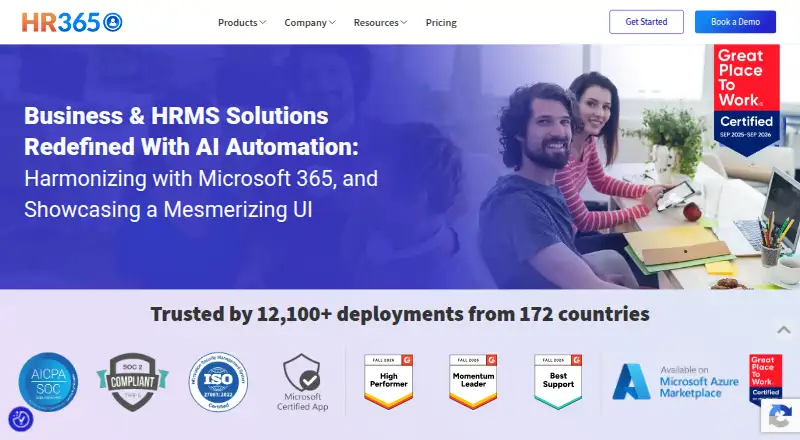
Employee Onboarding 365 is a web application for managing new-hire onboarding within a Microsoft 365 environment. It provides a candidate portal, offer-letter sharing, e-signatures, and process management, while helping HR track stages, tasks, and submitted documents. Teams can also assign laptops, software, and security access, and personalize training sessions for each employee position. Integrations include SharePoint, Teams, Outlook, Power Automate, Power BI, Power Apps, Power Virtual Agent, and Microsoft Entra ID. The application is built with Microsoft 365, SharePoint Framework, and Microsoft cloud technologies; data is stored in the customer’s Microsoft 365 and SharePoint environment. HR365 states that its solutions are Microsoft Certified and that it is SOC 2 Type 2 compliant and ISO certified. A free plan and a 14-day trial are available; the trial does not require credit-card details. Paid plans are $149.99 a month billed yearly for Plus, $199.99 a month billed yearly for Premium, and $299.99 a month billed yearly for Enterprise.
Who it suits
Employee Onboarding 365 suits HR teams managing new hires in a Microsoft 365 environment. HR365 describes its applications as designed for small to medium-sized businesses.
What it does well
- Tracks onboarding stages, tasks, and submitted documents
- Supports laptop, software, and security-access assignments
- Training can be personalized by employee position
- Trial lasts 14 days and requires no card details
What to know first
- Standard is limited to 10 users
- Standard is SharePoint app only
- Paid plan prices are billed yearly
Plans
| Plan | Billed and limits | Price |
|---|---|---|
| Plus | yearly · 25 users · 4 support tickets per annum · theme customization · digital joining forms · document repository | $149.99 a month |
| Premium | yearly · 50 users · additional users $1/user · Microsoft Teams app · employee self-service portal · Outlook calendar integration | $199.99 a month |
| Enterprise | yearly · 100 users · additional users $1/user · API connectivity · Power BI connection · dedicated account manager · one free customization | $299.99 a month |
| Standard | yearly · 10 users · 2 support tickets per annum · SharePoint app only · standard notifications | On request |
As hr365.us lists them, read 1 Oct 2026. The maker's own page has the final word.
Getting started
- Visit https://hr365.us/.
- Use the web application.
- Start with the free plan or request the 14-day trial; the trial does not require credit-card details.
- Choose a plan based on its user allowance and included features.
- Connect it with the Microsoft tools your team uses, such as SharePoint, Teams or Outlook.
Verdict
Employee Onboarding 365 brings candidate steps, HR tracking, IT provisioning, and training into a Microsoft 365-integrated workflow. The listed plans differ in user limits, support, and integrations.
Questions
Is there a free plan?
Yes. Employee Onboarding 365 has a free plan.
How long is the free trial?
The trial lasts 14 days and does not require credit-card details.
What does Employee Onboarding 365 cost?
Plus is $149.99 a month billed yearly, Premium is $199.99 a month billed yearly, and Enterprise is $299.99 a month billed yearly. Standard is billed yearly, but its price is not included here.
Which platforms does it support?
Employee Onboarding 365 runs on the web and integrates with Microsoft 365 tools including SharePoint, Teams and Outlook.
Where is its data stored?
Data is stored in the customer's Microsoft 365 and SharePoint environment.
Who makes Employee Onboarding 365?
HR365 makes the product. The company was founded in 2015 and is headquartered in Dover, Delaware, United States.
Facts from Employee Onboarding 365's own pages
- Architecture
- The application is built using Microsoft 365, SharePoint Framework (SPFx) and Microsoft cloud technologies. · hr365.us, 1 Oct 2026
- Data location
- Employee Onboarding 365 data is stored in the customer’s Microsoft 365 and SharePoint environment. · hr365.us, 1 Oct 2026
- Founded
- 2015 · hr365.us, 28 Sept 2026
- Headquarters
- Dover, Delaware, United States · hr365.us, 28 Sept 2026
- Integrations
- The application integrates with SharePoint, Teams, Outlook, Power Automate, Power BI, Power Apps, Power Virtual Agent and Microsoft Entra ID. · hr365.us, 1 Oct 2026
- IT provisioning
- It supports assigning laptops, software and security access to new hires. · hr365.us, 1 Oct 2026
- Microsoft certification
- HR365 solutions are Microsoft Certified applications designed for Microsoft 365 environments. · hr365.us, 1 Oct 2026
- Onboarding workflow
- The product provides a candidate portal, offer-letter sharing, e-signatures and onboarding process management. · hr365.us, 1 Oct 2026
- Progress tracking
- HR can monitor onboarding stages, completed tasks and submitted documents. · hr365.us, 1 Oct 2026
- Purpose
- Employee Onboarding 365 streamlines new-hire onboarding and is fully integrated with Microsoft 365. · hr365.us, 1 Oct 2026
- Security
- HR365 states that it is SOC 2 Type 2 compliant and ISO certified. · hr365.us, 1 Oct 2026
- Support
- Plans include two or four support tickets per annum in Standard and Plus, while Enterprise includes a dedicated account manager. · hr365.us, 1 Oct 2026
- Target customers
- HR365 says it was created to address the needs of small to medium-sized businesses with cost-effective, easy-to-implement applications. · hr365.us, 1 Oct 2026
- Training
- Training sessions can be personalized for each employee position. · hr365.us, 1 Oct 2026
- Trial
- The vendor offers a 14-day risk-free trial without requiring credit-card details. · hr365.us, 1 Oct 2026
Where Employee Onboarding 365 stands on Freedom251
- Employee Onboarding Software#7 of 44