Freedom251 › Softphone and calling apps

Blink
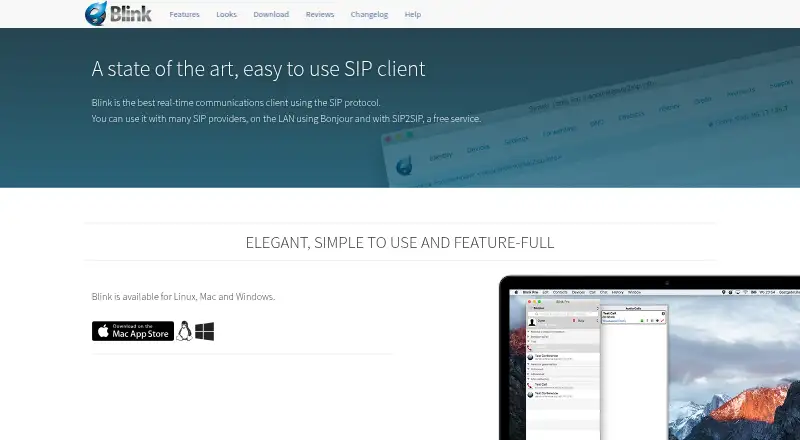
What Blink is
Blink is a real-time communications client that uses SIP to connect with SIP providers, Bonjour on a local network, and SIP2SIP. A SIP account from a service provider is required to use the client. It supports voice and video with Opus audio, H.264, VP8, and VP9 video codecs, acoustic echo cancellation, and ZRTP media encryption. Messaging includes MSRP chat, OTR encryption, SIMPLE presence, and XCAP server storage. File transfers use MSRP and TLS, with progress reports and delivery confirmation. Screen sharing can accompany audio, while conferences can combine participant management, calls, messaging, presence, transfers, and screen sharing. Blink supports multiple SIP accounts, iCloud account syncing between computers, and built-in SIP account sign-up through SIP2SIP. Listed integrations include the system address book, LDAP directory search, Bonjour neighbours, and web pages with caller information. The free plan lists Linux, Mac, and Windows downloads; Android and iOS platforms are also listed. Features may differ by operating system and version, and some conferencing functions require a conference server.
Who it suits
Blink suits people or organizations seeking a SIP-based communications client with voice, video, messaging, file transfers, and screen sharing. Users need a SIP account from a service provider.
What it does well
- Supports multiple SIP accounts
- Voice and video with listed codecs
- Encrypted media, chat, and file transfers
- Screen sharing can be integrated with audio
What to know first
- A SIP account is required
- Some conferencing features require a conference server
- Features may vary by operating system and version
Limits
Blink's free plan is listed as free and requires a SIP account for use. Some conferencing features require a conference server, and available features can vary by operating system and version.
Plans
| Plan | Billed and limits | Price |
|---|---|---|
| Blink | Linux, Mac, and Windows downloads · requires a SIP account for use | Free |
| Blink Pro | Discounted pricing available for organizations with more than 100 seats | On request |
As icanblink.com lists them, read 30 Sept 2026. The maker's own page has the final word.
Getting started
- Choose a Blink version for Android, iOS, Linux, macOS, web, or Windows.
- For desktop downloads, use the listed Mac, Windows, or Linux version; Linux instructions cover Debian and Ubuntu.
- Get a SIP account from a service provider, or sign up through Blink's built-in SIP2SIP option.
- Use the free plan, listed as free.
Overview
Blink is a real-time communications client based on SIP, designed to connect with SIP service providers as well as Bonjour devices on a local network and SIP2SIP. Its scope extends from voice and video calls to chat, file transfers, screen sharing, and conferences. Blink dates to 2002 and is owned by AG Projects B.V.
The client requires a SIP account from a service provider to make use of its calling capabilities. Blink also offers built-in account sign-up through SIP2SIP, and supports multiple SIP accounts. Feature availability can differ by operating system and version; some conference functions also require a conference server.
Explore more options in our Softphone and calling apps list.
Key features
Voice, video, and conferences
Blink lists Opus for audio and H.264, VP8, and VP9 for video, as well as acoustic echo cancellation. ZRTP provides end-to-end encryption for media. Users can pair screen sharing with audio, while conferences support participant management and can combine VoIP, instant messaging, presence, file transfers, and screen sharing.
Messaging and file transfer
Chat sessions use MSRP, with OTR end-to-end encryption support. Blink also supports SIMPLE presence and XCAP server storage. File transfers use MSRP and TLS encryption, and include progress reports and delivery confirmation. OpenPGP messaging support is listed as another security option.
Accounts and contact sources
Multiple SIP accounts are supported, and iCloud can sync accounts between computers. Blink's integrations include the system address book, LDAP directory search, Bonjour neighbours, and web pages that display caller information.
Privacy and security
Blink says it does not collect data from end-users. For built-in SIP2SIP accounts, it directs users to SIP2SIP's privacy information. Its listed protections include ZRTP for media, OTR for chat, TLS for file transfers, and OpenPGP messaging support.
Pricing
Blink uses a freemium model, with a free plan available. The listed Blink plan costs nothing and covers Linux, Mac, and Windows downloads; a SIP account is required to use the client. Blink Pro has no listed price. Discounted pricing is available to organizations with more than 100 seats, and AG Projects says it can provide demonstrations and help with enterprise integration for these organizations.
Platforms
Blink is listed for Android, iOS, Linux, macOS, the web, and Windows, with mobile, desktop, browser calling, and call recording listed as available. The download page provides Mac, Windows, and Linux versions, including Debian and Ubuntu installation instructions for Linux. The site cautions that features can vary by operating system and version.
Who it's for
Blink may suit people who already have a SIP account and want calls alongside messaging, file sharing, and screen sharing in one client. Its multiple-account support and contact integrations may also be useful for users working across different SIP services or directories. Organizations with more than 100 seats can ask AG Projects about demonstrations and integration support. Anyone considering it should account for the SIP service requirement and the fact that certain conference features need a conference server.
Pros and cons
- Pros: A broad set of communication features spans voice, video, chat, file transfers, screen sharing, and conferences.
- Pros: The client lists distinct security options for media, chat, file transfers, and messaging.
- Pros: A free plan is available, and multiple SIP accounts and several contact sources are supported.
- Cons: A SIP account from a service provider is required to use the client.
- Cons: Feature availability varies by platform and version, and some conference functions require a conference server.
- Cons: Blink Pro pricing is not listed.
Alternatives
Other options in the category include Zoiper, Linphone, Siperb Mobile Softphone, SipPulse Softphone, Softphone.Pro, MicroSIP, PortSIP Softphone, and Aria.
Verdict
Blink brings together SIP calling and a substantial set of messaging, file-transfer, and collaboration functions, with a free option and several listed encryption methods. It is best considered by people who can supply their own SIP account and whose operating system supports the features they need. Check the platform-specific limits and conference-server requirements before relying on particular capabilities; organizations above 100 seats can also inquire about Blink Pro pricing and integration support.
Verdict
Blink brings SIP-based calling and messaging together with file transfers and conferencing features. Check account requirements and platform-dependent feature availability before use.
Questions
Is Blink free?
Yes. Its free plan is listed as free.
What account do I need to use Blink?
You need a SIP account from a service provider. Blink also offers built-in SIP account sign-up through SIP2SIP.
Which platforms does Blink support?
Blink is listed for Android, iOS, Linux, macOS, web, and Windows. The download page lists Mac, Windows, and Linux versions, with Linux instructions for Debian and Ubuntu.
Does Blink support encrypted communication?
Its listed security features include ZRTP for media, OTR for chat, TLS for file transfers, and OpenPGP messaging support.
Who owns Blink?
Blink copyright and the Blink Software trademark belong to AG Projects B.V.
Does Blink have a paid plan?
Blink Pro is listed with no price; discounted pricing is available for organizations with more than 100 seats.
Facts from Blink's own pages
- Accounts
- Blink supports multiple SIP accounts, iCloud account syncing between computers, and built-in SIP account sign-up through SIP2SIP. · icanblink.com, 30 Sept 2026
- Compatibility limit
- The site warns that available features may vary by operating system and version, and some conferencing features require a conference server. · icanblink.com, 30 Sept 2026
- File transfer
- File transfers use MSRP and TLS encryption and include progress reports and delivery confirmation. · icanblink.com, 30 Sept 2026
- Founded
- 2002 · icanblink.com, 23 Sept 2026
- Integrations
- Blink's listed integrations include the system address book, LDAP directory search, Bonjour neighbours, and web pages with caller information. · icanblink.com, 30 Sept 2026
- Messaging
- Blink supports MSRP chat sessions, OTR end-to-end encryption, SIMPLE presence, and XCAP server storage. · icanblink.com, 30 Sept 2026
- Ownership
- Blink copyright and the Blink Software trademark belong to AG Projects B.V. · icanblink.com, 30 Sept 2026
- Platform availability
- The download page lists Blink versions for Mac, Windows, and Linux, with Linux installation instructions for Debian and Ubuntu. · icanblink.com, 30 Sept 2026
- Privacy
- Blink states that it does not collect data from end-users and directs users to SIP2SIP's privacy information for its built-in SIP accounts. · icanblink.com, 30 Sept 2026
- Purpose
- Blink is a real-time communications client that uses the SIP protocol and can connect to SIP providers, Bonjour on a local network, and SIP2SIP. · icanblink.com, 30 Sept 2026
- Screen sharing and conferences
- Screen sharing can be integrated with audio, and conferences can include participant management, VoIP, IM, presence, file transfers, and screen sharing. · icanblink.com, 30 Sept 2026
- Security
- The site lists ZRTP for encrypted media, OTR for encrypted chat, TLS for file transfers, and OpenPGP messaging support. · icanblink.com, 30 Sept 2026
- SIP account requirement
- Blink's help page says users need a SIP account from a SIP service provider to use the client. · icanblink.com, 30 Sept 2026
- Support and enterprise services
- AG Projects says it can provide demonstrations and support integrating Blink with an enterprise for organizations with more than 100 seats. · icanblink.com, 30 Sept 2026
- Voice and video
- Voice and video features include the Opus audio codec, H.264, VP8 and VP9 video codecs, acoustic echo cancellation, and ZRTP end-to-end encryption. · icanblink.com, 30 Sept 2026
Where Blink stands on Freedom251
- Softphone and calling apps#2 of 33