
Blerp
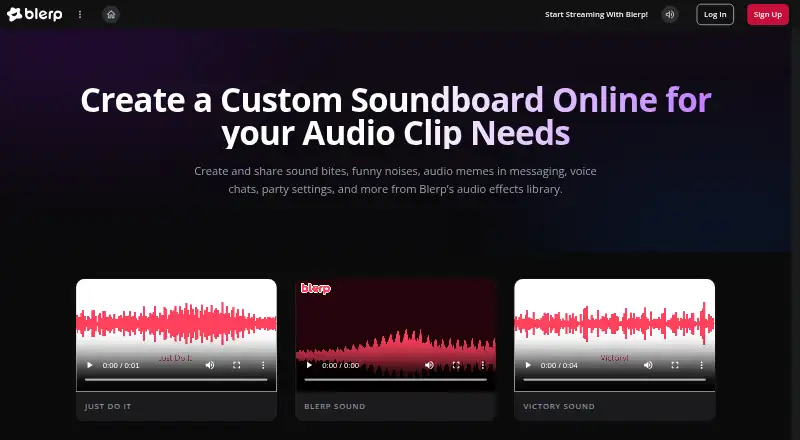
What Blerp is
Blerp provides soundboards and an audio effects library for messaging, voice chats, and streaming. Streamers can browse more than one million user-created sounds, upload audio, or create sounds from Twitch and YouTube clips. Creator features include sound alerts, text-to-speech, video alerts, overlays, channel points, and subathon timers. Blerp lists integrations with Twitch, Discord, YouTube, TikTok, Kick, and other streaming platforms. Its text-to-speech offering includes more than 500 voices, plus an approval queue and word censorship. The browser extension supports Chrome, Edge, and Brave. Blerp HUD is listed for Mac, Windows 10 or 11, and Linux beta. The free TTS plan costs nothing. Blerp Unlimited is listed at $4.99 a month billed every two years, $5.99 a month billed annually, or $10.99 a month billed monthly; it offers a seven-day trial. Blerp says only sounds marked reviewed by its team are guaranteed to be DMCA safe.
Who it suits
Blerp suits streamers and content creators looking for interactive sounds, alerts, and monetization features. Its soundboards also serve people sharing audio in messaging and voice chats.
What it does well
- Library includes over one million user-created sounds.
- Supports Twitch, Discord, YouTube, TikTok, and Kick.
- Offers more than 500 text-to-speech voices.
- Browser extension supports Chrome, Edge, and Brave.
- Unlimited plan includes a seven-day trial.
What to know first
- Only reviewed sounds are guaranteed DMCA safe.
- Some Twitch features require Affiliate status.
- Linux HUD is listed as beta.
Limits
The free TTS plan includes basic voice filters, a moderation queue, word censorship, and the 500+ voice library. Blerp Unlimited requires a paid subscription after its seven-day trial; monthly billing is $10.99 a month.
Plans
| Plan | Billed and limits | Price |
|---|---|---|
| TTS Free | $0/mo · 500+ voice library · Basic voice filters · Moderation queue · Word censorship | Free |
| Free | Free Twitch soundboards · channel-point sounds · 1M+ user-created sounds | Free |
| Blerp Unlimited — Monthly | Billed monthly · Full Blerp alert builder and subscription feature set | $10.99 a month |
| Blerp Unlimited Monthly | Billed monthly · All listed Unlimited features · sound alerts · TTS · channel points · video alerts · VTuber pets | $10.99 a month |
| Desktop full feature set | Desktop application full feature set | $2.99, paid once |
| Blerp Unlimited — 2-Year | $119.76 billed every 2 years · Full Blerp alert builder and subscription feature set | $4.99 a month |
| Blerp Unlimited 2-Year | $119.76 billed every 2 years · All listed Unlimited features · 55% saving | $4.99 a month |
| Blerp Unlimited Annual | $71.88 billed annually · All listed Unlimited features · 45% saving | $5.99 a month |
The first 8 of 9 plans, as blerp.com lists them, read 3 Oct 2026. The maker's own page has the final word. Every plan
Getting started
- Visit https://blerp.com/soundboard-products.
- Choose the free TTS plan or a Blerp Unlimited plan.
- For Blerp Unlimited, use the seven-day trial if desired; subscriptions can be canceled through your profile.
- Use the browser extension with Chrome, Edge, or Brave, or choose Blerp HUD for Mac, Windows 10 or 11, or Linux beta.
- Connect with a listed streaming platform or browse sounds, upload audio, or create sounds from Twitch and YouTube clips.
Overview
Blerp is a soundboard and creator toolkit for sharing audio in chats and streams. It is best suited to streamers who want audience-triggered sounds, alerts, and text-to-speech in one service. Its broad sound library and free TTS tier are appealing, though the full alert feature set requires a paid plan.
Users can browse more than one million community-created sounds, upload audio, or make sounds from Twitch and YouTube clips. Multiple soundboards and hotkey triggering help keep effects ready to play, while integrations include Twitch, Discord, YouTube, TikTok, Kick, and other streaming platforms.
Key features
Sound library and playback
The large user-created library offers streamers a wide pool of audio effects, and the option to upload or create clips adds flexibility beyond browsing. Hotkeys and multiple boards suit creators who need organized, quick sound playback. Blerp says only sounds marked as reviewed by its team are guaranteed to be DMCA safe, so creators concerned about copyright should favor those reviewed sounds rather than assume every community clip is cleared.
Streaming tools and TTS
Blerp brings sound alerts, video alerts, overlays, channel points, subathon timers, and text-to-speech together. Its TTS offers more than 500 voices, with an approval queue and word censorship for moderation. The free TTS plan includes basic voice filters as well as those moderation tools, but it does not include the full alert builder and subscription feature set reserved for Unlimited.
The Twitch page allows over 50 Channel Reward sounds and an unlimited number of Bits rewards. Some features require Affiliate status, so creators should check that requirement before choosing Blerp for a specific stream workflow.
Platforms and security
Blerp is available on Android, iOS, and web, with a browser extension for Chrome, Edge, and Brave. Blerp HUD is listed for Mac, Windows 10 or 11, and Linux beta; Linux downloads are offered for x64 and ARM64. Blerp says it does not sell or monetize user data, and that Blerp Beets use PayPal infrastructure powered by Braintree.
Pricing
Blerp uses a freemium model, with a free plan and a seven-day trial for Blerp Unlimited. Unlimited subscribers can cancel anytime through their profile.
| Plan | Price | What it includes |
|---|---|---|
| TTS Free | free (billed $0/mo) | 500+ voice library, basic voice filters, moderation queue, and word censorship. |
| Blerp Unlimited — 2-Year | $4.99 a month (billed $119.76 billed every 2 years) | Full Blerp alert builder and subscription feature set. |
| Blerp Unlimited — Annual | $5.99 a month (billed $71.88 billed annually) | Full Blerp alert builder and subscription feature set. |
| Blerp Unlimited — Monthly | $10.99 a month (billed Billed monthly) | Full Blerp alert builder and subscription feature set. |
The free tier is a sensible fit for creators who mainly need moderated TTS. Unlimited is the choice for the full alert and subscription toolkit: the two-year and annual options reduce the monthly price but commit users to longer billing periods, while monthly billing costs more per month and avoids that longer commitment. The paid tiers share the same stated feature set.
Who it's for
Blerp is strongest for streamers and content creators who want audience interaction through sound effects, alerts, and TTS, especially those working across several listed streaming platforms. It is less suitable when Affiliate status requirements block the features a creator needs, or when copyright assurance is important for sounds that are not marked reviewed.
Pros and cons
- Pros: More than one million community sounds, plus uploads and clip creation, give creators several ways to build a sound library.
- Pros: The free TTS plan includes over 500 voices and moderation tools, making spoken audience messages available without an Unlimited subscription.
- Pros: Multiple boards, hotkeys, and broad streaming integrations support organized playback across chat and stream workflows.
- Cons: Some features require Affiliate status, which can rule out parts of the toolkit for some streamers.
- Cons: Only team-reviewed sounds carry Blerp's DMCA-safe guarantee, so the broader community library requires care.
- Cons: The full alert builder and subscription feature set require a paid Unlimited plan.
Alternatives
Soundboard Software is a broader directory of soundboard options for readers still comparing categories and products.
SoundTools Soundboard is worth considering for readers who want a free soundboard across mobile, desktop, and web, with no account, installation, watermark, or limits.
Sound Show may suit users who want a free plan with most features and defined tab and sound caps, or a one-time Pro option.
Resanance is a free option for Windows and web users who prioritize unlimited sounds and hotkeys, with multiple output devices.
Stadium Sound is another free soundboard option.
AudioPad is a free option for Linux and Windows users.
LitPads is an iOS and macOS alternative, with a free tier capped at six boards and 20 pads per board and a one-time Pro option for unlimited boards and pads.
Soundboard Online suits readers seeking a free web soundboard with no subscription, credit card, or cap on rooms, clips, or sessions.
Soundplant is a macOS and Windows alternative with a one-time license for users who prefer a purchase over an ongoing subscription.
Verdict
Choose Blerp if you stream and want a large sound library alongside moderated TTS and a unified set of interactive alert tools. The free TTS plan gives it a useful entry point, but look elsewhere if you need all features without Affiliate-status constraints, or want a guarantee that extends beyond sounds reviewed by Blerp's team.
Verdict
Blerp brings sound effects, alerts, and text-to-speech together for creators, with a free TTS option. Review the Affiliate-status requirements and sound-review caveat if those features matter to your stream.
Questions
Is there a free plan?
Yes. The TTS Free plan costs nothing and includes the voice library, basic voice filters, moderation queue, and word censorship.
How much does Blerp Unlimited cost?
The listed prices are $4.99 a month billed every 2 years, $5.99 a month billed annually, and $10.99 a month billed monthly.
Does Blerp offer a free trial?
Yes. Blerp Unlimited offers a seven-day trial. Subscribers can cancel anytime through their profile.
Which platforms can I use?
Blerp lists Android, iOS, Linux, macOS, web, Windows, and an extension. The browser extension supports Chrome, Edge, and Brave; Blerp HUD is listed for Mac, Windows 10 or 11, and Linux beta.
Which streaming services does Blerp integrate with?
Listed integrations include Twitch, Discord, YouTube, TikTok, Kick, and other streaming platforms.
Are all library sounds guaranteed DMCA safe?
No. Blerp says only sounds marked reviewed by its team are guaranteed to be DMCA safe.
Facts from Blerp's own pages
- Alert builder
- Alerts can be connected to follows, subscriptions, raids, tips, channel points, goals and TikTok events. · blerp.com, 15 Oct 2026
- API and SDKs
- The opened official product and support pages describe integrations and browser sources but do not present a public API, SDK or developer reference. · blerp.com, 15 Oct 2026
- Audience
- Blerp describes its tools as being for streamers and content creators who want interactive sound, alerts, and monetization features. · blerp.com, 3 Oct 2026
- Browser extension
- The browser extension supports Chrome, Edge and Brave and lets users find and play sounds across the web. · blerp.com, 15 Oct 2026
- Buckets
- Buckets combine multiple sounds into one reward and select among them with configurable odds. · blerp.com, 15 Oct 2026
- Channel rewards
- Blerp Unlimited includes up to Twitch's 50 channel-reward maximum plus Kick channel-point rewards. · blerp.com, 15 Oct 2026
- Chrome listing
- The Chrome Web Store lists Blerp at 4.1 out of 5 from 26 ratings. · chromewebstore.google.com, 15 Oct 2026
- Chrome privacy declaration
- The extension listing says Blerp handles personally identifiable information and declares that data is not sold outside approved use cases or used for unrelated purposes. · chromewebstore.google.com, 15 Oct 2026
- Chrome users
- The Chrome Web Store listing reports 60,000 users and version 1.2.15 updated September 10, 2026. · chromewebstore.google.com, 15 Oct 2026
- Company founded
- LinkedIn lists Blerp as founded in 2016, headquartered in Salt Lake City, Utah, privately held and employing 2–10 people. · linkedin.com, 15 Oct 2026
- Company funding
- Crunchbase lists nine funding rounds and identifies the company as having raised a Series A, while exact totals are gated. · crunchbase.com, 15 Oct 2026
- Company scale claims
- Blerp's company page claims more than one million active users, more than one million sound clips and over 50 million monthly plays. · blerp.com, 15 Oct 2026
- Creator tools
- Its streaming tools include sound alerts, text-to-speech, video alerts, overlays, channel points, and subathon timers. · blerp.com, 3 Oct 2026
- Custom creation
- Users can upload or create their own sounds, videos, TTS and emotes. · blerp.com, 15 Oct 2026
- Data and payment security
- Blerp says it does not sell or monetize user data, and that Blerp Beets use PayPal infrastructure powered by Braintree. · blerp.com, 3 Oct 2026
- Desktop platforms
- Blerp HUD is listed for Mac, Windows 10 or 11, and Linux beta, with AppImage downloads for Linux x64 and ARM64. · blerp.com, 3 Oct 2026
- Discord integration
- The Discord bot supports slash commands such as /blerp search and /blerp play and can play sounds in voice channels. · blerp.com, 15 Oct 2026
- Documentation depth
- The help center says it contains hundreds of articles, including Twitch, OBS, Bits, WalkOn and channel-point guides. · blerp.com, 15 Oct 2026
- Integrations
- Blerp lists Twitch, Discord, YouTube, TikTok, Kick, and other streaming platforms among its integrations. · blerp.com, 3 Oct 2026
- Legal entity
- Crunchbase lists the legal name as Blerp Inc., active and for-profit, with Aaron Kc Hsu, Derek Omori, Evan DeGray and Kepler Sticka-Jones as founders. · crunchbase.com, 15 Oct 2026
- License
- The opened official pages do not state an open-source license for the Blerp service or applications. · blerp.com, 15 Oct 2026
- Limit: browser-source reliability
- A Reddit user reported that viewer-triggered sounds failed with one browser source and worked after switching to Blerp's simpler source, calling the regular source buggy. · reddit.com, 15 Oct 2026
- Limits
- The Twitch page says streamers can create over 50 Channel Reward sounds and an unlimited number of Bits rewards; some features require Affiliate status. · blerp.com, 3 Oct 2026
- Limit: service dependence
- A Reddit commenter said they migrated effects away from online services because they considered them unreliable and preferred locally hosted effects. · reddit.com, 15 Oct 2026
Where Blerp stands on Freedom251
- Twitch Tools#1 of 15
- Soundboard Software#2 of 26