StreamElements SE.Live
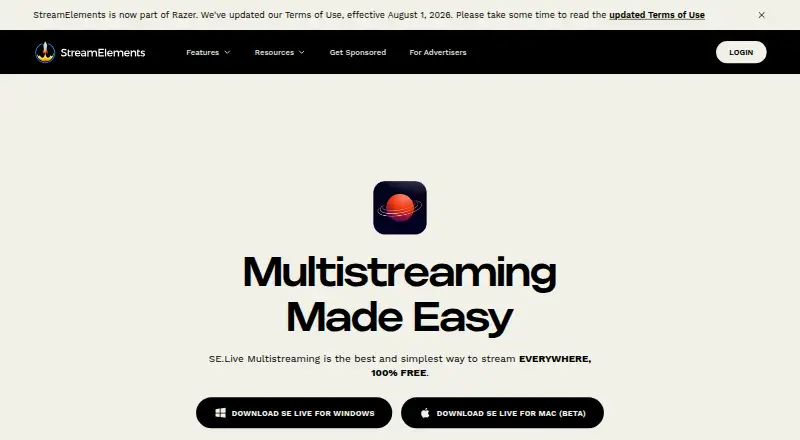
What StreamElements SE.Live is
StreamElements SE.Live is a free OBS Studio plugin for creators who want to stream to several destinations at once and use StreamElements tools inside OBS. Listed destinations include Twitch, TikTok, YouTube, X, KICK, and custom RTMP outputs such as Instagram. The Free plan lists unlimited streaming platforms, while the number of simultaneous outputs depends on the computer’s resources and internet connection.
The plugin’s multi-chat feed combines messages from Twitch, YouTube, X, and KICK. Its activity feed tracks follows, subscriptions, tips, memberships, and other activity, although TikTok chat and events are not supported in either feed. Creators can set up horizontal and vertical canvases, link scenes across canvases, and customize each canvas’s resolution. Audio tracks can be assigned by destination, including excluding music from VOD channels. SE.Live also includes media requests, widget controls, and cloud backup for OBS profiles and scene collections. It supports recording and lists 1080p as its maximum video quality. SE.Live requires OBS version 31 or newer and currently runs on Windows; StreamElements has discontinued Mac support.
Who it suits
SE.Live suits creators using OBS who want to manage multistreaming, chats, activity, canvases, and audio routing within the plugin. It is a fit for Windows users with OBS 31 or newer; Mac users cannot use its current supported platform.
What it does well
- Free plan lists unlimited streaming platforms.
- Streams to Twitch, TikTok, YouTube, X, KICK, and custom RTMP.
- Combines chat from Twitch, YouTube, X, and KICK.
- Supports horizontal and vertical canvases with customizable resolutions.
- Cloud backup covers OBS profiles and scene collections.
What to know first
- Requires OBS version 31 or newer.
- StreamElements has discontinued Mac support.
- TikTok chat and events are unavailable in its activity and multi-chat feeds.
- Simultaneous outputs depend on computer resources and internet connection.
Limits
The Free plan lists unlimited streaming platforms, but simultaneous outputs depend on computer resources and internet connection. SE.Live lists a maximum video quality of 1080p; TikTok chat and events are not supported in its Activity Feed or Multi-Chat.
Plans
| Plan | Billed and limits | Price |
|---|---|---|
| Free | 100% FREE · Unlimited streaming platforms | Free |
As streamelements.com lists them, read 11 Oct 2026. The maker's own page has the final word.
Getting started
- Visit https://streamelements.com/selive.
- Use a Windows computer with OBS version 31 or newer.
- Install the free SE.Live OBS Studio plugin.
- Choose destinations such as Twitch, YouTube, TikTok, X, KICK, or custom RTMP.
- Configure canvases, audio tracks, and other tools for your streams.
Verdict
Choose SE.Live if you use supported Windows OBS and want multi-destination streaming with creator tools integrated into OBS at no cost. Look elsewhere if you need Mac support or TikTok chat and events in the plugin’s feeds.
Questions
Does SE.Live cost anything?
The Free plan is listed as free and includes unlimited streaming platforms.
Which operating systems does it support?
SE.Live is currently supported on Windows. StreamElements says Mac support has been discontinued.
What does SE.Live require?
It requires OBS version 31 or newer.
Which destinations can receive a stream?
Listed destinations are Twitch, TikTok, YouTube, X, KICK, and custom RTMP outputs.
Does its multi-chat include TikTok?
No. Multi-chat shows Twitch, YouTube, X, and KICK. TikTok chat and events are not supported in Multi-Chat or the Activity Feed.
Can it stream to multiple platforms at once?
Yes. The plan lists unlimited streaming platforms, but simultaneous outputs depend on the computer’s resources and internet connection.
Facts from StreamElements SE.Live's own pages
- Activity feed
- The multiplatform activity feed tracks follows, subscriptions, tips, memberships, and other activity. · streamelements.com, 11 Oct 2026
- Audience
- StreamElements describes its tools as intended to help content creators engage audiences, monetize content, and build their brands. · streamelements.com, 11 Oct 2026
- Audio
- Users can choose which audio tracks go to each platform, including keeping music off VOD channels. · streamelements.com, 11 Oct 2026
- Canvases
- SE.Live supports multiple horizontal and vertical canvases with linked scenes, and lets users customize resolution per canvas. · support.streamelements.com, 11 Oct 2026
- Destinations
- The SE.Live page lists Twitch, TikTok, YouTube, X, KICK, and custom RTMP outputs such as Instagram as streaming destinations. · streamelements.com, 11 Oct 2026
- Multi-chat
- Its unified multi-chat feed shows chat from Twitch, YouTube, X, and KICK. · streamelements.com, 11 Oct 2026
- Multistream limits
- There is no stated platform-count limit, but simultaneous outputs depend on the computer's resources and internet connection. · support.streamelements.com, 11 Oct 2026
- Other tools
- The plugin includes an activity feed, media requests, widget controls, multi-chat, and cloud backup for OBS profiles and scene collections. · support.streamelements.com, 11 Oct 2026
- Product
- SE.Live is a free OBS Studio plugin that brings StreamElements tools into OBS and enables simultaneous streaming to multiple platforms. · support.streamelements.com, 11 Oct 2026
- Requirements
- SE.Live requires OBS version 31 or newer and is currently supported on Windows; StreamElements says Mac support has been discontinued. · support.streamelements.com, 11 Oct 2026
- Security
- StreamElements says it uses technical, organizational, and security measures to reduce risks to personal data, while noting it cannot guarantee data will not be exposed through unauthorized server penetration. · streamelements.com, 11 Oct 2026
- Support
- The SE.Live guide links troubleshooting resources and says users can report issues or join StreamElements Discord through the plugin's Help menu. · support.streamelements.com, 11 Oct 2026
- TikTok limitation
- StreamElements says TikTok chat and events are not supported in its Activity Feed and Multi-Chat because TikTok has not indicated it will provide the needed APIs. · support.streamelements.com, 11 Oct 2026
Where StreamElements SE.Live stands on Freedom251
- Twitch Tools#2 of 15
- Multistreaming Software#19 of 43
- Game Streaming Software#24 of 44