Freedom251 › Document Redaction Software
BleachPDF
What BleachPDF is
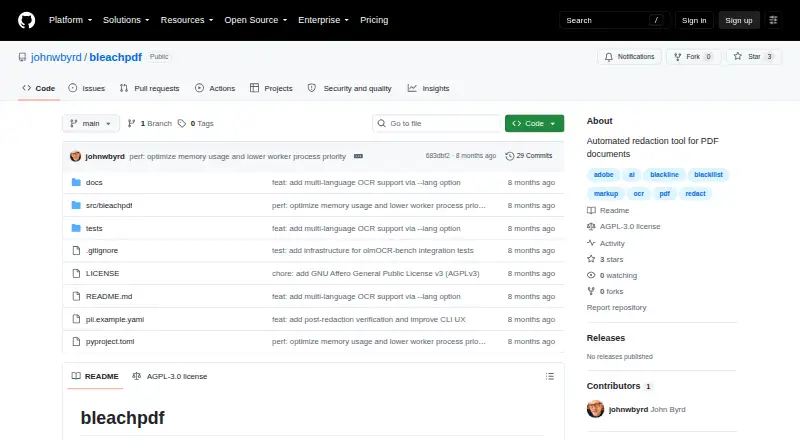
BleachPDF is a free tool for redacting PDF files on Linux and macOS, including scanned pages. It turns PDF pages into images, uses OCR to locate text you specify, covers matching areas with black boxes, and saves a new PDF. Since the saved file contains images rather than a hidden text layer, redacted wording cannot be retrieved by copying and pasting text from the output. You can set exact matches or use patterns, including case-insensitive text and digit patterns. Its command line can process a folder or file pattern, and it rescans the output to verify that matching text is hidden; a failed check stops the process. The software runs on the user's computer and does not upload documents. Installation uses pip and requires Tesseract, with setup instructions for Ubuntu/Debian and macOS. OCR language is selectable, with examples including eng and eng+kor. Handwriting, unusual fonts, poor scans, and small or dense text can lead to recognition errors, so manual review is advised. The repository displays an AGPL-3.0 license and states it grants no permission for censorship as defined there.
Who it suits
BleachPDF suits people who need to redact text from PDFs locally, including scanned documents, and can install pip and Tesseract. It may suit batch jobs or language-specific OCR workflows, provided users check the output manually.
What it does well
- Free plan listed as free.
- Processes folders or file patterns from the command line.
- Output has no hidden text layer.
- Rescans output and stops on failed verification.
- OCR language can be selected.
What to know first
- Requires Tesseract and pip installation.
- OCR may err on handwriting and poor scans.
- Available for Linux and macOS.
Plans
| Plan | Billed and limits | Price |
|---|---|---|
| BleachPDF | No subscriptions · no accounts · local processing | Free |
As github.com lists them, read 15 Oct 2026. The maker's own page has the final word.
Getting started
- Install pip and Tesseract.
- Follow the README setup instructions for Ubuntu/Debian or macOS.
- Run BleachPDF on a PDF or provide a folder or file pattern for batch processing.
- Specify the text or pattern to redact.
- Select an OCR language with --lang if needed.
- Review the resulting PDF manually.
Overview
BleachPDF is a command-line tool for permanently covering sensitive text in PDF files, including scanned documents. It suits Linux and macOS users who can install its OCR dependencies and want to process files on their own computer. Its local processing and output checks are useful safeguards, but OCR errors mean the result still needs a person’s review.
Key features
BleachPDF turns pages into images, uses OCR to find text that matches user-defined exact text or patterns, then draws black boxes over those matches and saves a new PDF. Patterns can be case-insensitive or target digit sequences, and a folder or file pattern can feed multiple PDFs through the command line. That combination suits repeatable redaction tasks; it requires comfort with command-line workflows rather than a graphical editing interface.
The saved PDF contains images only, with no hidden text layer through which redacted words could be recovered by copying and pasting. BleachPDF also rescans its output and treats failed verification as fatal, an important safeguard against silently accepting an unsuccessful redaction. It runs on the user’s computer and does not upload documents, which is a meaningful fit for files that should stay local.
OCR language selection includes options such as eng and eng+kor. Recognition can fail with handwriting, unusual fonts, poor scans, or very small or dense text, so users should inspect the resulting pages manually. The tool depends on Tesseract as well as pip installation; setup instructions cover Ubuntu/Debian and macOS.
Pricing
BleachPDF — free is free, has no subscription, and runs on the user’s own computer. There is no free trial because the software is already free. This is a strong fit for individual users or teams able to install and maintain the command-line dependencies; it gives up the convenience of a hosted or graphical workflow.
Platforms
BleachPDF is desktop software for Linux and macOS. Its installation uses pip and requires Tesseract. Windows is not among its supported platforms.
Who it's for
Choose BleachPDF if you need free, local PDF redaction, especially for scanned files or batches, and can define matching text or patterns precisely. It is less suitable when OCR mistakes would be difficult to catch, when documents are handwritten or hard to read, or when you need a graphical workflow or a Windows application.
Pros and cons
- Pros: Local processing keeps documents on the user’s computer rather than uploading them.
- Pros: Image-only output removes the hidden text layer, while rescanning and fatal verification failures add checks against incomplete redaction.
- Pros: Exact text, configurable patterns, and batch processing support repeatable work across multiple PDFs.
- Cons: OCR can miss or misread difficult text, making manual inspection essential.
- Cons: pip and Tesseract requirements, plus a command-line workflow, add setup and usability costs.
- Cons: Linux and macOS support leaves Windows users looking elsewhere.
- Cons: The license states it grants no permission to use the software for censorship as defined in the license, a material constraint for some intended uses.
Alternatives
For a broader comparison, see Document Redaction Software.
- Philter is worth considering for users who want a freemium option with a personal and evaluation desktop plan offering on-device redaction, or need API, self-hosted, or Windows platforms.
- PDFRedaction may suit users preferring a web option with a free daily document allowance, AI detection, and local processing.
- PineThink Redact is an option for users who want a macOS or Windows tool with a single-document free plan and a paid premium tier.
- PrivacyScrubber is a web alternative for users whose needs fit its free tier’s character and PDF-page limits.
- GroupDocs.Redaction is an alternative for users seeking a product spanning desktop, mobile, web, API, or self-hosted platforms.
- Redact PDF AI is an alternative for users seeking broader platform coverage and prepaid credits or paid plans.
- Docuflair Redact is an alternative for users considering a paid product with a free trial and broad platform coverage.
- Excise is another free option for Linux, macOS, and Windows.
Verdict
BleachPDF is a sensible choice for Linux and macOS users who want free, on-device PDF redaction with batch support and output verification. Its strongest reason to choose it is the combination of local processing and image-only output; its strongest reason to look elsewhere is that imperfect OCR demands careful manual review, while installation and command-line use rule out some users.
Verdict
BleachPDF combines local OCR redaction, batch processing, and output verification for PDF files. Its OCR limitations make manual review important, and its license states it grants no permission to use the software for censorship as defined in the license.
Questions
How much does BleachPDF cost?
The listed plan is free, with no subscriptions.
Which platforms does BleachPDF support?
It is available for Linux and macOS.
Does BleachPDF process scanned PDFs?
Yes. It converts pages to images and uses OCR to find matching text.
Does BleachPDF upload documents?
The README says it runs on the user’s computer and does not upload documents.
What does installation require?
Installation uses pip and requires Tesseract. The README provides setup instructions for Ubuntu/Debian and macOS.
What license does BleachPDF use?
The repository displays an AGPL-3.0 license and states that it grants no permission to use the software for censorship as defined in the license.
Facts from BleachPDF's own pages
- Batch processing
- The CLI accepts folders and glob patterns to process multiple PDF files. · github.com, 15 Oct 2026
- Benchmark testing
- The project says its tests use Allen Institute for AI's olmOCR-bench and rescan outputs to check that redacted text is hidden. · github.com, 15 Oct 2026
- Case-insensitive matching
- Pattern syntax supports case-insensitive literals using the i modifier. · github.com, 15 Oct 2026
- Configuration files
- Configuration can be selected explicitly, through BLEACHPDF_CONFIG, or from user and system configuration locations. · github.com, 15 Oct 2026
- Dependencies
- Declared dependencies include pytesseract, Pillow, ReportLab, PyMuPDF, PyYAML, parsimonious, platformdirs, and psutil. · github.com, 15 Oct 2026
- Developer interface
- The package exposes a bleachpdf console-script entry point calling bleachpdf:main. · github.com, 15 Oct 2026
- Digit and letter patterns
- The pattern language can match arbitrary digits or letters, such as nine-digit or ten-digit sequences. · github.com, 15 Oct 2026
- Exact matching
- Users can supply literal strings with the -m or --match command-line option. · github.com, 15 Oct 2026
- Exit statuses
- The CLI documents distinct codes for configuration errors, file errors, no matches, and verification failures. · github.com, 15 Oct 2026
- External benchmark details
- The olmOCR-bench dataset page identifies it as an Allen Institute for AI benchmark with 1K to 10K document examples and English-language data. · huggingface.co, 15 Oct 2026
- Image-only output
- The resulting PDF contains page images without a hidden text layer that could expose redacted text through copying. · github.com, 15 Oct 2026
- Installation dependency
- Installation requires the Tesseract OCR engine, with Ubuntu/Debian and macOS setup commands documented. · github.com, 15 Oct 2026
- Language support
- The OCR language can be selected with --lang, with examples including eng and eng+kor. · github.com, 3 Oct 2026
- License
- The package is licensed as GNU AGPL-3.0-or-later and is classified as OSI-approved AGPLv3+. · github.com, 15 Oct 2026
- Limitations
- Handwriting, unusual fonts, low-quality scans, and very small or dense text can cause recognition errors, so the README advises checking output manually. · github.com, 3 Oct 2026
- Limit: censorship restriction
- The accompanying license states that permission is not granted to use the software for censorship as defined in the license text. · github.com, 15 Oct 2026
- Limit: manual checking
- The author says users must inspect results themselves because automated redaction is not perfectly reliable and may over-redact. · github.com, 15 Oct 2026
- Limit: OCR accuracy
- The README warns that handwriting, unusual fonts, poor scans, and very small or dense text can be misrecognized. · github.com, 15 Oct 2026
- Local privacy
- The README says processing occurs on the user's computer without uploads, accounts, or subscriptions. · github.com, 15 Oct 2026
- Maker
- The README identifies the author as John Byrd. · github.com, 3 Oct 2026
- Maker platform claim
- John Byrd stated that the tool works on both vector PDFs and scanned PDFs. · linkedin.com, 15 Oct 2026
- Maker statement
- John Byrd described BleachPDF on LinkedIn as a Python command-line tool for removing PII such as Social Security and bank-account numbers from PDFs. · linkedin.com, 15 Oct 2026
- Maker testing claim
- John Byrd said he ran the tool on tax returns and bank statements and found it cleaned them successfully. · linkedin.com, 15 Oct 2026
- Notable update: language support
- A February 3, 2026 commit added multilingual OCR support through the --lang option. · github.com, 15 Oct 2026
Where BleachPDF stands on Freedom251
- Document Redaction Software#1 of 27