Freedom251 › Photo Metadata Editors
BlankFile
What BlankFile is
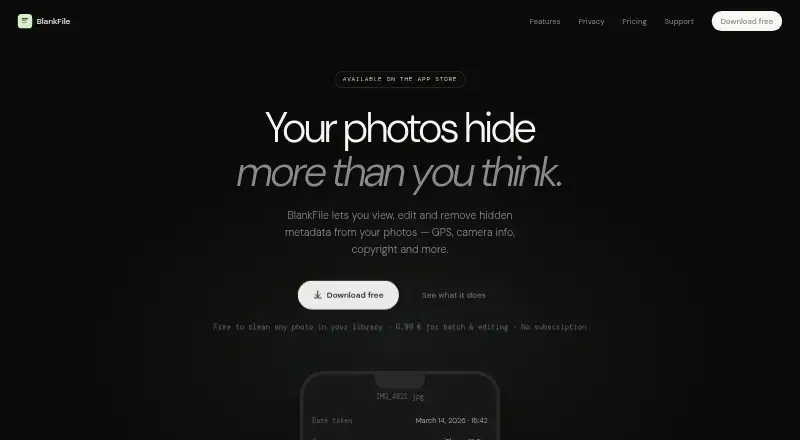
BlankFile is an iOS app for viewing, editing, and removing photo metadata. Its free viewer displays tags such as date, GPS location, camera model, lens, ISO, shutter speed, and copyright. Users can inspect a GPS location on a map and edit or remove it with a pin drop. The app supports IPTC fields, including keywords, captions, and copyright, and documents JPEG, HEIC, and TIFF support. RAW support is described as planned for a future update.
BlankFile says photo processing happens on-device and that it collects, stores, transmits, or shares no personal, photo, metadata, or usage data. It requests access so users can select photos, uses Add Only permission when saving edited copies, and says it does not access the library in the background or request device location. The app requires an iPhone running iOS 17 or later. Its free plan covers viewing photo tags; the Pro one-time purchase costs 6.99 EUR and adds editing any metadata field, batch editing up to 50 photos, and reusable templates. BlankFile offers email support and says it typically responds within 48 hours.
Who it suits
BlankFile suits iPhone users who want to inspect or change photo metadata, including GPS and IPTC details. Pro is relevant to people who need to apply the same edits to up to 50 photos or reuse metadata templates.
What it does well
- Free access includes viewing date, GPS, camera, exposure, and copyright tags.
- GPS locations can be edited or removed using a map pin.
- Supports IPTC fields such as keywords, captions, and copyright.
- Pro supports batch changes to up to 50 photos.
- The app says processing stays on-device and data is not collected or shared.
- Metadata edits preserve image pixels, Portrait depth, HDR, and Live Photo motion.
What to know first
- Requires an iPhone running iOS 17 or later.
- Documented formats are JPEG, HEIC, and TIFF; RAW support is planned.
- Batch editing and reusable templates are part of the paid Pro plan.
Limits
The free plan provides metadata viewing. Editing any field, batch editing up to 50 photos, and reusable templates are included with the 6.99 EUR one-time Pro purchase.
Plans
| Plan | Billed and limits | Price |
|---|---|---|
| BlankFile Pro | one-time purchase · yours forever · Edit any metadata field · Batch edit up to 50 photos · Reusable templates | €6.99, paid once |
As blankfile.app lists them, read 7 Oct 2026. The maker's own page has the final word.
Getting started
- Visit https://blankfile.app/.
- Use an iPhone running iOS 17 or later.
- Select photos when prompted for photo access.
- View photo tags with the free viewer, or purchase BlankFile Pro for editing tools.
Verdict
Choose BlankFile if you need to view or edit photo metadata on an iPhone and its supported formats match your files. The free viewer covers tag inspection; Pro is the option for editing fields, batch changes, and reusable templates.
Questions
Is BlankFile free?
Yes. The free plan lets users view photo tags; Pro costs 6.99 EUR as a one-time purchase.
Which devices does it require?
BlankFile requires an iPhone running iOS 17 or later.
Which image formats are supported?
The listed formats are JPEG, HEIC, and TIFF. RAW support is described as planned for a future update.
What does Pro add?
Pro allows editing any metadata field, batch editing up to 50 photos, and using reusable templates.
Does it handle GPS metadata?
Yes. Users can view a photo's GPS location on a map and edit or remove it with a pin drop.
How does BlankFile handle privacy?
BlankFile says processing happens on-device and it collects, stores, transmits, or shares no personal, photo, metadata, or usage data.
Facts from BlankFile's own pages
- Batch editing
- Pro users can apply the same changes to up to 50 photos at once. · blankfile.app, 7 Oct 2026
- File formats
- BlankFile supports JPEG, HEIC and TIFF; RAW support is described as planned for a future update. · blankfile.app, 7 Oct 2026
- Image preservation
- BlankFile says it rewrites metadata without changing image pixels, preserving Portrait depth, HDR and Live Photo motion. · blankfile.app, 7 Oct 2026
- IPTC support
- The app supports IPTC fields including keywords, captions and copyright. · blankfile.app, 7 Oct 2026
- Map editing
- For photos with GPS data, users can view the location on a map and edit or remove it with a pin drop. · blankfile.app, 7 Oct 2026
- Metadata viewer
- Users can view photo tags including date, GPS, camera model, lens, ISO, shutter speed and copyright for free. · blankfile.app, 7 Oct 2026
- Permissions
- The app requests access to let users select photos, uses Add Only permission when saving edited copies, and says it never accesses the library in the background or requests device location. · blankfile.app, 7 Oct 2026
- Privacy
- The privacy policy says photo processing happens on-device and that BlankFile collects, stores, transmits or shares no personal, photo, metadata or usage data. · blankfile.app, 7 Oct 2026
- Purchase processing
- The privacy policy says Apple StoreKit processes the one-time in-app purchase. · blankfile.app, 7 Oct 2026
- Purpose
- BlankFile lets users view, edit and remove photo metadata such as GPS, camera information and copyright. · blankfile.app, 7 Oct 2026
- Requirements
- The site lists iPhone and iOS 17 or later as requirements. · blankfile.app, 7 Oct 2026
- Support
- BlankFile offers email support and says it typically responds within 48 hours. · blankfile.app, 7 Oct 2026
Where BlankFile stands on Freedom251
- Photo Metadata Editors#6 of 31