Freedom251 › Photo Metadata Editors

EXIF Editor
What EXIF Editor is
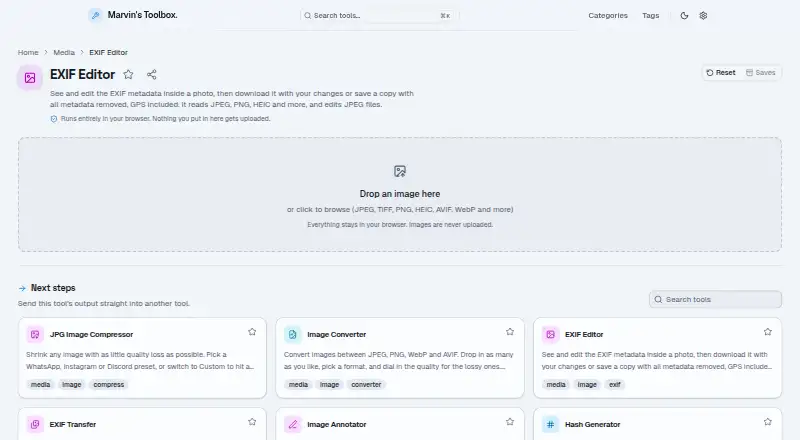
EXIF Editor is a free browser tool for viewing photo metadata and editing or removing it from JPEG images. It groups visible tags by type, such as camera, lens, date, and GPS location. Users can edit individual EXIF tags in a JPEG, change the date the photo was taken, and download the modified image. They can also download a JPEG copy with all metadata removed, including GPS location. The tool reads metadata from JPEG, PNG, TIFF, HEIC, and WebP images, among other formats, but editing and removal are limited to JPEG. Processing happens in the browser, and the maker says images are never uploaded. No installation or account is required. The free plan costs nothing, with no sign-up, ads, or site-set usage and file-size limits; actual limits depend on the browser and computer. It works on phones and tablets, although desktop use is recommended because some tools may not display correctly on mobile. Marvin Wendt builds and maintains the site.
Who it suits
EXIF Editor suits people who want to inspect image tags or change or remove metadata from JPEGs in a browser. It can also display metadata from several other image formats.
What it does well
- Displays camera, lens, date, and GPS tags.
- Can remove GPS and other JPEG metadata.
- Images are processed in the browser.
- No installation or account required.
- Free to use with no ads.
What to know first
- Editing and removal apply only to JPEG files.
- Desktop use is recommended for display compatibility.
- Practical limits depend on the browser and computer.
Limits
Editing and metadata removal are restricted to JPEG files; other supported formats can be read but not edited. The maker sets no usage or file-size limits, though practical limits depend on the browser and computer.
Plans
| Plan | Billed and limits | Price |
|---|---|---|
| Free | Free to use · no usage limits · no sign-up · no ads | Free |
As marvins.tools lists them, read 11 Oct 2026. The maker's own page has the final word.
Getting started
- Open the EXIF Editor website in a browser.
- Choose a photo to inspect its metadata.
- For a JPEG, edit tags or remove metadata, then download the resulting image.
Verdict
EXIF Editor offers straightforward metadata viewing across several formats, with editing and removal confined to JPEG. Its browser-based processing and no-account access may suit users who want a simple free option.
Questions
How much does EXIF Editor cost?
The Free plan costs nothing.
Is there a free plan or trial?
There is a free plan. No free trial is offered.
Which image formats does it support?
It reads metadata from JPEG, PNG, TIFF, HEIC, and WebP images, among other formats. Editing and metadata removal apply to JPEG files.
Do I need an account or installation?
No. The maker says the site requires neither an account nor installation.
Where does image processing happen?
Processing runs in the browser, and the maker says images are never uploaded.
Who makes EXIF Editor?
The site is built and maintained by Marvin Wendt.
Facts from EXIF Editor's own pages
- Change date
- The tool can change the date a photo was taken when editing a JPEG. · marvins.tools, 11 Oct 2026
- Editing limit
- Editing and metadata removal apply to JPEG files; other listed formats can be read but not edited. · marvins.tools, 11 Oct 2026
- Edit tags
- Users can edit individual EXIF tags in JPEG files and download the edited photo. · marvins.tools, 11 Oct 2026
- Local processing
- The tool runs in the browser and says images are never uploaded. · marvins.tools, 11 Oct 2026
- Maker
- The site is built and maintained by Marvin Wendt. · marvins.tools, 11 Oct 2026
- Metadata display
- It lists photo tags grouped by type, including camera, lens, date, and GPS location. · marvins.tools, 11 Oct 2026
- Mobile support
- The site works on phones and tablets, though the maker recommends desktop because some tools may not display correctly on mobile. · marvins.tools, 11 Oct 2026
- No installation
- The maker says the site's tools require no installation and no account. · marvins.tools, 11 Oct 2026
- Purpose
- EXIF Editor displays photo metadata and lets users edit or remove it. · marvins.tools, 11 Oct 2026
- Remove metadata
- Users can download a copy with all metadata removed, including GPS location. · marvins.tools, 11 Oct 2026
- Support
- The maker invites users to suggest tools or report bugs by messaging Marvin Wendt on X. · marvins.tools, 11 Oct 2026
- Supported reading formats
- The tool reads metadata from JPEG, PNG, TIFF, HEIC, and WebP images, among other formats. · marvins.tools, 11 Oct 2026
- Technology
- The tool credits exifr for parsing metadata and piexifjs for reading and writing JPEG EXIF data. · marvins.tools, 11 Oct 2026
- Usage limits
- The maker says there are no site-set usage or file-size limits; practical limits depend on the user's browser and computer. · marvins.tools, 11 Oct 2026
Where EXIF Editor stands on Freedom251
- Photo Metadata Editors#7 of 31