Freedom251 › Video Editing Software

BeeCut
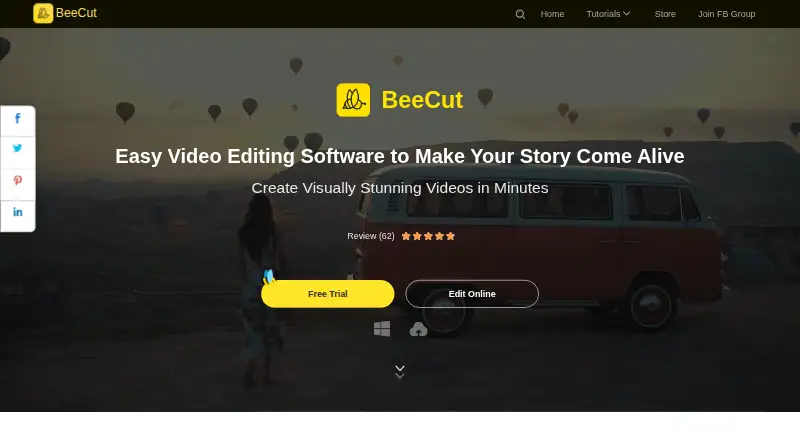
What BeeCut is
BeeCut is a video editor for Android, iOS, macOS, web, and Windows. It handles cutting, cropping, merging, zooming, color and speed adjustments, and adding mosaic effects, text, and audio. Desktop projects can use multiple timeline layers for video, images, audio, text, filters, and other media. Text tools include subtitles, hundreds of fonts, custom fonts, and speech recognition for speech-to-text or text-to-speech. Effects include transitions, overlays, filters, visual effects, titles, voiceover, music, picture-in-picture, stabilization, and masks. Supported aspect ratios include 16:9, 4:3, 1:1, 9:16, and 3:4, with publishing to YouTube, Facebook, Instagram, TikTok, and other social media. Browser tools include video-to-GIF, audio extraction, merging, trimming, rotation, and cropping, with MP4, AVI, MOV, and WEBM listed. BeeCut offers free online editing alongside paid personal and business plans.
Who it suits
It suits people creating videos across desktop, mobile, and browser environments, including users without editing experience. Social publishers can use its listed aspect ratios and destinations.
What it does well
- Available on Android, iOS, macOS, web, and Windows
- Supports layered desktop timelines
- Includes subtitles and speech conversion
- Offers stabilization, masks, and picture-in-picture
- Free online editing plan
What to know first
- Some online features are under development
- Privacy policy lists uploaded-file collection
- Online tools depend on browser access
Plans
| Plan | Billed and limits | Price |
|---|---|---|
| BeeCut Personal Monthly | Auto-renewing; cancel anytime | On request |
| BeeCut Personal Annual | Auto-renewing; cancel anytime | On request |
| BeeCut Personal Lifetime | Free lifetime updates and technical support | On request |
| BeeCut Business Monthly | — | On request |
| BeeCut Business Annual | — | On request |
| BeeCut Business Lifetime | Free service and upgrades for life | On request |
| BeeCut Online Video Editor | All editing functions on the website are free · online tools include video-to-GIF, audio extraction, merge, trim, rotate, and crop | Free |
As beecut.com lists them, read 23 Sept 2026. The maker's own page has the final word.
Verdict
BeeCut covers core editing, layered timelines, captions, effects, and browser tools across many platforms. Its free online editor is accessible, while plan pricing and developing online features need review.
Facts from BeeCut's own pages
- Browser support
- The web editor is described as working in browsers on PC, Mac, iOS, and Android devices. · beecut.com, 12 Oct 2026
- Customer support
- BeeCut directs users with privacy questions to its Data Protection Officer through the Contact Us page. · beecut.com, 12 Oct 2026
- Data collected
- The privacy policy says BeeCut may collect account, usage, device, crash-diagnostic, cookie, and uploaded-file information, and may use third-party tracking tools. · beecut.com, 12 Oct 2026
- Desktop app
- Yes · apowersoft.com, 23 Sept 2026
- Effects
- The editor includes transitions, overlays, filters, visual effects, titles, voiceover, music, color adjustment, picture-in-picture, stabilization, and masks. · beecut.com, 12 Oct 2026
- Intended users
- BeeCut says its goal is to let people without training or experience create professional-looking videos. · beecut.com, 12 Oct 2026
- Maker
- BeeCut identifies WANGXU TECHNOLOGY (HK) CO., LIMITED as the registered trademark owner. · beecut.com, 12 Oct 2026
- Online feature status
- The online editor page says a feature is under development and suggests trying the Pro version. · beecut.com, 12 Oct 2026
- Online formats
- The online editor says it supports video formats including MP4, AVI, MOV, and WEBM. · beecut.com, 12 Oct 2026
- Online tools
- The web editor offers video-to-GIF, audio extraction, merging, trimming, rotation, and cropping, and lists AI subtitle, translation, speech-to-text, summarizer, text-to-speech, and watermark-removal tools. · beecut.com, 12 Oct 2026
- Privacy and security
- BeeCut's privacy policy says it uses technical and organizational measures intended to prevent unauthorized access, and requires security measures from third parties receiving personal data. · beecut.com, 12 Oct 2026
- Product
- BeeCut is a video editor for cutting, cropping, merging, zooming, adjusting color and speed, and adding mosaic, text, and audio to video. · beecut.com, 12 Oct 2026
- Sharing
- BeeCut supports 16:9, 4:3, 1:1, 9:16, and 3:4 aspect ratios and says users can publish edits to YouTube, Facebook, Instagram, TikTok, and other social media. · beecut.com, 12 Oct 2026
- Text and subtitles
- BeeCut offers text overlays and subtitles, hundreds of fonts, custom fonts, and speech recognition to convert speech to text or vice versa. · beecut.com, 12 Oct 2026
- Timeline editing
- The desktop editor supports multiple timeline layers for images, video, audio, text, filters, and other media. · beecut.com, 12 Oct 2026
Where BeeCut stands on Freedom251
- Video Editing Software#54 of 153