Freedom251 › Mobile Payment Processing Software

Beacon Payments Mobile Payments
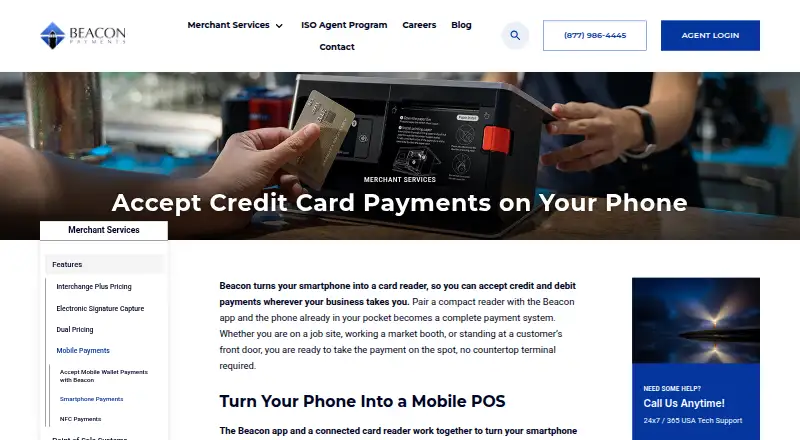
What Beacon Payments Mobile Payments is
Beacon Payments Mobile Payments pairs an app for phones and tablets with a compact Bluetooth card reader, letting merchants accept credit and debit payments away from a fixed checkout. It runs on Android and iOS and accepts EMV chip, contactless tap, and magnetic-stripe payments, including Apple Pay, Google Pay, and Samsung Pay. The app supports item entry, taxes, tips, digital receipts, sales history, reporting, and customer records. Beacon says the reader reconnects automatically after its first pairing. The service requires a Beacon merchant account, and mobile payment settings are typically configured the same day after merchant services signup. Beacon uses interchange-plus pricing and says there are no separate mobile rates or reader surcharges, but it does not list a numeric rate; merchants must contact the company. Beacon describes processing as PCI-compliant and protected by end-to-end encryption, and advertises 24/7/365 U.S.-based technical support by phone. Its named use cases include contractors, tradespeople, food trucks, mobile vendors, market sellers, and in-home service providers.
Who it suits
Beacon suits mobile merchants such as contractors, food trucks, market sellers, and in-home service providers who need to take card payments on a phone or tablet. It requires a Beacon merchant account and Bluetooth reader.
What it does well
- Accepts chip, tap, and magnetic-stripe payments
- Supports Apple Pay, Google Pay, and Samsung Pay
- App includes receipts, reporting, and customer records
- Advertises 24/7/365 U.S.-based phone support
What to know first
- Requires a Beacon merchant account
- No numeric rate is listed
- Requires a Bluetooth card reader
Limits
A Beacon merchant account and Bluetooth card reader are required. Beacon describes interchange-plus pricing but provides no numeric rate; its plan price is listed as Contact Beacon for pricing.
Plans
| Plan | Billed and limits | Price |
|---|---|---|
| Mobile Payments | Contact Beacon for pricing; the page describes interchange-plus pricing without listing a rate. · Requires a Beacon merchant account · Bluetooth card reader pairs with iOS or Android phone/tablet | On request |
As beaconpayments.com lists them, read 8 Oct 2026. The maker's own page has the final word.
Getting started
- Open Beacon's mobile payments page.
- Sign up for Beacon merchant services and obtain a Beacon merchant account.
- Have mobile payment settings configured, typically the same day after signup.
- Pair the Bluetooth card reader with an Android or iOS phone or tablet.
- Use the app to enter items and accept payments.
Verdict
Beacon Payments Mobile Payments combines mobile checkout tools with support for cards and mobile wallets. Pricing is interchange-plus but must be requested, and merchants need a Beacon account and reader.
Questions
How much does Beacon Payments Mobile Payments cost?
Pricing is on request. Beacon says it uses interchange-plus pricing and charges no separate mobile rates or reader surcharges, but does not provide a numeric rate.
Which devices does it support?
The app works on Android and iOS phones and tablets.
What payment methods can the reader accept?
It accepts EMV chip, contactless tap, and magnetic-stripe payments, including Apple Pay, Google Pay, and Samsung Pay.
Does it require a merchant account?
Yes. The plan requires a Beacon merchant account, and the reader pairs with the app over Bluetooth.
What support does Beacon advertise?
Beacon advertises 24/7/365 U.S.-based technical support by phone at 877-986-4445.
Facts from Beacon Payments Mobile Payments's own pages
- Checkout tools
- The app supports item entry, taxes, tips, digital receipts, sales history, reporting, and customer records. · beaconpayments.com, 8 Oct 2026
- Company and address
- Beacon Payments lists its headquarters at 3 Edgewater Drive #203, Norwood, Massachusetts 02062, and identifies Beacon Payments Inc. as a registered ISO of Wells Fargo Bank, N.A. · beaconpayments.com, 8 Oct 2026
- Funding
- Beacon says mobile payment deposits can arrive up to 24 hours faster than those from many traditional processors. · beaconpayments.com, 8 Oct 2026
- Headquarters
- Norwood, Massachusetts, United States · beaconpayments.com, 28 Sept 2026
- Intended users
- Beacon names contractors, tradespeople, food trucks, mobile vendors, market sellers, and in-home service providers as use cases. · beaconpayments.com, 8 Oct 2026
- Mobile wallets
- Beacon’s mobile payment page lists Apple Pay, Google Pay, and Samsung Pay support, as well as contactless EMV payments. · beaconpayments.com, 8 Oct 2026
- Payment methods
- The reader accepts EMV chip, contactless tap, and magnetic-stripe payments, including mobile wallets. · beaconpayments.com, 8 Oct 2026
- Pricing
- Beacon says it uses interchange-plus pricing and charges no separate mobile rates or reader surcharges; the page does not give a numeric rate. · beaconpayments.com, 8 Oct 2026
- Reader connection
- The reader pairs with the app over Bluetooth and is described as reconnecting automatically after its first pairing. · beaconpayments.com, 8 Oct 2026
- Security
- Beacon describes its mobile processing as PCI-compliant and protected by end-to-end encryption. · beaconpayments.com, 8 Oct 2026
- Setup
- The page says mobile payment settings are typically configured the same day after merchant services signup. · beaconpayments.com, 8 Oct 2026
- Support
- Beacon advertises 24/7/365 U.S.-based technical support by phone at 877-986-4445. · beaconpayments.com, 8 Oct 2026
- What it does
- Beacon pairs its app with a compact card reader to let merchants accept credit and debit payments on a smartphone or tablet. · beaconpayments.com, 8 Oct 2026
Where Beacon Payments Mobile Payments stands on Freedom251
- Mobile Payment Processing Software#21 of 27