Freedom251 › Mobile Payment Processing Software

Apex Reader
What Apex Reader is
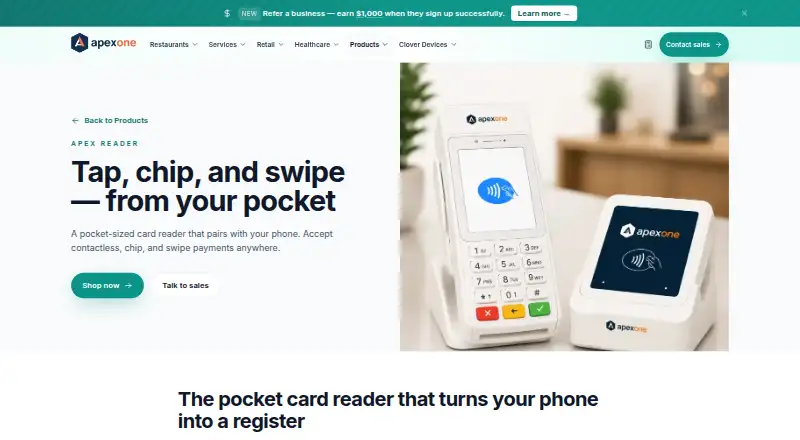
Apex Reader is a pocket-sized Bluetooth card reader for in-person payments away from a counter. It pairs with an iPhone or Android phone and accepts NFC contactless payments, EMV chip cards, and magstripe swipes, including Apple Pay and Google Pay. The reader connects over Bluetooth LE to devices running iOS 14 or later or Android 10 or later, and it requires the Apexonepayments app. No separate data plan is required. Its battery supports up to 12 hours of active use and charges through micro-USB. In the app, sellers can enter a sale or pull one from an invoice, issue refunds and voids, and add optional tax and tips. Receipts can be sent by text or email, while sales sync to the Apexonepayments dashboard in real time. Listed platform features include QuickBooks Online, invoicing and pay-by-link, tip prompts, SMS receipts, and multi-location reporting. Reader transactions share a ledger with Apex Flex and Mini, which can be added later without changing processors. The company says account activation takes under two minutes, with no setup fees or monthly minimums. Pricing is on request; Apex lists free two-day delivery, 30-day returns, and a two-year device warranty.
Who it suits
Apex Reader is aimed at mobile sellers taking payments at markets, pop-ups, curbside pickup, or home visits. It requires a compatible iPhone or Android phone and the Apexonepayments app.
What it does well
- Accepts contactless, chip, and swipe payments
- Works without a separate data plan
- Sales sync to the dashboard in real time
- Apex lists a two-year device warranty
What to know first
- Requires a compatible phone and the Apexonepayments app
- Pricing is on request
- Battery charges via micro-USB
Limits
The reader requires an iPhone or Android phone running iOS 14 or later or Android 10 or later, Bluetooth LE, and the Apexonepayments app.
Getting started
- Visit the Apex Reader product page and request pricing.
- Activate an Apex account; the stated activation time is under two minutes.
- Use an iPhone running iOS 14 or later or an Android device running Android 10 or later with Bluetooth LE.
- Pair the reader with the phone and use the Apexonepayments mobile app.
- Charge the reader through micro-USB as needed.
Verdict
Apex Reader combines a phone-paired card reader with receipts, refunds, and real-time dashboard syncing for mobile sales. Check phone compatibility and request pricing before choosing it.
Questions
How much does Apex Reader cost?
Pricing is on request.
Which phones can it connect to?
It connects over Bluetooth LE to iOS 14+ and Android 10+ devices.
Which payment types does it accept?
It accepts NFC contactless, EMV chip, and magstripe payments, including Apple Pay and Google Pay.
Does Apex Reader require a separate data plan?
No, the listed phone connection does not require a separate data plan.
What integrations and reporting features are listed?
Listed platform features include QuickBooks Online, invoicing and pay-by-link, SMS receipts, tip prompts, and multi-location reporting.
Who provides the merchant account?
Apex One Payments identifies itself as a Payment Service Provider/MSP partner, not a bank or direct bank ISO. Merchant accounts are boarded with acquiring banks through its ISO/PSP partner.
Facts from Apex Reader's own pages
- App functions
- The app supports refunds and voids, optional tax and tips, and entering a sale or pulling one from an invoice. · apexonepayments.com, 8 Oct 2026
- Battery
- The reader provides up to 12 hours of active use and charges via micro-USB. · apexonepayments.com, 8 Oct 2026
- Company identity
- The site identifies the company as Apexonepayments, Inc. and says it is a payment service provider/MSP partner whose merchant accounts are boarded through acquiring banks via an ISO/PSP partner. · apexonepayments.com, 8 Oct 2026
- Company role
- Apex One Payments says it is a Payment Service Provider/MSP partner, not a bank or direct bank ISO, and that merchant accounts are boarded with acquiring banks through its ISO/PSP partner. · apexonepayments.com, 8 Oct 2026
- Compatibility
- The listed specifications require Bluetooth LE and iOS 14 or later or Android 10 or later. · apexonepayments.com, 8 Oct 2026
- Growth path
- Reader transactions share a ledger and reporting with Apex Flex and Mini, which can be added later without changing processors. · apexonepayments.com, 8 Oct 2026
- Hardware purchase terms
- Apex lists free two-day delivery, 30-day returns, and a two-year warranty for every Apex device. · apexonepayments.com, 8 Oct 2026
- Integrations
- The page lists QuickBooks Online, invoicing and pay-by-link, SMS receipts, tip prompts, and multi-location reporting as platform features. · apexonepayments.com, 8 Oct 2026
- Intended users
- Apex describes Reader for mobile sellers such as food trucks, stylists, market vendors, and field technicians, including curbside, market, home-service, and pop-up sales. · apexonepayments.com, 8 Oct 2026
- Limits
- The reader pairs with a phone and needs the Apexonepayments mobile app; no separate data plan is required. · apexonepayments.com, 8 Oct 2026
- Mobile use
- The reader is designed for mobile sellers, including food trucks, market vendors, stylists, field technicians, and pop-up retailers. · apexonepayments.com, 8 Oct 2026
- Payment methods
- It accepts NFC contactless payments, EMV chip cards, and magstripe swipes, including Apple Pay and Google Pay. · apexonepayments.com, 8 Oct 2026
- Phone requirements
- It connects over Bluetooth LE to iOS 14+ and Android 10+ devices, with no separate data plan required. · apexonepayments.com, 8 Oct 2026
- Pricing availability
- The product page describes hardware cost and transaction processing but gives no specific price; the shop page offers a Buy now link without displaying a price. · apexonepayments.com, 8 Oct 2026
- Purpose
- Apex Reader is a pocket-sized Bluetooth card reader that pairs with an iPhone or Android phone for in-person payments. · apexonepayments.com, 8 Oct 2026
- Receipts
- The Apexonepayments app sends branded receipts by SMS or email. · apexonepayments.com, 8 Oct 2026
- Receipts and reporting
- The app sends receipts by text or email and syncs each sale to the Apexonepayments dashboard in real time. · apexonepayments.com, 8 Oct 2026
- Reporting
- Reader transactions sync to the Apexonepayments dashboard in real time and share a ledger with the counter POS. · apexonepayments.com, 8 Oct 2026
- Security
- The product page states that Reader is PCI PTS certified, uses end-to-end encryption, and keeps card data off the phone. · apexonepayments.com, 8 Oct 2026
- Setup and account terms
- The product page says account activation takes under two minutes and states there are no setup fees or monthly minimums. · apexonepayments.com, 8 Oct 2026
- Support
- The Help Center says support is available 24/7/365 in English and Spanish. · apexonepayments.com, 8 Oct 2026
- What it does
- Apex Reader is a pocket-sized Bluetooth card reader that pairs with an iPhone or Android phone to accept contactless, chip, and swipe payments. · apexonepayments.com, 8 Oct 2026
- Who it is for
- The company positions Apex Reader for sellers taking payments at markets, home visits, pop-ups, curbside pickup, and other off-counter locations. · apexonepayments.com, 8 Oct 2026
Where Apex Reader stands on Freedom251
- Mobile Payment Processing Software#20 of 27