Freedom251 › Mobile Browser Software

Bare Browser
What Bare Browser is
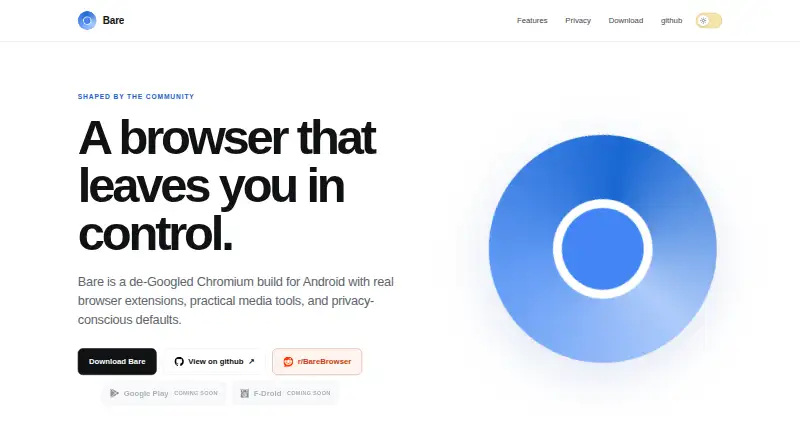
Bare Browser is a free, open-source Chromium browser for Android. It uses DuckDuckGo by default, and you can add and manage other search engines in settings. It supports Chrome Web Store extensions, including Bitwarden and Dark Reader, and comes with the full uBlock Origin extension for ad blocking. You can remove uBlock Origin, and Bare keeps Manifest V2 available.
Supported videos can continue playing with audio when you switch apps or lock your phone. Downloads can remain in Bare or be handed to an external manager such as 1DM. Bare says it removes telemetry, Google sign-in prompts, Firebase registration, and built-in AI surfaces. It does not require a Bare account; browsing data stays in the local browser profile, without Bare cloud synchronization. Some network activity remains, including Chromium security component updates, uBlock Origin filter-list updates, and update checks that may contact GitHub. Safe Browsing is unavailable in this public Chromium build.
Bare is in its current alpha for Android 10 and newer, with ARM 64-bit and 32-bit builds. GitHub releases provide APKs and release notes; Google Play and F-Droid are marked as coming soon.
Who it suits
Bare suits Android users who want an open-source Chromium browser with extension support, built-in ad blocking, and local browser data storage. Its unrestricted internet access makes it a general-purpose browser rather than one specifically designed for children.
What it does well
- Free and open source.
- Supports Chrome Web Store extensions, including Bitwarden and Dark Reader.
- Includes removable uBlock Origin for ad blocking.
- Supported videos can play audio while you switch apps or lock your phone.
- Downloads can be handed to an external manager.
- No Bare account or cloud synchronization is required.
What to know first
- Currently in alpha.
- Supports Android 10 and newer only.
- Safe Browsing is unavailable in this public Chromium build.
- Google Play and F-Droid distribution are marked as coming soon.
Limits
The free plan is the current alpha for Android 10 and newer. Safe Browsing is unavailable in this public Chromium build.
Plans
| Plan | Billed and limits | Price |
|---|---|---|
| Bare Browser | Current alpha · Android 10+ · ARM 64-bit and 32-bit builds · Google Play and F-Droid marked coming soon | Free |
As barebrowser.org lists them, read 8 Oct 2026. The maker's own page has the final word.
Getting started
- Use an Android device running Android 10 or newer.
- Open Bare's website and follow its link to GitHub releases.
- Choose the APK build for your device's ARM 64-bit or 32-bit architecture.
- Install the APK and open Bare Browser.
- Use DuckDuckGo by default or add and manage search engines in settings.
- Add supported extensions from the Chrome Web Store if needed.
Bare Browser is an open-source Chromium browser for Android that strips out several Google-linked services while retaining support for desktop extensions. It best suits Android users who want local browsing data and uBlock Origin; its alpha status and lack of Safe Browsing make it a poor fit for anyone who needs a mature release or that protection.
Overview
Bare’s appeal is unusual flexibility for a mobile browser: it supports Chrome Web Store extensions, including Bitwarden and Dark Reader, and includes the full, removable uBlock Origin extension. Keeping Manifest V2 available matters to users who rely on that extension. In return, users accept an early alpha and a build without Safe Browsing, a material security trade-off for a general-purpose browser.
Bare says it removes telemetry, Google sign-in prompts, Firebase registration, and built-in AI surfaces. Its privacy policy says it does not run analytics, advertising, telemetry, or user-tracking services and does not require a Bare account. Browsing data stays in the local browser profile; Bare does not provide cloud synchronization for it. This suits people who prefer local storage, but not those who want browser data synced through Bare across devices.
Privacy-conscious users should also understand that Bare is not entirely offline: Chromium’s security component updater remains enabled, uBlock Origin updates its filter lists, and update checks can contact GitHub. These connections serve updates rather than account-based syncing, but they are still network activity.
Key features
Extensions and blocking
Desktop browser extensions give Bare a broader toolset than a browser limited to mobile add-ons. Bitwarden and Dark Reader are examples; the included uBlock Origin offers strong ad-blocking control and can be removed if unwanted. Extension support may appeal to users who want familiar desktop tools on Android, though the current alpha is not the right choice for anyone unwilling to rely on early software.
Media and downloads
Supported video can continue playing with audio when users switch apps or lock the phone, useful for listening while doing something else. Downloads can remain in Bare or be handed to an external manager such as 1DM, giving users a choice between a self-contained browser workflow and a separate download tool.
Search
DuckDuckGo is the default search engine, and users can add and manage alternatives in settings. That makes the default straightforward for users who prefer DuckDuckGo, without locking others into it.
Pricing
Bare Browser: free. The free plan is the current alpha for Android 10 and newer, with ARM 64-bit and 32-bit builds. There is no free trial because the browser is free. Bare has no paid tier described; the free plan is the product. Google Play and F-Droid are marked as coming soon, so the stated distribution route is GitHub releases, which provide APKs and release notes.
Platforms
Bare is an Android-only browser, with builds for Android 10 and newer. It uses Chromium and has ARM 64-bit and 32-bit builds. It is not an option for desktop or iOS users. Google Play and F-Droid are marked as coming soon.
Who it's for
Bare is a general-purpose browser, not one designed specifically for children; it provides unrestricted internet access. Its best audience is Android users who want extensions, uBlock Origin, and local browser storage, and who are comfortable installing an alpha through GitHub releases. Users who need Safe Browsing, a stable release, or cloud synchronization should choose another browser.
Pros and cons
- Pro: Desktop extension support, including Bitwarden and Dark Reader, brings useful tools to Android.
- Pro: The full uBlock Origin extension is included, removable, and retains Manifest V2 availability.
- Pro: Local-only browsing data and the removal of several Google-linked surfaces suit users seeking a less account-centered browser.
- Con: Safe Browsing is unavailable in this public Chromium build, a significant drawback for users who depend on it.
- Con: The current alpha and GitHub-based APK distribution are less suitable for users seeking a mature release or a conventional app-store install.
- Con: Bare does not sync browsing data through the cloud, so users wanting that convenience must look elsewhere.
Alternatives
Mozilla Firefox is a better fit if you want a free, open-source browser across Android, iOS, desktop, and web platforms rather than an Android-only alpha.
Fulguris suits Android users who prioritize unlimited tabs without a subscription through its F-Droid download; its Google Play plan suggests a yearly subscription after more than twenty tabs.
SmartCookieWeb is another free, open-source Android option if you prefer a browser described as completely free and ad-free.
SquareBrowser may suit users who want built-in limits on browsing time: its free plan allows up to six hours of daily browsing, with Strict Mode locking access until midnight.
Google Chrome is a free alternative for readers seeking the widely available browser across Android, desktop, iOS, and web platforms.
Microsoft Edge is a free cross-platform alternative with downloads for Android, iOS, Windows, macOS, and Linux.
Opera is worth considering if you want a free browser that includes a VPN, ad blocker, Flow, and Opera AI.
Ecosia Browser is another free desktop and mobile option if you want browser access across those platforms.
Browse more options in Mobile Browser Software or Web browsers.
Verdict
Bare Browser is a compelling free choice for Android users who want desktop extensions, uBlock Origin, and browsing data kept locally. Its missing Safe Browsing and current alpha status are serious limits, not minor caveats: choose it only if those trade-offs suit you, and look elsewhere if you need a more established release or Safe Browsing.
Verdict
Choose Bare if you want a free, open-source Android browser with extensions, uBlock Origin, and browsing data stored locally. Look elsewhere if Safe Browsing is a requirement or you need a release outside the current alpha.
Questions
Is Bare Browser free?
Yes. The Bare Browser plan is listed as free, and a free plan is available.
Which devices does Bare support?
Bare is for Android 10 and newer, with ARM 64-bit and 32-bit builds.
Does Bare block ads?
Yes. It includes the full uBlock Origin extension, which can be removed.
Can I use browser extensions?
Bare supports desktop browser extensions, including extensions from the Chrome Web Store such as Bitwarden and Dark Reader.
Does Bare sync browsing data?
No Bare account is required, and browsing data stays in the local browser profile without Bare cloud synchronization.
Where can I get Bare?
Bare's website links to GitHub releases for APKs and release notes. Google Play and F-Droid are marked as coming soon.
Facts from Bare Browser's own pages
- Ad blocking
- The full, removable uBlock Origin extension is included, and Bare keeps Manifest V2 available. · barebrowser.org, 8 Oct 2026
- Browser engine
- chromium · barebrowser.org, 19 Sept 2026
- Built-in ad blocking
- Yes · barebrowser.org, 19 Sept 2026
- Data storage
- Browsing data is stored locally in the browser profile, and Bare says it does not operate cloud synchronization for that data. · barebrowser.org, 8 Oct 2026
- Distribution
- The site links to GitHub releases for APKs and release notes, and marks Google Play and F-Droid as coming soon. · barebrowser.org, 8 Oct 2026
- Downloads
- Bare can keep downloads in the browser or hand them to an external manager such as 1DM. · barebrowser.org, 8 Oct 2026
- Extensions
- Bare supports desktop browser extensions, including Bitwarden and Dark Reader. · barebrowser.org, 8 Oct 2026
- Extension support
- chrome_store · barebrowser.org, 19 Sept 2026
- Free plan
- Yes · barebrowser.org, 19 Sept 2026
- Intended audience
- Bare is a general-purpose browser, not specifically designed for children, and provides unrestricted internet access. · barebrowser.org, 8 Oct 2026
- Media playback
- Supported video can keep playing with audio when you switch apps or lock your phone. · barebrowser.org, 8 Oct 2026
- Network activity
- The site says Chromium's security component updater remains enabled, uBlock Origin updates its filter lists, and update checks can contact GitHub. · barebrowser.org, 8 Oct 2026
- Open source
- Yes · barebrowser.org, 19 Sept 2026
- Supported platforms
- mobile · barebrowser.org, 19 Sept 2026
- Privacy
- Bare says it removes telemetry, Google sign-in prompts, Firebase registration, and built-in AI surfaces. · barebrowser.org, 8 Oct 2026
- Privacy policy
- The policy says Bare does not operate analytics, advertising, telemetry, or user-tracking services and does not require a Bare account. · barebrowser.org, 8 Oct 2026
- Release status
- Bare is described as early software in its current alpha, with builds for Android 10 and newer. · barebrowser.org, 8 Oct 2026
- Search
- DuckDuckGo is the default search engine, and users can add and manage other search engines in settings. · barebrowser.org, 8 Oct 2026
- Security limitation
- Safe Browsing is not available in this public Chromium build. · barebrowser.org, 8 Oct 2026
- Support
- Privacy questions or concerns can be sent to [email protected]. · barebrowser.org, 8 Oct 2026
- What it is
- Bare is an open-source, de-Googled Chromium browser for Android. · barebrowser.org, 8 Oct 2026
Where Bare Browser stands on Freedom251
- Mobile Browser Software#2 of 31
- Web browsers#37 of 154